Downloading invoice
Last updated
Downloading Invoices
-
Log in to your ChannelDock account.
-
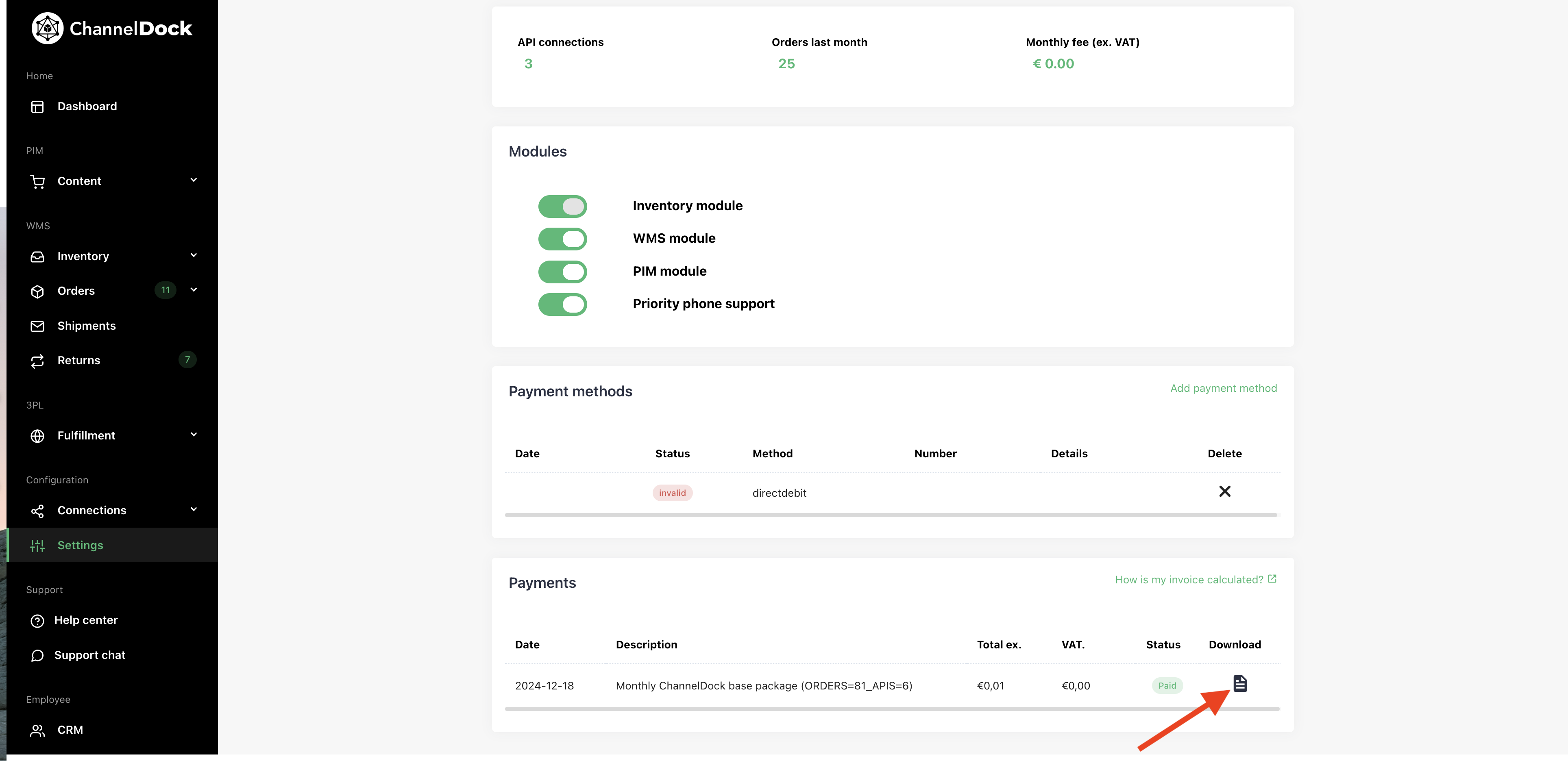
Go to Settings -> Account -> Subscription.
-
Click on the Download icon or link next to the invoice you wish to download
Managing Your Subscription
- Automatic Renewal: ChannelDock subscriptions renew automatically each billing period.
- Billing Charges: Charges are based on the modules you use, the number of orders and sales channels ( and number of products for the PIM module)
- Cancellation: To cancel your subscription and avoid the next billing cycle, you must do so before the renewal date.
- No Refund Policy: Payments are non-refundable, even if you cancel before the end of the billing period. Fill out your invoice email on the subscription page.
Was this helpful?