Auto switch between LvB and Own fulfillment
Last updated
The Auto LVB to Own Stock Switch automatically manages your stock between Bol.com’s LVB and your own inventory.
• When your LVB stock runs out, the system switches to your own stock to keep the product available.
• Once Bol.com restocks your LVB inventory, the system switches back to LVB.
How to Turn It On
Navigate to Connections > Sales channels and click the bol API ‘Settings’ button.
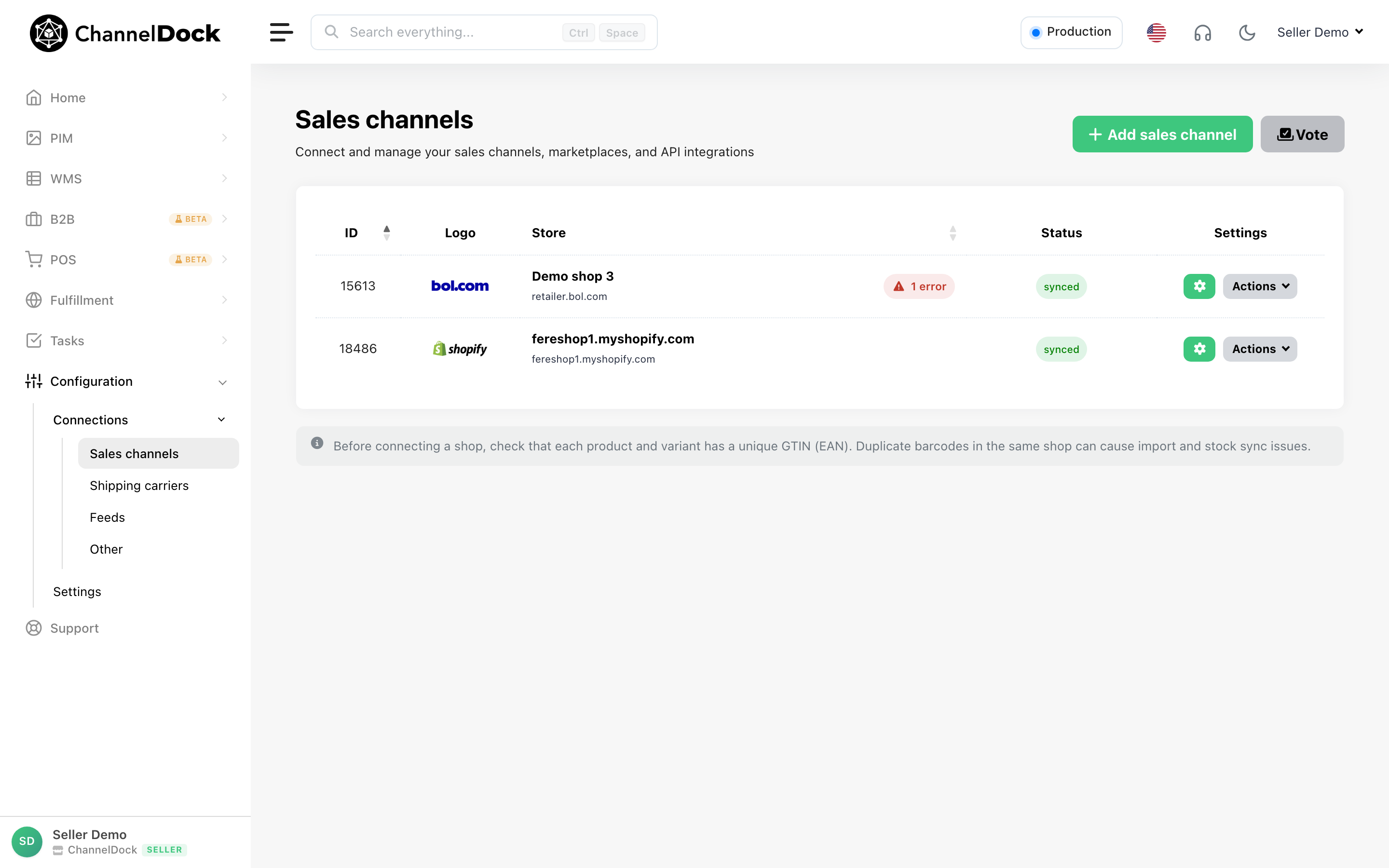
Toggle the ‘Auto switch between LvB and Own fulfillment’ switch on.
How quickly does the switch occur?
The process runs every 30 minutes, so the switch may take up to 30 minutes to activate.
Was this helpful?