Zebra barcode scanner
Last updated
If your Zebra scanner isn’t working with ChannelDock, follow these steps to configure it correctly:
On your Zebra device, navigate to zConfigure > DataWedge configure and:
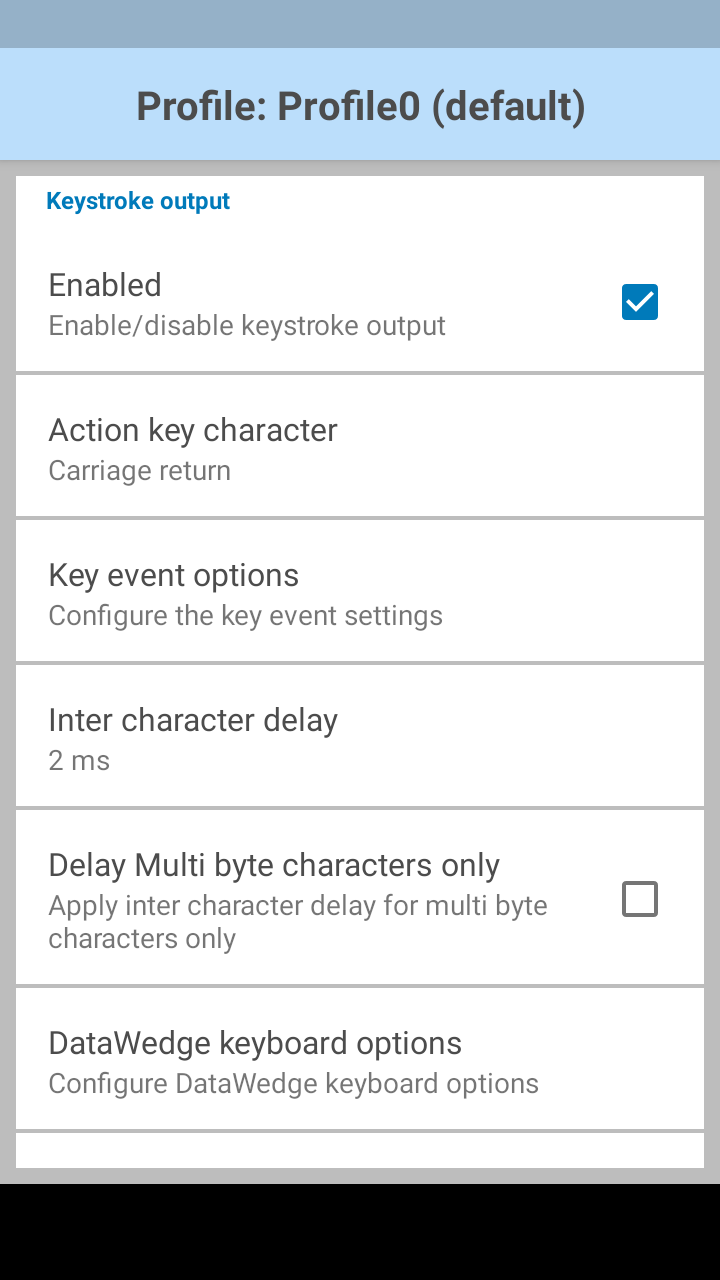
- Enable the keystroke output (see the picture below).
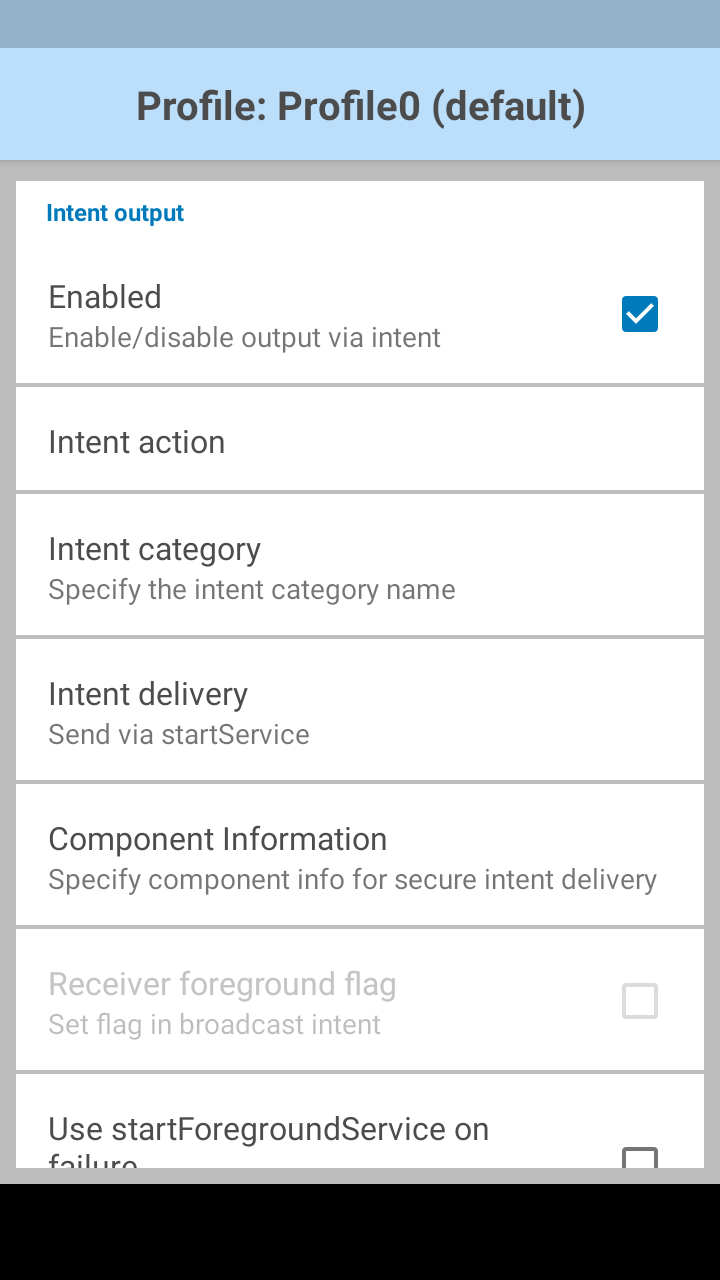
- Enable the intent output (see the picture below).
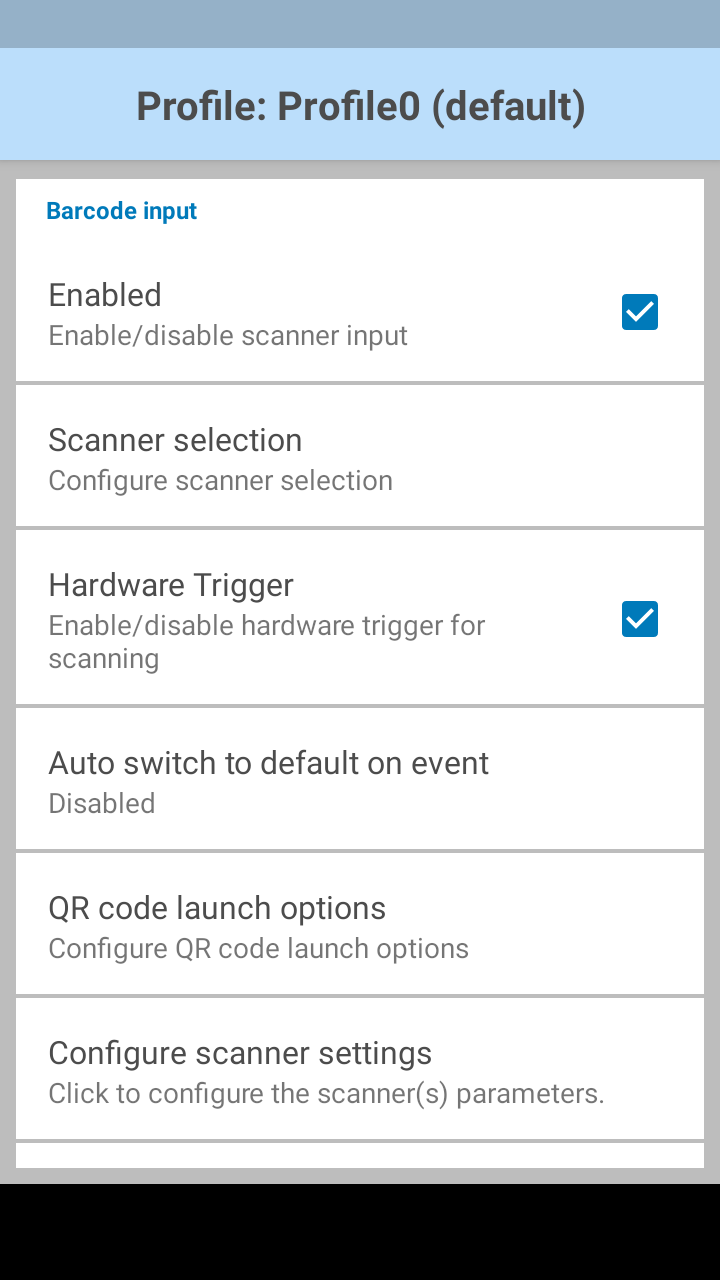
- Enable barcode input (see the picture below).
Or you can download a Datawedge configuration profile that you can import into Datawedge via this link.
Was this helpful?