Connecting JTL
Last updated
Connecting your JTL fulfiller account to ChannelDock is really easy. This guide will describe the process.
-
Sign in to your JTL fulfiller account and go to the following page:
-
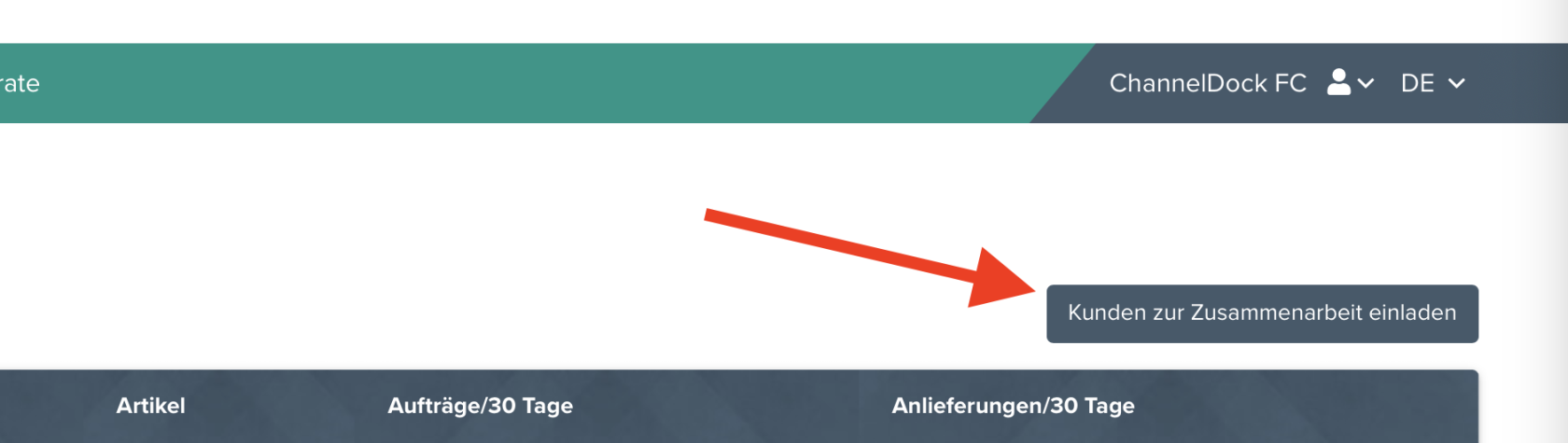
Click on the “Kinder zur Zusammenarbeit einladen” button
-
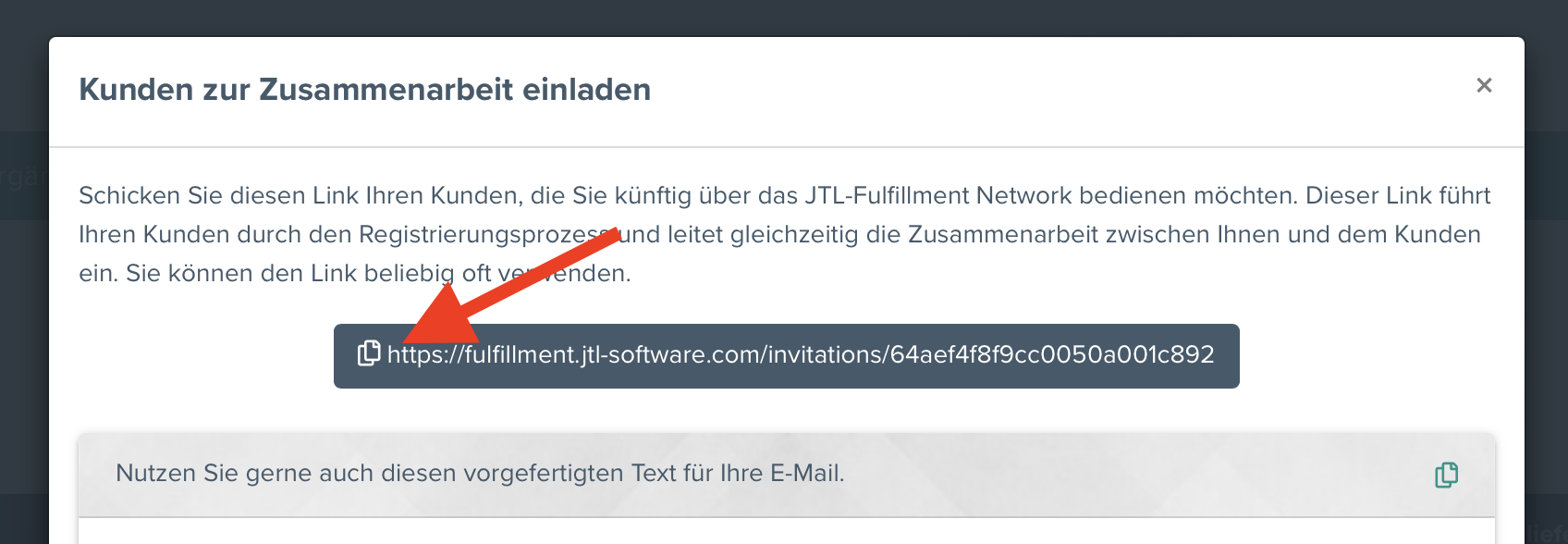
In the pop-up that appears, click on the copy link icon as shown in the image below:
-
Now go to ‘Settings > Integrations’ in your ChannelDock Fulfillment account by clicking on the following link
https://channeldock.com/portal/public/centersettings/integrations -
Click on the JTL FFN logo.
-
Paste the merchant invitation link you copied from step 3 and click ‘Connect JTL’.
You have now connected JTL to ChannelDock!
Was this helpful?