Automate inventory through product bundles
Last updated
ChannelDock lets you bundle products. That is useful when you sell items as a set, and when you need accurate stock levels across related products. Below are two common ways to use bundles.
Selling products as a set
In this example, we use a Kitesurf starter set that consists of products that are also sold separately. When the set is ordered, you want the stock of each component to go down. You also want the stock of the set itself to be based on how many complete sets you can still make from those components.
Before you start, open the set product under Inventory > All products. Bundle stock is calculated automatically from the components, so you normally do not edit the set stock directly.
-
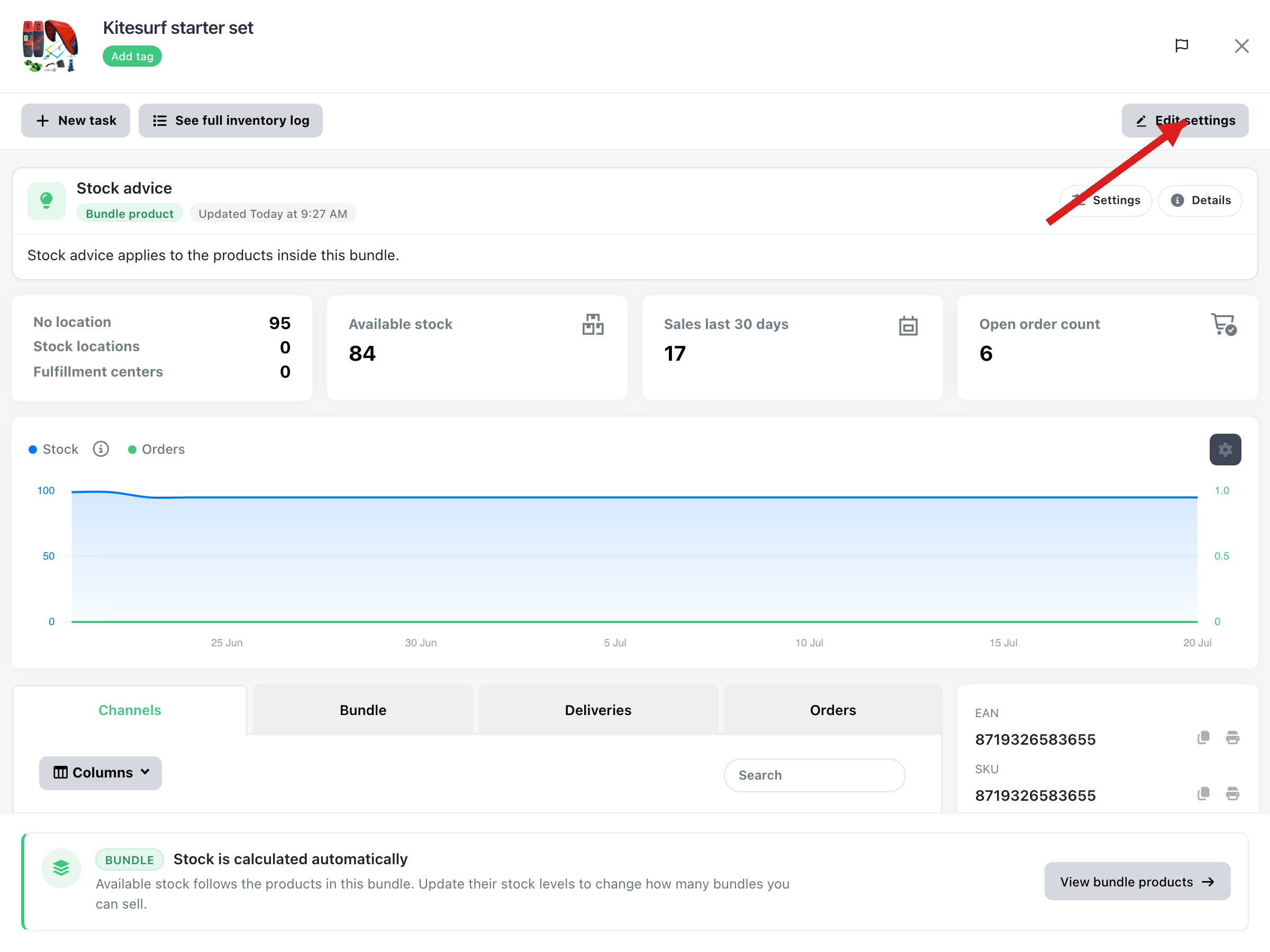
Open the set product and click Edit settings.
-
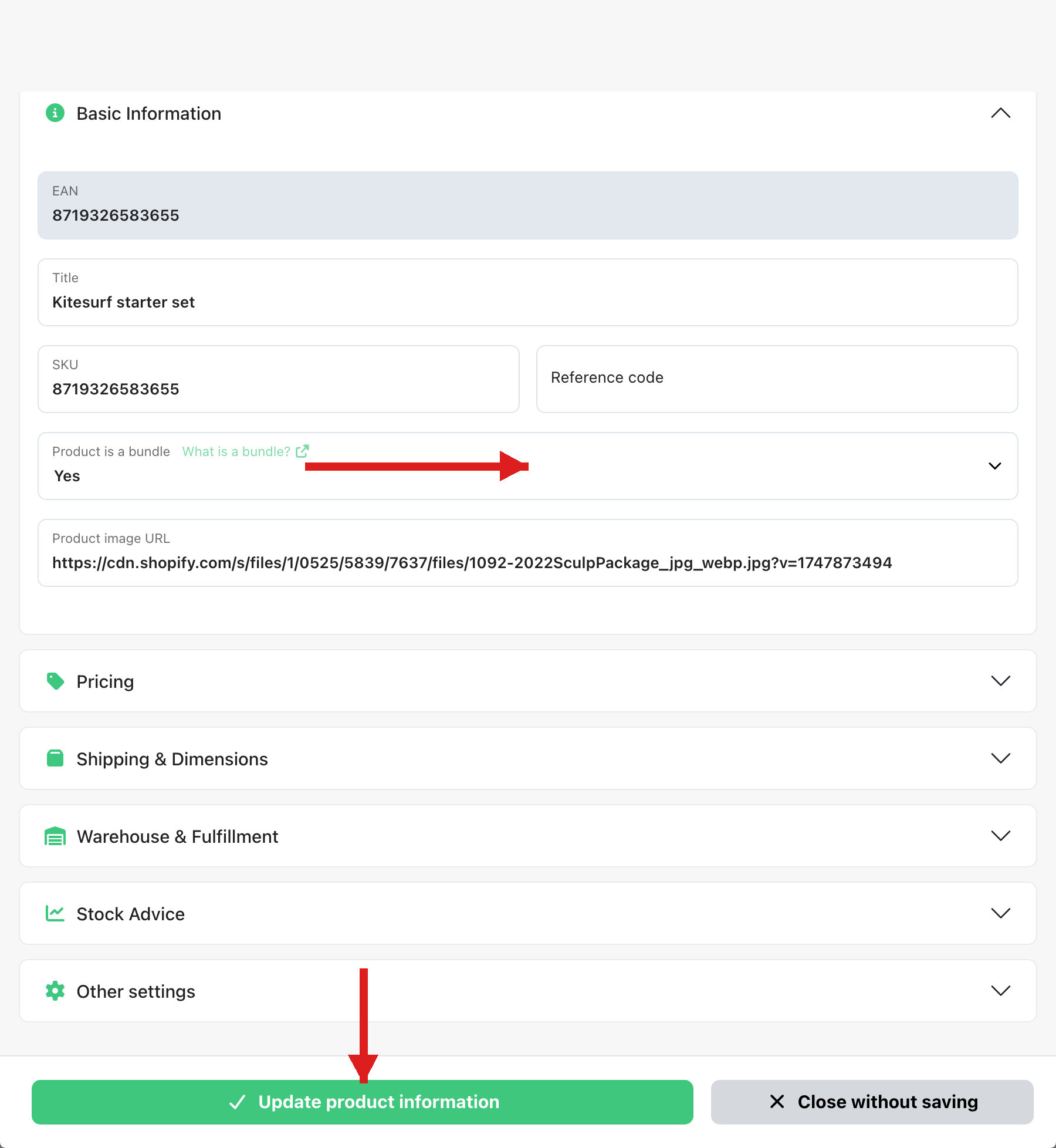
In Basic Information, set Product is a bundle to Yes, then click Update product information.
-
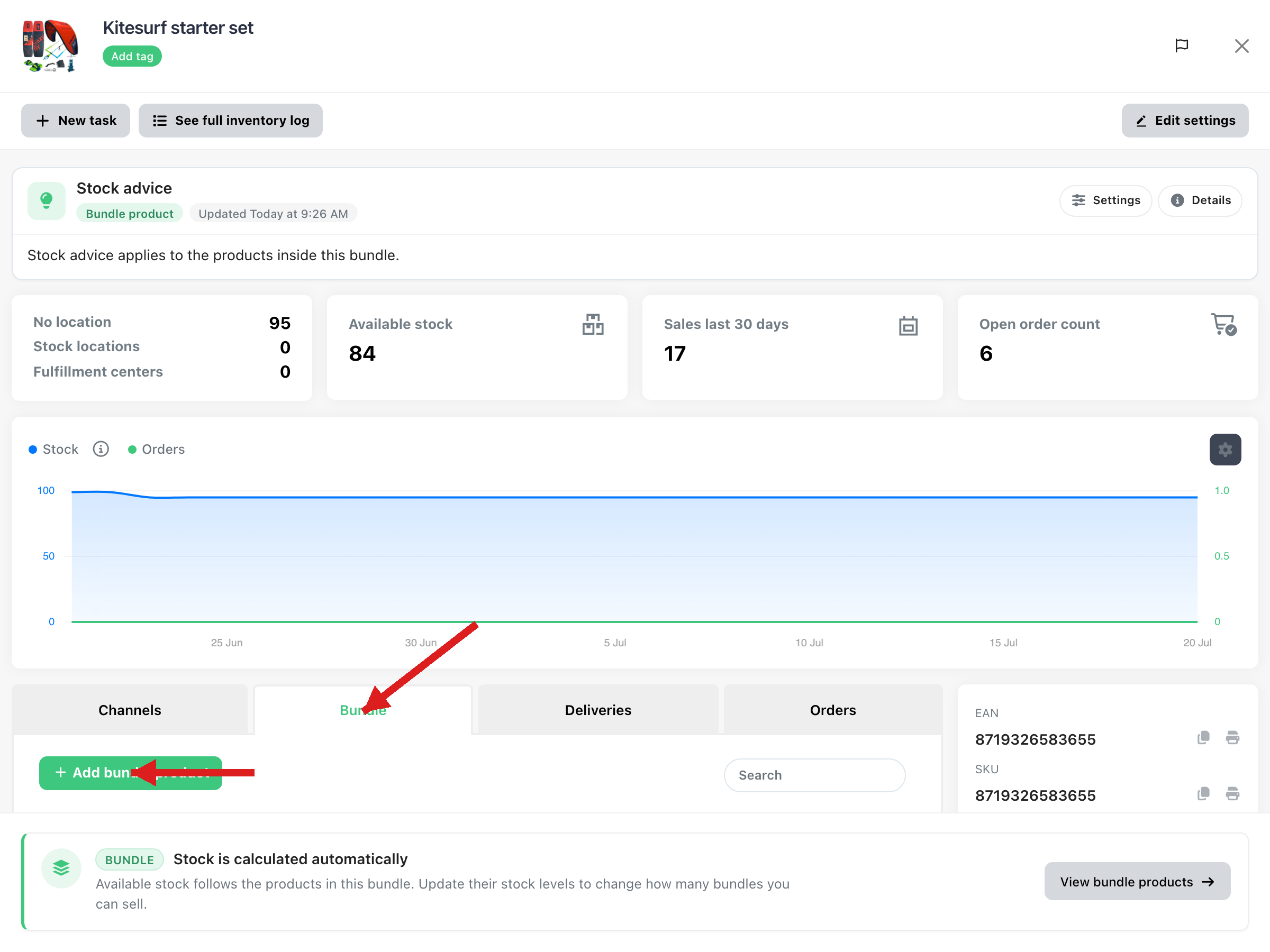
Open the Bundle tab and click + Add bundle product to add the individual products. Set the amount for each component if needed. You can also open the same list with View bundle products at the bottom of the product page.
Note: Bundle products cannot be added to other bundle products.
The stock level of the set is now based on the available stock of its components. When a set is sold, ChannelDock reduces the stock of those components automatically.
Linking products with different EANs
You can also use bundles to keep stock in sync when the same item is sold under different EANs. For example, if product A, product B, and product C are the same physical item with different EANs, link them like this:
-
Convert product B and product C into bundle products using steps 1–2 above.
-
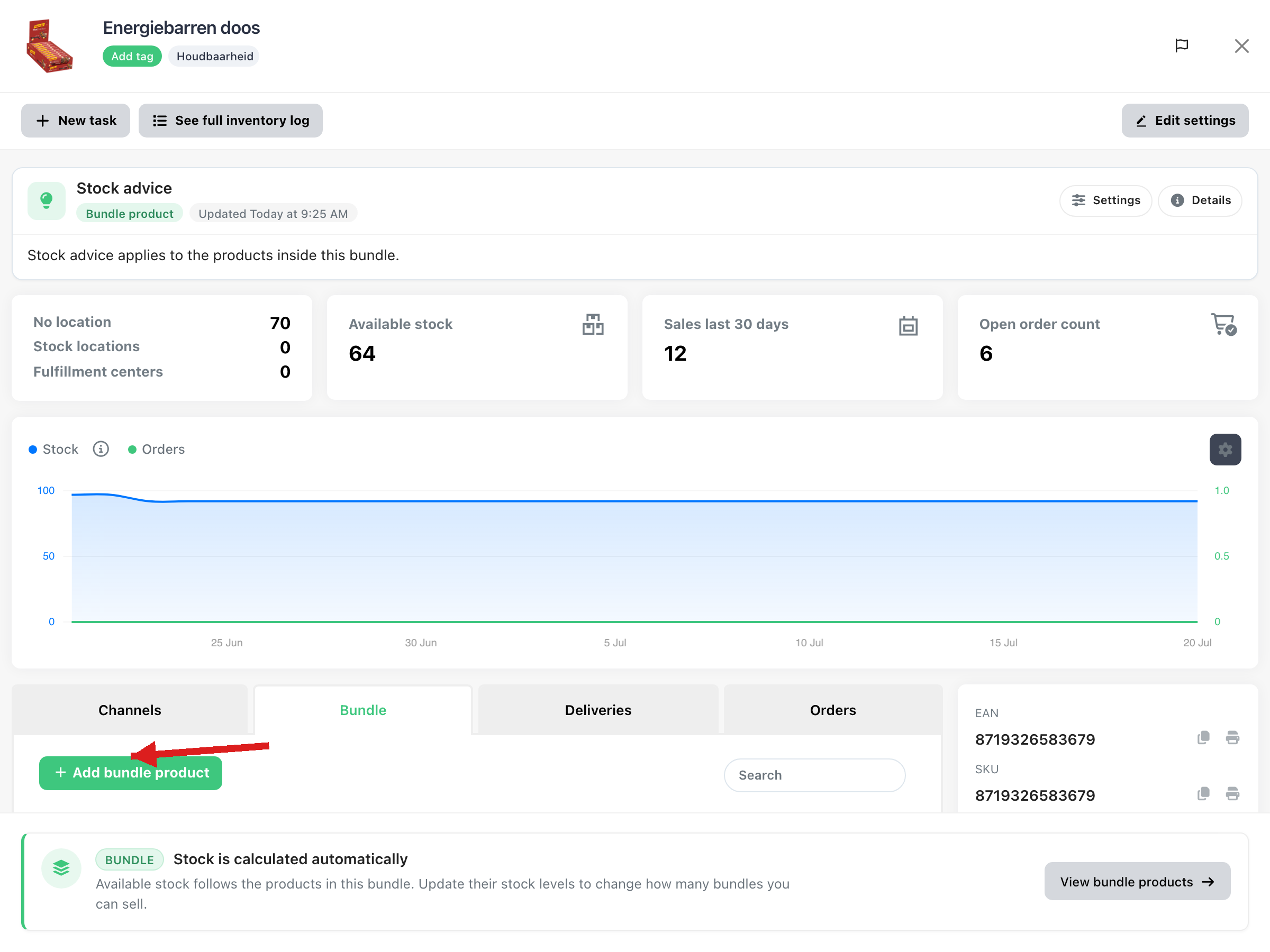
On the Bundle tab for product B and product C, click + Add bundle product and add product A (amount
1).
All three products are now connected. Update stock on product A; ChannelDock updates product B and product C automatically within minutes.
By using bundles this way, you keep inventory accurate across sets and across products that share the same stock.
Want ready-made bundles on a stock location, picked as one product? See Assemble bundles on a stock location.
Was this helpful?