Amazon Easy Ship
Last updated
Amazon Easy Ship lets you fulfill Amazon marketplace orders from your own warehouse while Amazon provides the shipping label, carrier handover, and tracking. With ChannelDock you can create those labels during pick & pack and sync tracking back to Amazon automatically.
With Amazon Easy Ship in ChannelDock, you can:
- Ship Amazon (Merchant Fulfilled / FBM) orders using Amazon’s own shipping methods.
- Generate Easy Ship labels directly from Pick & Pack.
- Send tracking information back to Amazon when the label is created.
How it works
When an Amazon order is assigned Amazon EasyShip Standard in ChannelDock:
- You pick and pack the order in ChannelDock as usual.
- ChannelDock requests a shipping label from Amazon via Easy Ship.
- Amazon returns the label and tracking number.
- ChannelDock registers the shipment and syncs tracking back to Amazon.
Easy Ship vs Amazon MCF
| Amazon Easy Ship | Amazon MCF | |
|---|---|---|
| Used for | Amazon marketplace orders you fulfill yourself | Orders from other sales channels |
| Stock location | Your own warehouse | Amazon FBA stock |
| Who ships | You pack; Amazon provides the label/carrier | Amazon picks, packs, and ships |
For MCF, see Amazon Multi-Channel Fulfillment (MCF).
Before you get started
- Connect Amazon to ChannelDock. See Connecting Amazon.
- Make sure Easy Ship is available and enabled for your Amazon Seller Central account in the marketplaces where you want to use it.
- Keep product weights and dimensions up to date in ChannelDock. Amazon needs accurate package data to create Easy Ship labels.
Setup guide
1. Enable Amazon EasyShip in ChannelDock
-
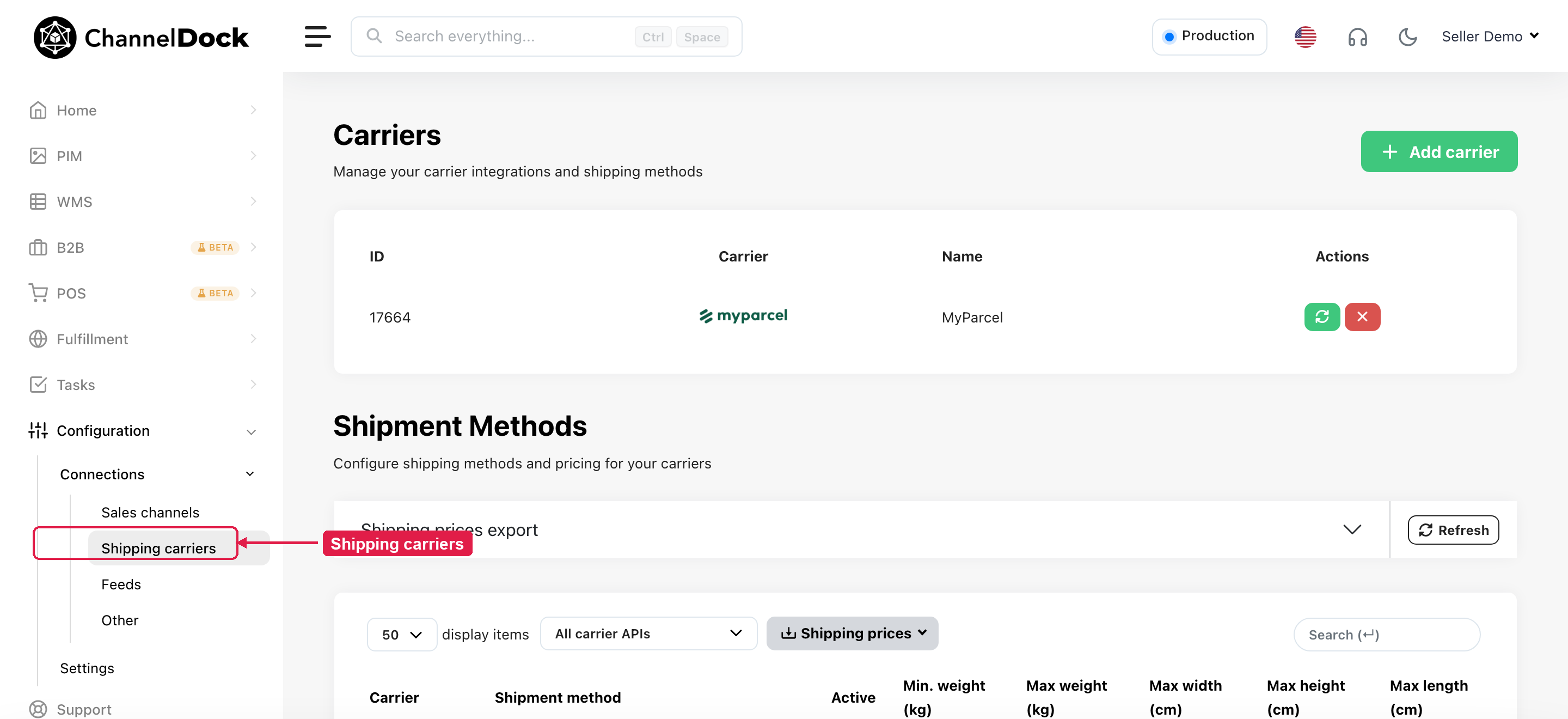
Go to Connections → Shipping carriers.
-
In the Shipment methods list, find Amazon EasyShip Standard.
-
Activate the method for the countries you ship from and to.

If you do not see the method, confirm that Amazon is connected and click Refresh on the shipment methods list.
2. Route Amazon orders to Easy Ship
Create a shipping rule so Amazon orders automatically use Easy Ship:
-
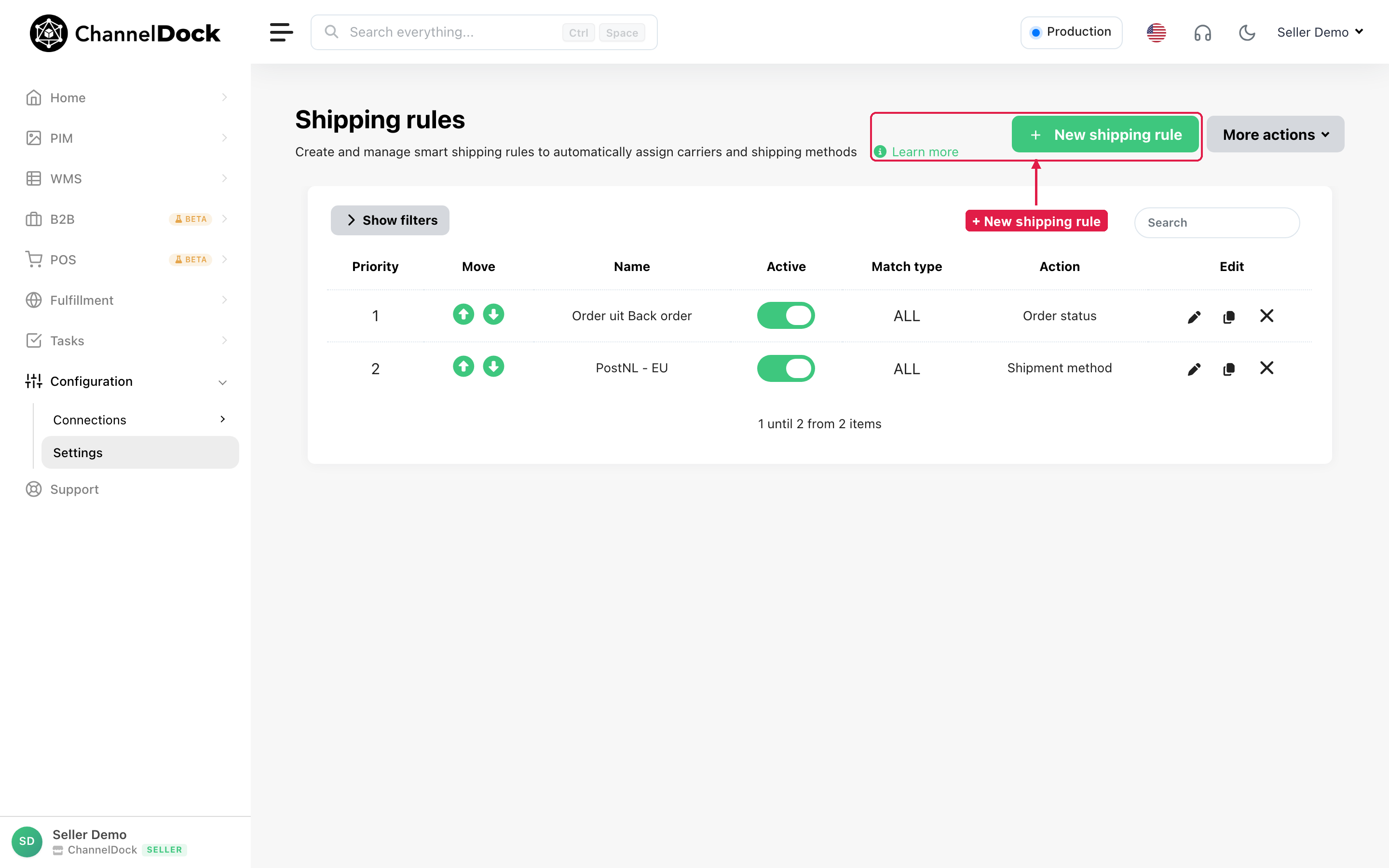
Go to Settings → Shipping rules and click + New shipping rule.
-
Add a requirement for your Amazon sales channel (and destination countries if needed).
-
Set the action to Amazon EasyShip Standard.
-
Activate the rule.
More detail: Creating smart shipping rules.
3. Process orders
Process orders in Pick & Pack as usual. When the assigned method is Amazon EasyShip Standard, ChannelDock creates the Amazon Easy Ship label and tracking for you.
Important notes
- For Amazon orders that require Easy Ship, always use Amazon EasyShip Standard — not a third-party carrier. Using another carrier can cause the shipment to fail when ChannelDock tries to close the order on Amazon. See Label reverted - Cannot close at the sales channel.
- Easy Ship is only for Amazon marketplace orders. To fulfill non-Amazon orders from FBA stock, use Amazon MCF.
- Label creation depends on Amazon (marketplace availability, Easy Ship eligibility, and package data). If a label cannot be created, check the order error message and verify weights, dimensions, and Easy Ship enrollment in Seller Central.
Was this helpful?