Fetch products/orders from the sales channels
Last updated
Automatic Fetching
- Products: Products are no longer fetched automatically overnight, which means every time you add a new product, you must manually fetch it.
- Orders: Orders are fetched automatically every 15 minutes, which means you don’t need to fetch them manually.
Manual Fetching:
To fetch new products/orders from the sales channels:
-
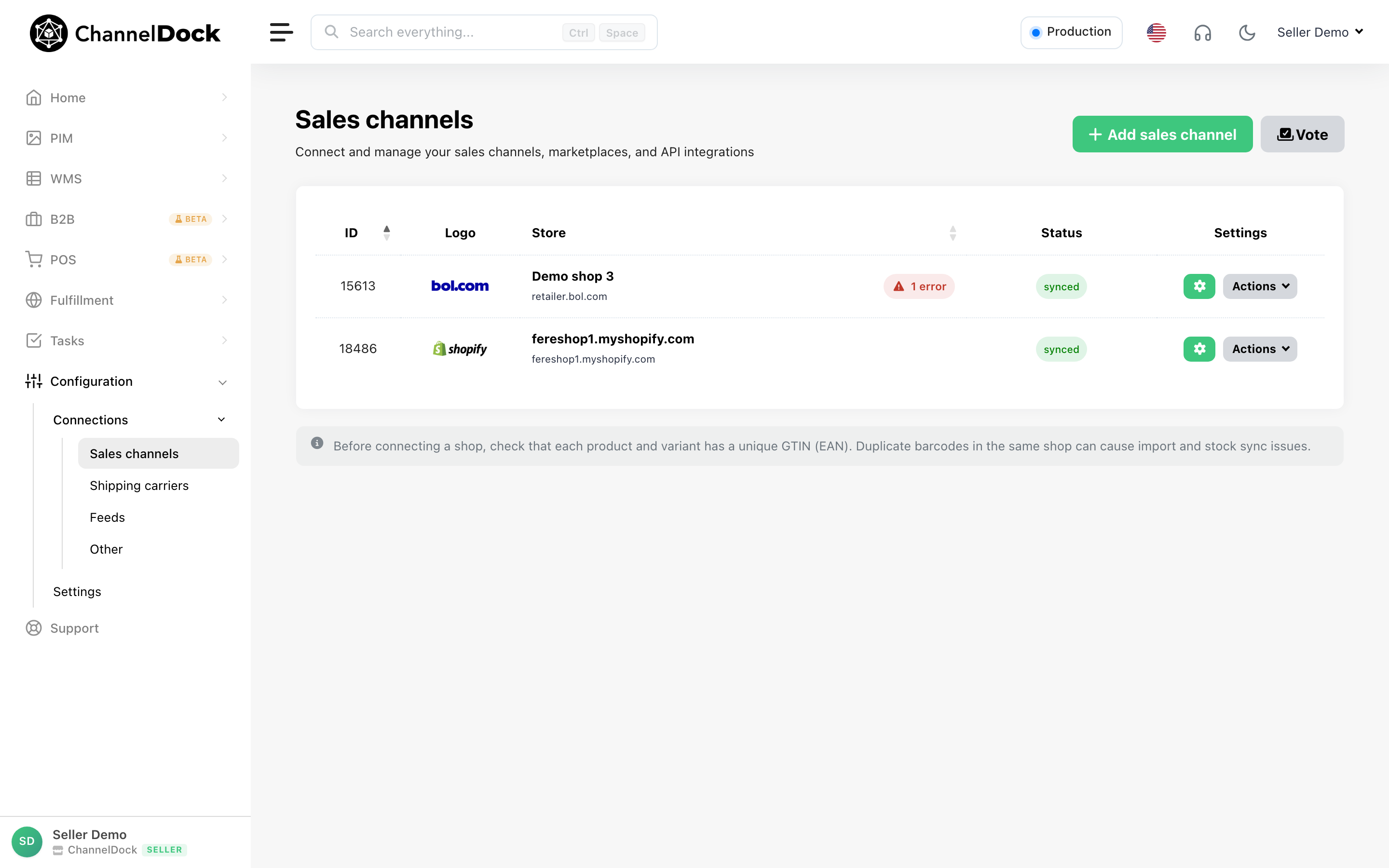
Navigate to Connections -> Sales Channels page:
-
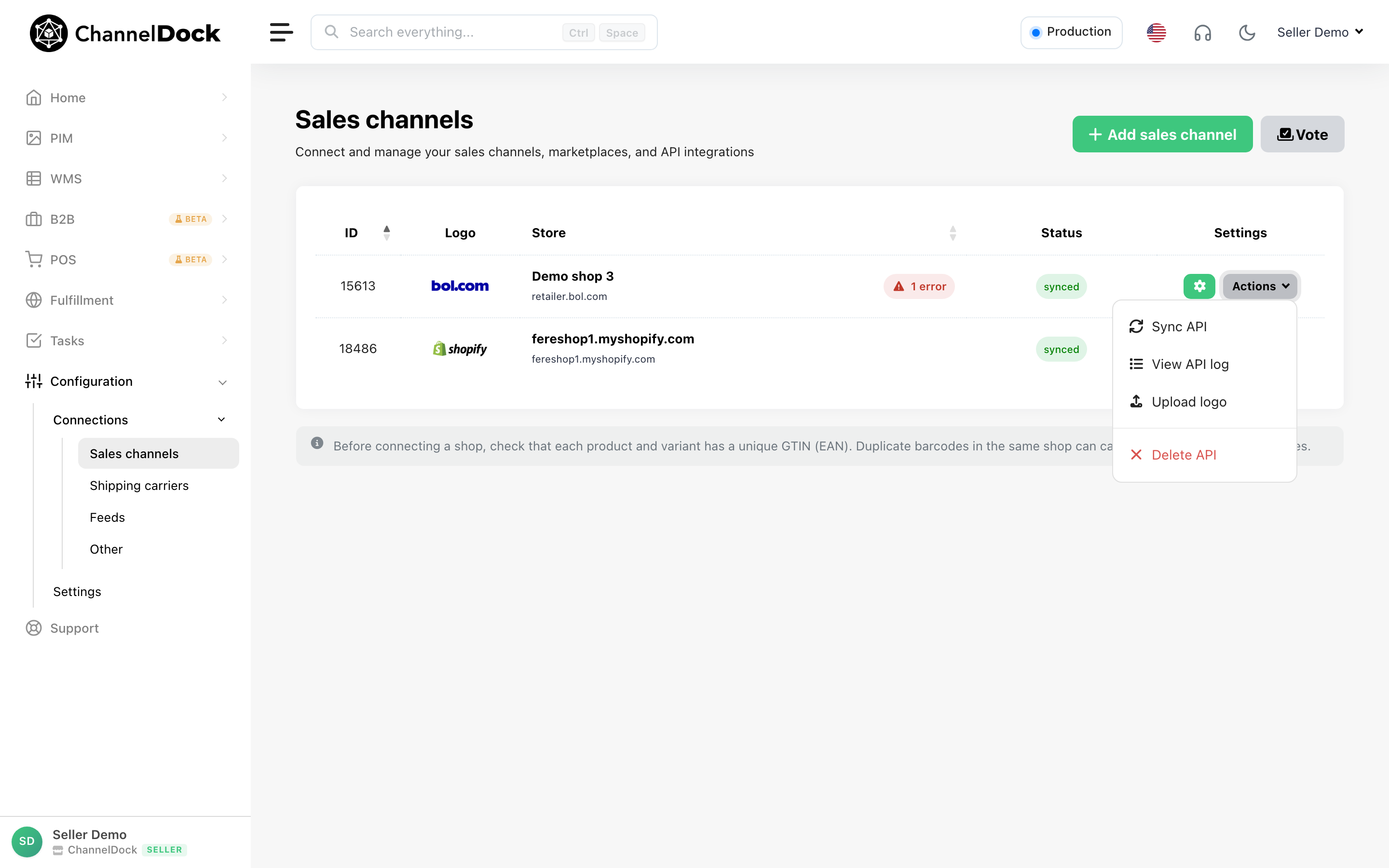
Here, under Actions, click on Sync API
Fetching Products and Orders
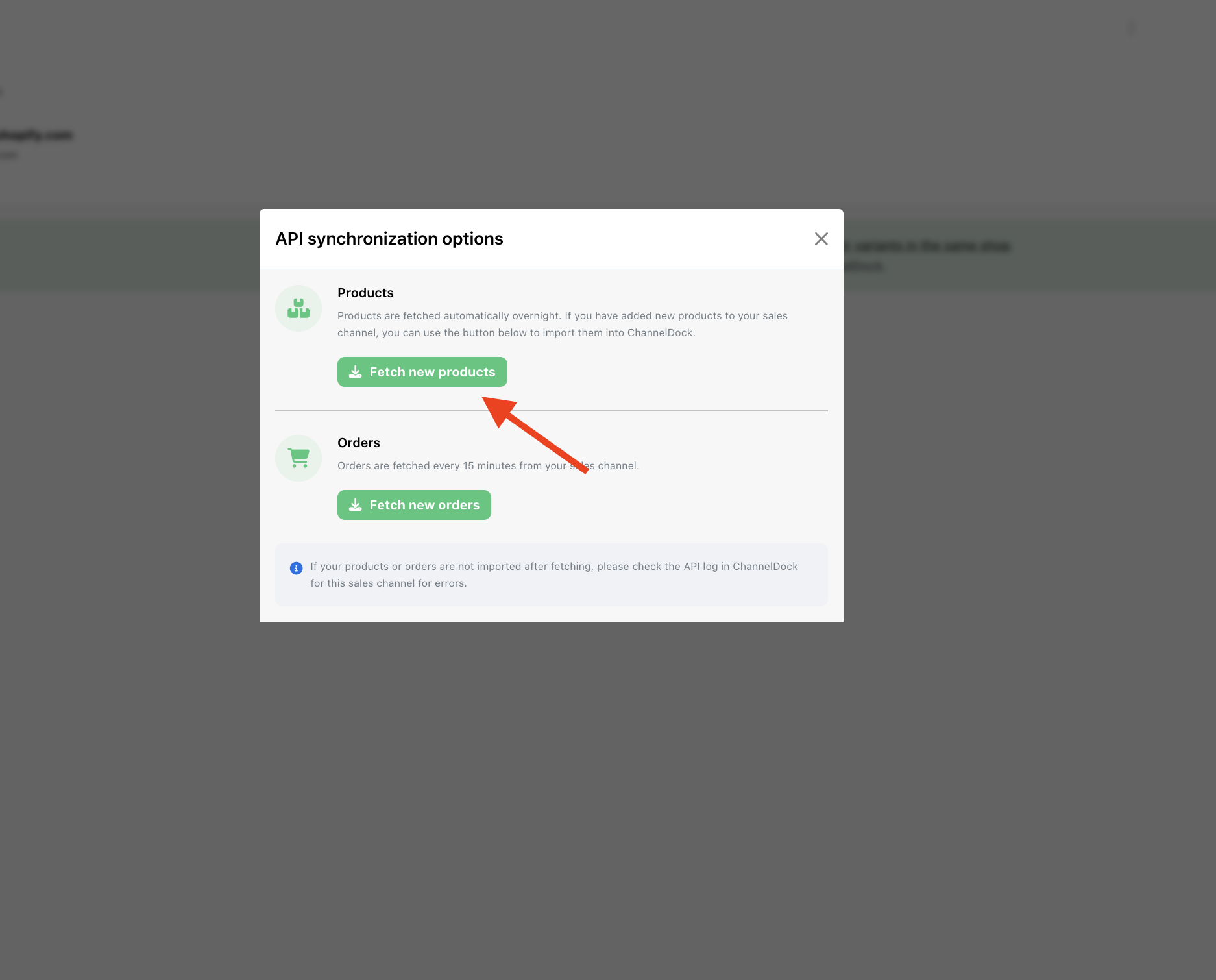
- You can manually fetch new products or fetch new orders from your sales channels.
- Products may take up to 20 minutes to be fully fetched.
- Orders are fetched automatically every 15 minutes, but you can fetch them manually if needed
Check Sync Status
- In the upper-right corner, you can track the progress of your synchronization request (e.g., queued, in progress, or completed).
- ⚠️ Do not press the fetch button multiple times while a sync is still in progress > this may cause delays or duplicate requests.
Was this helpful?