Connecting ChannelDock to JTL FFN
Last updated
Below, we will show you how to link your ChannelDock account to the JTL Fulfillment Network:
Before you connect ChannelDock to JTL FFN:
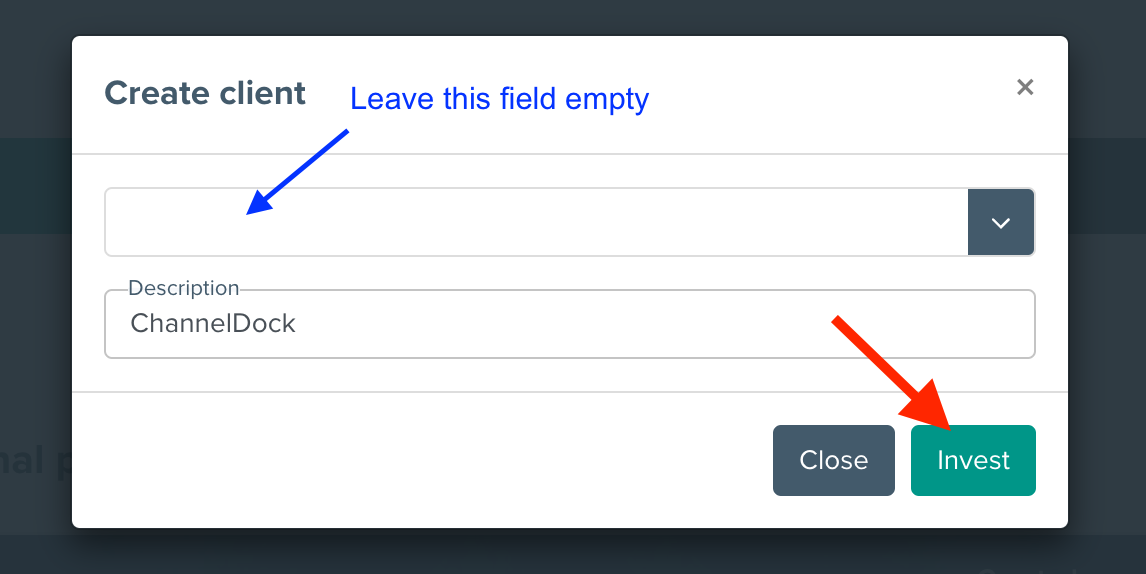
- Log in to your JTL merchant account to generate an API key. Click on the link bellow to generate the key.
- It is important that you leave the first field empty.
- Add a description - ChannelDock, then click ‘Invest’.
The link to generate your key here.
- Copy the token and send it to us.
Send us a request to join the JTL Fulfillment Network:
- Navigate to Connections-> Fulfillment-> Network.
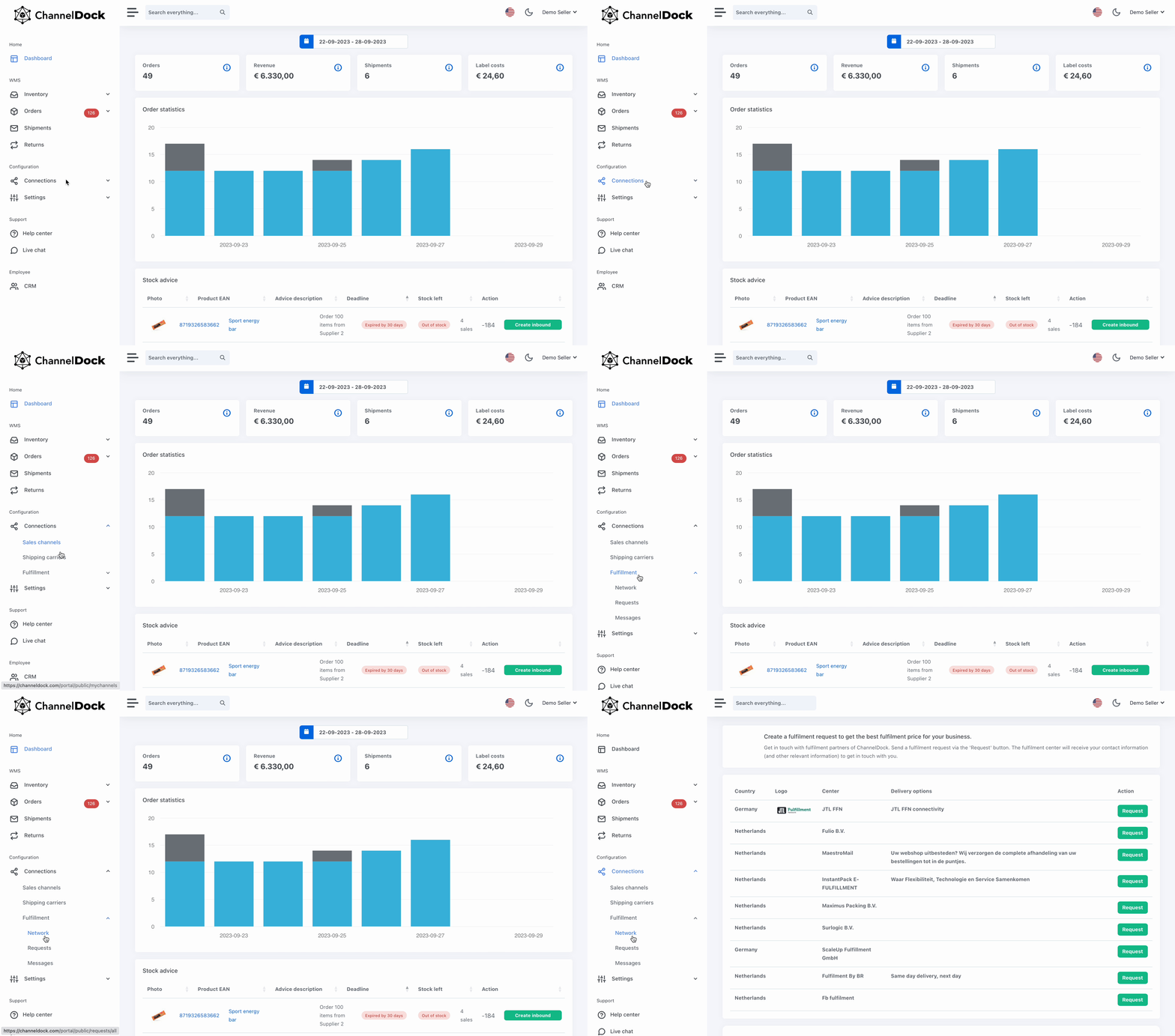
- Now select JTL FFN to send us a fulfillment request.
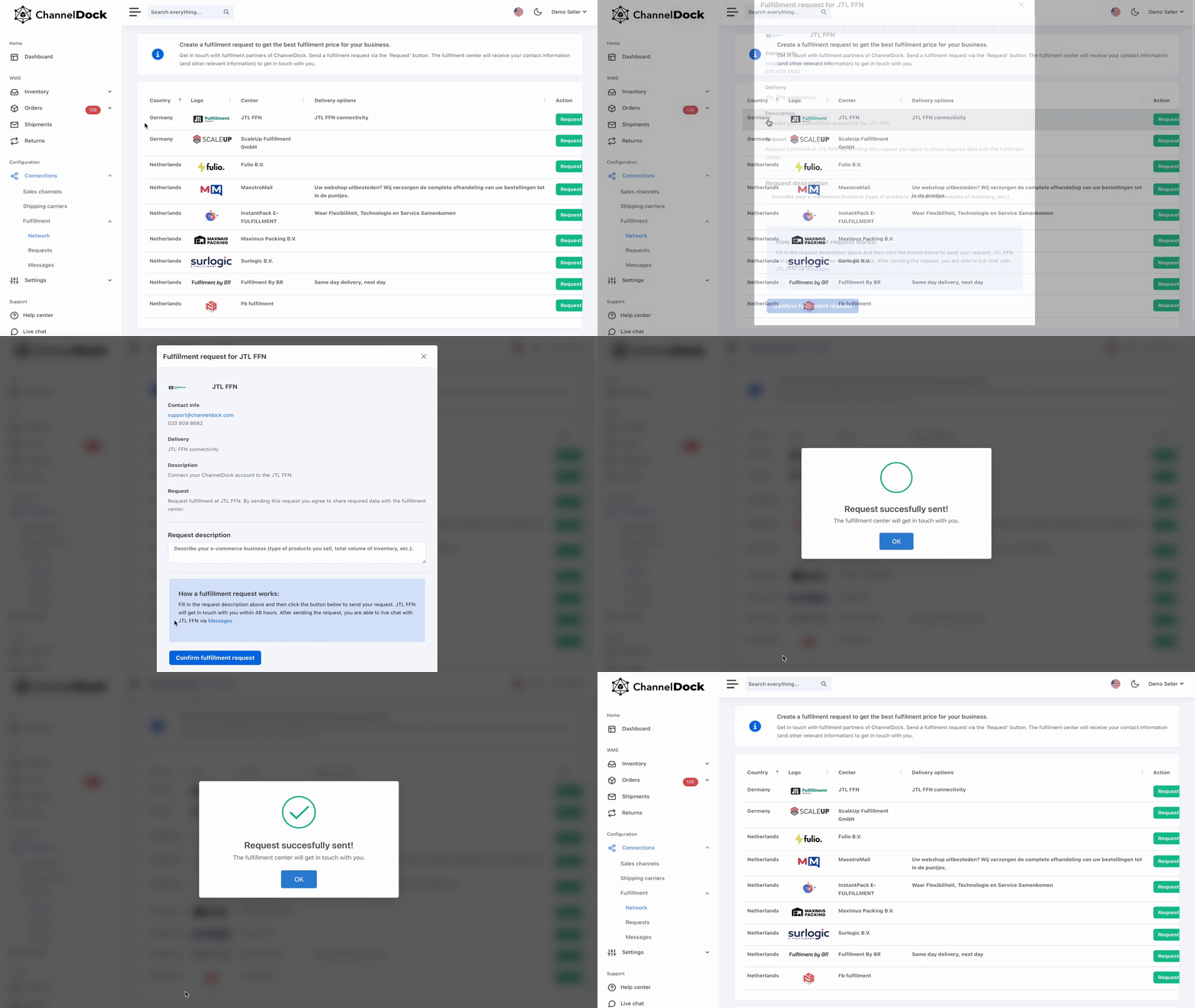
- We will do the rest to connect your account!
Was this helpful?