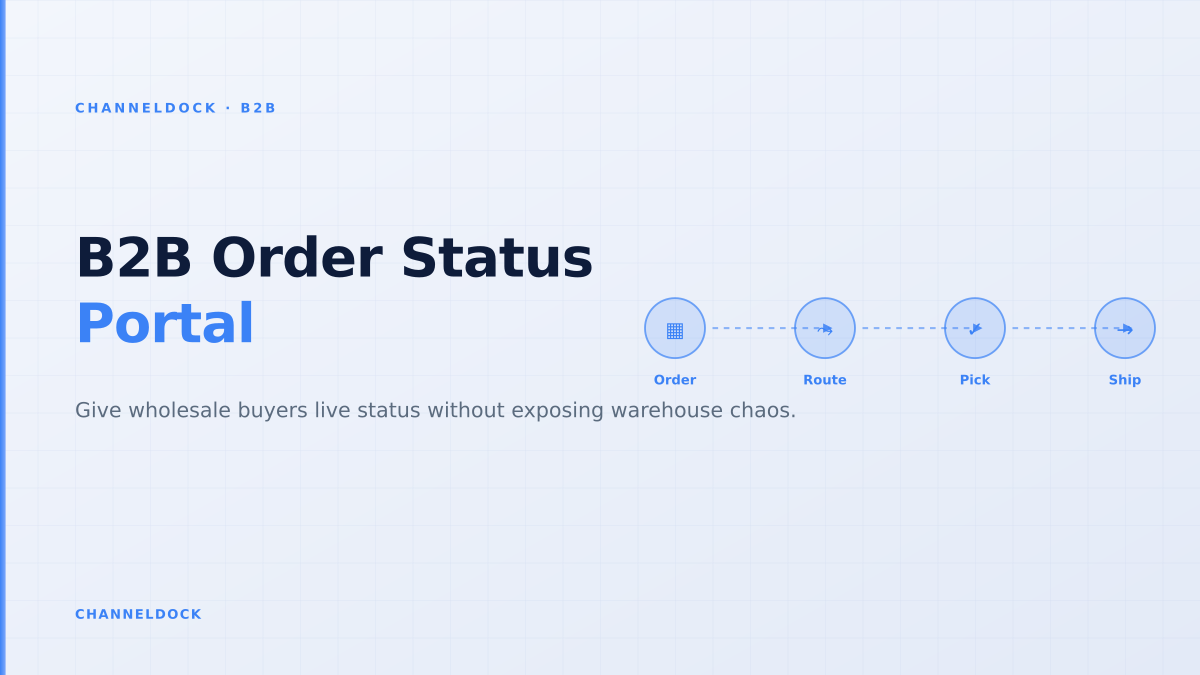
B2B Order Status Portal: Cut Wholesale Support Tickets
In August 2026, the weekly ChannelDock competitor analysis flagged B2B portal and B2B ecommerce portal as the strongest B2B sales portal opportunities: 1,000 monthly searches for “b2b portal” and 350 for “b2b ecommerce portal”, both with commercial intent and AI Overview results. The useful angle is not another generic feature checklist. The uncovered operational question is what happens after a wholesale buyer clicks “place order”.
A B2B order status portal is where portal adoption becomes measurable. Buyers do not log in every day to admire a catalog; they log in to ask “where is my order?”, “which lines shipped?”, “can accounting download the invoice?” and “is the backorder still coming?”. Competitors such as Shopify, BigCommerce and OroCommerce describe buyer self-service well, but most ranking pages stay at storefront level. The warehouse handoff — approval, picking, partial shipment, tracking and document visibility — is where wholesalers either reduce support work or create a second inbox.
ChannelDock’s B2B Portal is relevant because it sits close to the order operation, not just the storefront. Wholesale orders can enter a controlled order flow, then connect to inventory, warehouse and fulfilment logic through ChannelDock’s order management features. That matters for brands, distributors and B2B sellers that also sell through marketplaces, webshops, POS or fulfillment partners.
Why order status is the self-service feature buyers actually use
Most B2B portal launches start with login access, account-specific pricing and a quick-order form. Those features win the first order. Order status wins the second, third and tenth order because it removes the daily friction that sends buyers back to email. BigCommerce cites that B2B portals let customers track order status, review invoices, make payments and manage account information 24/7. Shopify’s B2B portal guide adds that buyers expect to place and track orders, reorder from history and get fulfillment visibility without waiting for a rep.
The support pattern is predictable. A buyer places a pallet or carton order, then the warehouse picks part of it, a carrier scans one shipment, accounting generates an invoice, and one SKU remains open. If the portal only says “processing”, the buyer contacts the team anyway. If the portal shows each line, shipment, tracking number and document in one place, support only handles the real exception.
The gap in competitor content: storefront advice without warehouse translation
The top pages for B2B customer portals correctly mention order tracking, invoices, custom catalogs, permissions and real-time inventory. Shopify highlights self-service wholesale transactions, flexible payment terms and live tracking. BigCommerce stresses inventory and order management, order status and shipping details. OroCommerce goes deeper on account-specific pricing, real-time inventory and the cost of missing order management features. Commerce Partner’s B2B order tracking guide is one of the few pages that explains partial deliveries and buyer-friendly status labels.
What is still missing is a practical status model for operational ecommerce teams. Wholesale status is not one field. It is a translation layer across the portal, order management system, WMS, carrier and finance flow. If those systems disagree, the buyer sees a neat portal and still does not trust it. The real differentiator is not whether the portal has a “track order” tab. It is whether that tab reflects the same truth the warehouse uses before pick, pack and ship.
The common mistake is publishing raw warehouse or ERP codes directly to buyers. A status portal should translate operational events into clear buyer language, not expose every internal exception or scan event.
Build the status model around buyer questions, not internal codes
Internal order states are usually too technical for wholesale buyers. A warehouse may use states such as allocated, wave released, pick started, short pick, packed, manifested, handed over and carrier accepted. Finance may use approved, on hold, invoiced, partially credited or overdue. These are useful internally, but a buyer wants a short answer: can I plan around this delivery?
A strong B2B status portal uses a buyer-facing vocabulary and maps it to operational events behind the scenes. “Order received” means the portal accepted the order but operations may still need approval. “Approved” means credit, price and allocation checks passed. “Picking” means the order is released to the warehouse. “Partially shipped” means at least one shipment left, but one or more order lines remain open. “Delivered” should only appear when carrier or warehouse confirmation supports it.
Generic order tracking
- Shows one high-level status per order
- Often hides partial shipments
- Documents live in a separate inbox
- Support still answers edge cases by email
Warehouse-connected B2B status portalRecommended
- Maps order lines, shipments and documents together
- Shows partial delivery and backorder logic clearly
- Keeps buyers inside negotiated B2B terms
- Escalates only true exceptions to the team
Partial shipments are the trust test
Partial shipments are normal in wholesale. A retailer may order 600 units across 14 SKUs; the warehouse has 11 SKUs ready, two SKUs arriving next week and one discontinued item that needs a replacement. If the portal shows only order-level status, the buyer cannot plan shelf space, promotions or inbound receiving. They will email the account manager and ask for a spreadsheet.
Line-level visibility fixes this. The portal should show ordered quantity, released quantity, shipped quantity, open quantity, expected next shipment and backorder reason. For multi-location buyers, each branch or store should see only its own orders and shipments. For accounting users, the portal should connect delivery notes, invoices and credit notes to the same order so document questions do not create another support loop.
A B2B status portal should not promise that every order is perfect. It should make imperfection visible early enough that the buyer can plan around it.
A five-step implementation checklist
Start with the support inbox, not the design mockup. Export the last 100 buyer questions about orders and tag them by reason: order received, approval, stock, partial shipment, invoice, tracking, delay, wrong address, backorder or cancellation. Those tags become the first portal requirements. Then map each requirement to the system of record: ChannelDock order status, WMS picking state, carrier tracking event, invoice status or manual exception.
- 1Map internal statuses to buyer languageKeep operational states precise internally, but expose simple labels such as received, approved, picking, partially shipped, shipped and delivered.
- 2Tie every shipment to order linesBuyers should see which SKUs and quantities moved, which remain open and whether a backorder or replacement is planned.
- 3Attach documents at the order levelDelivery notes, invoices, credit notes and tracking links belong next to the order, not in separate email threads.
- 4Set permissions by buyer role and locationPurchasers, approvers and accounting users need different views. Multi-location accounts should only see the orders they are allowed to manage.
- 5Measure deflection and trustTrack where-is-my-order tickets, invoice resend requests, order reopen rate and support escalations after portal launch.
Which metrics prove the portal is working?
A B2B order status portal should reduce cost-to-serve while improving trust. Measure the baseline before launch: weekly “where is my order” emails, invoice resend requests, order status calls, support tickets per 100 wholesale orders and the average time from buyer question to answer. After launch, segment adoption by account. A high-volume buyer that still emails every day is not “resistant to change”; it is a signal that the portal does not answer their real question.
Also track negative signals. If buyers open the same order status page repeatedly and then contact support, the status is unclear. If accounting users download invoices but still email finance, documents may not be tied to the correct PO. If warehouse teams keep reopening portal orders, the approval or allocation logic is releasing orders too early. These are operational product signals, not marketing vanity metrics.
- Do not treat order status as an afterthought after checkout; it is the part buyers use most often after the first order.
- A portal earns adoption when it answers the questions buyers already ask sales support every week.
- Partial shipments, backorders and invoices need line-level context, otherwise self-service creates more confusion.
- The strongest B2B portal connects buyer experience to warehouse execution, not just storefront design.
FAQ
What is a B2B order status portal?
Which order statuses should wholesalers show to buyers?
How should partial shipments appear in a B2B portal?
Does order tracking reduce support tickets?
How does ChannelDock help with B2B order visibility?
Conclusion
The best B2B portal content in the search results explains buyer self-service. The next ranking opportunity is operational self-service: order status, partial shipments, invoices and warehouse-ready communication. For wholesalers, distributors and brands, this is where the portal stops being a sales layer and starts becoming an operational control layer.
If your team wants buyers to self-serve without losing control of stock, approvals and fulfilment, start by designing the status model. Then connect the portal to the same order truth your warehouse uses. ChannelDock helps bridge that gap: buyers get a clearer B2B portal, while operations keeps the checks that prevent messy orders from reaching the pick floor. You can explore the B2B Portal or start a free trial to test the flow on real wholesale orders.