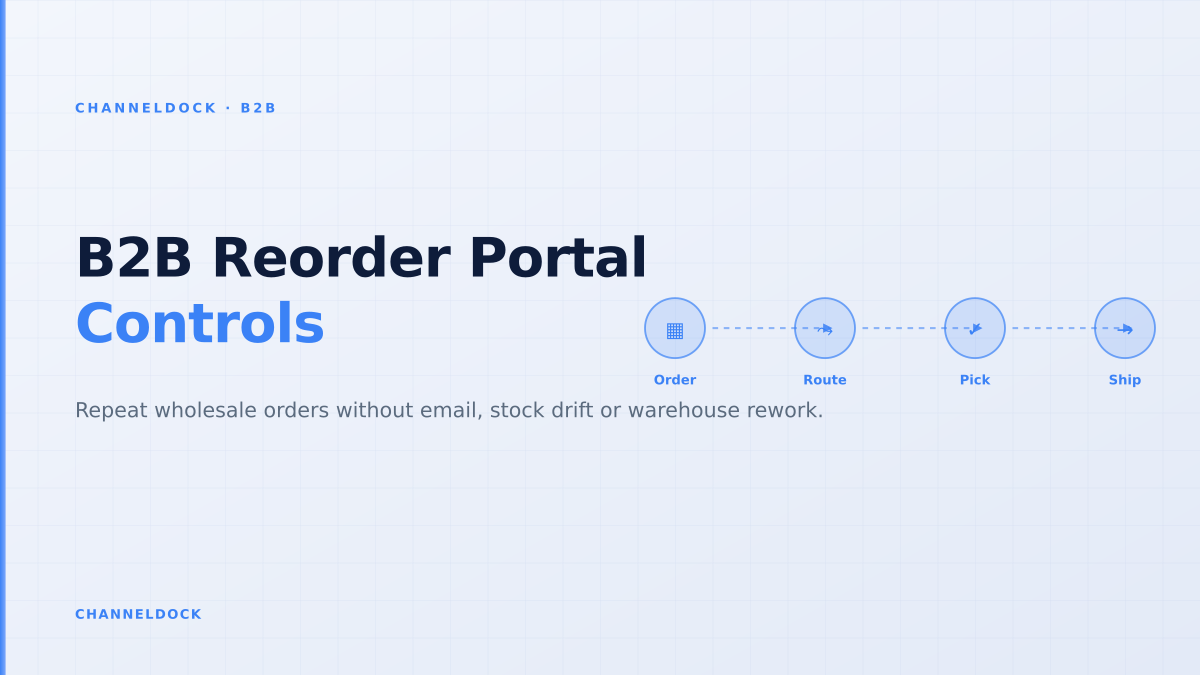
B2B Reorder Portal: Repeat Wholesale Orders Without Rework
This week's ChannelDock competitor analysis points to a strong B2B opportunity: b2b portal shows roughly 1,000 monthly searches, b2b ecommerce portal adds another 350, and the broad topic carries unusually high traffic potential. But the best uncovered angle is not another definition of a portal. It is the repeat-order workflow that wholesale buyers use every week.
That matters because repeat orders look simple from the buyer side. A purchaser wants to copy last month's order, adjust quantities, download an invoice and move on. Inside the seller's operation, the same click touches customer-specific pricing, available stock, minimum order quantities, pack sizes, credit exposure, backorders, delivery promises and warehouse release.
A B2B reorder portal wins when it makes routine buying faster without turning the warehouse into the place where portal mistakes are discovered. For wholesalers, distributors and brands selling to dealers, the portal should reduce email traffic and manual entry while keeping operational control in the ChannelDock B2B portal, the order queue and the fulfillment workflow.
Why repeat wholesale orders deserve their own portal logic
Most B2B portal content talks about account login, custom pricing and online ordering. Those are necessary, but they do not describe how wholesale buyers actually buy. Repeat buyers are rarely browsing like consumers. They know the SKU, case quantity, preferred delivery address and reorder rhythm. They want to rebuild a known basket quickly.
Research across BigCommerce support pages, Shopify Community questions, OroCommerce content, SparkLayer, OrderEase, B2B Wave and review platforms shows the same pattern: order history, one-click reorder, saved lists, CSV upload and quick-add by SKU are becoming standard buyer expectations. Shopify Community threads show merchants asking for B2B CSV imports and bulk cart creation. BigCommerce documents reordering from company orders. B2B Wave and similar tools are reviewed positively when they make wholesale ordering easier for retailers.
The gap is that many pages stop at buyer convenience. They do not explain what happens after the reorder is submitted. That is where the operational value sits: the portal must decide whether the order is clean enough to release, whether it needs approval, whether stock is truly available and whether the warehouse can pick it without asking sales for context.
The operational definition of a B2B reorder portal
A B2B reorder portal is not just a button that says “buy again”. It is a controlled order-intake layer for recurring wholesale purchases. Approved customers log in, see their own catalogue, pricing and order history, then build a repeat order from previous purchases, saved lists, SKU entry or spreadsheet upload. Before the order reaches fulfillment, the portal recalculates every line against today's rules.
That last sentence is the difference between a helpful buyer experience and another source of back-office work. A buyer can copy a January order in August, but the seller still needs to know whether the SKU is discontinued, whether the customer's discount changed, whether a carton size is different, whether inventory is reserved for a marketplace campaign, and whether the order should be shipped complete or split.
For a seller using ChannelDock, this logic should sit close to the operational backbone: order processing, inventory availability, warehouse rules and integrations. If the reorder portal is disconnected from those systems, the buyer interface may look modern while the team still rekeys corrections into ERP, WMS or spreadsheets.
The mistake is treating reordering as a front-end convenience. In wholesale, a reorder is a new operational commitment: the price list may have changed, stock may be allocated to another buyer, MOQ rules may be different, and the warehouse still needs a clean order that can be picked without back-office repairs.
Five controls every repeat-order flow should include
The safest way to design a reorder portal is to map the buyer's shortcut against the seller's risk points. Each copied line should travel through the same validation sequence before the order becomes pickable.
- 1Start from order history, not a blank catalogueLet buyers copy a previous order, saved list or SKU spreadsheet. Then force every line through today's pricing, stock and pack-size rules before it reaches checkout.
- 2Recalculate buyer-specific pricingA repeated order should not blindly reuse old prices. Apply the current account price list, discounts, MOQ thresholds, tax fields and payment terms.
- 3Check available-to-promise stock per customer groupReserve only stock you can realistically ship after marketplace commitments, wholesale allocations, inbound uncertainty and warehouse buffers are considered.
- 4Route exceptions before warehouse releaseHold missing SKUs, credit-limit problems, backorder lines and unusual quantities for review instead of letting them become picker questions.
- 5Release a warehouse-ready orderSend one clean order queue into WMS, ERP or ChannelDock: approved buyer, validated PO reference, correct documents, confirmed quantities and clear shipping priority.
What buyers expect versus what operations need
Wholesale buyers judge a portal by speed and clarity. They want their negotiated prices, previous purchases, invoices, delivery addresses and available stock in one place. They do not want to call a rep just to ask, “Can I order the same products as last time?”
Operations teams judge the same portal by a different standard. Does it prevent orders for inactive SKUs? Does it respect buyer-specific catalogues? Does it hold orders that exceed credit limits? Does it separate “available in warehouse” from “available to promise this buyer”? Does it create documents and shipping instructions before the pick wave starts?
The best portal satisfies both. It feels simple to the buyer because the complexity is hidden behind validation rules. It feels safe to the seller because every reorder lands as structured data, not as a vague email with screenshots, old prices and missing quantities.
Basic reorder button
Operational reorder portalRecommended
Where current ranking content is weak
Competitor and platform articles are useful for feature discovery. BigCommerce explains buyer portal functions and reordering from company orders. Shopify's ecosystem highlights quick order lists, B2B features and apps that support CSV upload. OroCommerce and WizCommerce discuss order history, quick reordering, real-time inventory and self-service. Capterra reviews for B2B Wave show real users praising easier ordering, invoice visibility and retailer adoption.
Those pages prove the search intent is real. They also leave room for a stronger operational article. Most content says buyers should reorder quickly; fewer pieces explain how sellers should prevent quick reorders from bypassing margin, stock and warehouse controls. For ChannelDock's audience, that is the practical question.
A wholesale seller does not need a portal that only increases order volume. They need a portal that increases clean order volume: fewer duplicate emails, fewer unavailable items, fewer manual price corrections, fewer “can we still ship today?” questions and fewer orders waiting for missing PO references.
BigCommerce, Shopify ecosystem apps, OroCommerce, SparkLayer, OrderEase and B2B Wave all talk about one-click reorder, order history or quick order. What most ranking pages under-explain is the control layer after the buyer clicks: allocation, approval, backorder handling, documents and warehouse release.
A practical reorder model for wholesalers and distributors
The strongest model has four layers. First, the buyer layer: order history, saved baskets, quick SKU entry, CSV upload, invoice access and shipment status. Second, the commercial layer: customer-specific catalogue, price lists, discounts, minimum quantities, pack sizes, credit terms and approval limits.
Third, the inventory layer: available-to-promise stock, warehouse buffers, allocations, inbound purchase orders, backorder rules and substitutions. Fourth, the execution layer: order queue, documents, fulfillment routing, pick priority, carrier or delivery method and ERP or accounting handoff through integrations.
If any layer is missing, the portal leaks work. Buyer-only portals leak exceptions to customer service. Commercial-only portals leak stock issues to the warehouse. Inventory-only portals leak pricing questions to sales. Execution-only portals are efficient after the order is clean, but they do not stop bad input. The reorder portal should connect all four.
Reorder portal readiness checklist
- Order history: buyers can copy previous orders, but inactive SKUs and old prices are revalidated.
- Quick entry: buyers can paste SKUs or upload CSV quantities without breaking MOQ and pack-size rules.
- Stock promise: the portal shows what can be promised to that buyer, not just raw warehouse quantity.
- Approvals: repeat orders under safe thresholds can move quickly; exceptions pause before picking.
- Warehouse handoff: approved reorders land with documents, delivery details and fulfillment priority already clear.
How to measure whether the portal is working
Do not measure a B2B reorder portal only by login counts. A buyer can log in and still abandon the process if pricing is unclear, stock is missing or the upload format is painful. The operational metrics are better.
Track the percentage of repeat orders created without sales assistance, the number of order-status and invoice emails per 100 wholesale orders, the share of portal orders that require manual correction, the average time from buyer submission to warehouse release, and the number of lines changed because of stock, pricing or MOQ conflicts.
Also measure adoption by account type. Your top accounts may still prefer rep-assisted ordering for negotiated buys, while long-tail retailers may move to self-service quickly. That is fine. The portal does not need to replace sales. It should remove low-value admin so sales can handle exceptions, assortment planning and larger opportunities.
- The best B2B reorder portal reduces buyer effort without removing seller control.
- Reorder history is only safe when every copied line is re-priced, re-stock-checked and re-approved.
- The real conversion win is not a prettier storefront; it is fewer emails, fewer corrections and faster warehouse release.
- ChannelDock fits this workflow because B2B portal orders, stock, approvals and fulfillment routing can land in the same operational queue.
FAQ
Conclusion
The best B2B reorder portal is not the one with the prettiest “order again” button. It is the one that lets wholesale buyers repeat known purchases while protecting pricing, stock, credit, documents and warehouse execution. That is where buyer convenience becomes operational leverage.
For wholesalers, distributors and brands, the next step is to audit the repeat-order path from buyer click to pick wave. If the team still has to fix prices, check stock manually, ask for PO details or rebuild orders in another system, the portal is only moving work around. A connected B2B sales portal should make repeat orders faster for buyers and cleaner for the warehouse at the same time.