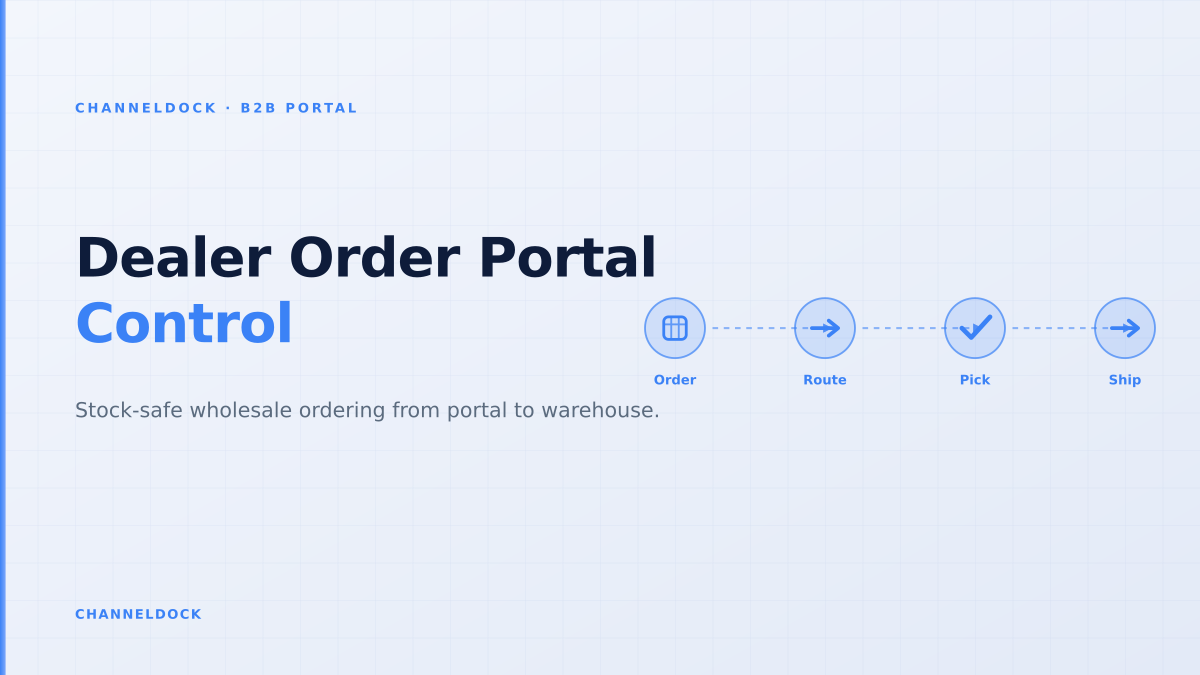
Dealer Order Portal: Inventory Control for Wholesale Orders
In 2026, the strongest dealer portals are no longer simple password-protected catalogues. Search results and seller forums show the same pattern: wholesalers want customers to order themselves, but the operational risk starts after the click. Stock can be committed twice, customer-specific pricing can be wrong, credit exceptions can slip through, and warehouse teams can receive orders that are not ready to pick.
That is why the practical keyword is not just dealer order portal. The better question is: how do you let dealers order online while keeping inventory, approvals and fulfilment under control? ChannelDock’s B2B Portal is built for that handoff: buyers place orders on a branded portal, while operations stays in charge of approval, stock reservation and fulfilment routing before anything ships.
Why dealer portals break when they stop at order capture
Most ranking articles describe the front-end features: login, custom catalogues, negotiated pricing, order history and shipment tracking. Those are necessary, but they are not enough for a wholesaler, distributor or brand that also sells through marketplaces, retail stores, POS and webshops. A dealer can place a clean-looking order that is operationally impossible because the stock is already reserved, the order exceeds payment terms, or the fulfilment location cannot ship the requested quantity in one batch.
The competitive gap is the warehouse layer. A dealer portal should not create another inbox. It should produce warehouse-ready orders that your team can trust inside the same order management workflow used for other channels.
The four controls every dealer order portal needs
A stock-safe dealer portal needs four checks before orders reach the warehouse. The first is account visibility: each dealer should see only authorised products, pack sizes, price lists and delivery options. The second is available-to-promise stock: the number shown in the portal must account for buffers, reservations, marketplace commitments and fulfilment location constraints. The third is commercial validation: credit limit, payment terms, minimum order quantity, discount exceptions and required documents. The fourth is operational release: an accepted order must become pickable without someone retyping it from email or Excel.
Available-to-promise beats raw stock
Raw on-hand stock is a dangerous number in B2B. If a warehouse has 600 units, some may be reserved for approved orders, some may be protected for marketplaces such as bol.com or Amazon, some may sit in the wrong warehouse, and some may be blocked for quality checks. Showing 600 units to every dealer invites overselling. Showing an available-to-promise quantity protects both the buyer and the warehouse.
For a dealer order portal, available-to-promise should answer a narrower question: “How many units can this customer order now, under this account’s rules, from a fulfilment location that can actually ship?” That makes the portal more useful than a spreadsheet, because it turns inventory into a promise the operation can keep.
A dealer portal earns trust when it shows a stock promise the warehouse can fulfil — not when it exposes every unit that exists somewhere in the business.
A practical workflow from dealer login to warehouse release
The cleanest setup separates order capture from order release. Buyers should be able to build baskets, reorder from history and submit purchase orders without waiting for a sales rep. But the business should still decide when the order becomes a warehouse task. That distinction matters for credit exposure, customer-specific pricing, order cut-off times, partial shipments and reserved stock.
- 1Segment dealer accountsSeparate A-dealers, franchise branches, agents and occasional resellers so each group sees the right catalogue, payment terms and approval path.
- 2Publish available-to-promise stockExpose sellable stock after reservations, marketplace commitments, buffers and warehouse routing rules, not the raw quantity in one location.
- 3Validate commercial rules before releaseCheck credit limit, minimum order quantity, customer-specific pricing, discount exceptions and VAT or invoice requirements while the order is still editable.
- 4Reserve stock only when the order is acceptedA quote, draft or unapproved order should not silently consume stock needed for approved marketplace, POS or wholesale work.
- 5Turn approved portal orders into warehouse tasksOnce approved, the order should join the same queue as other orders for picking, packing, labels, partial shipment decisions and tracking updates.
What competitors often miss: the exception queue
Competitor pages often list “approval workflows” as a feature, but they rarely explain what happens to exceptions. In real wholesale operations, exceptions are the work: a dealer orders below the minimum quantity, a branch exceeds credit, a requested item is partly available, a pallet shipment needs a different carrier, or a sales rep adds a one-off discount. If those exceptions live in email, the portal has only moved the mess to a new screen.
A better dealer order portal creates an exception queue. Clean orders move straight to warehouse release. Risky orders are held with a reason, owner and next action. That gives sales, finance and operations one place to decide whether to adjust, approve, split, backorder or reject the order.
Portal as storefront
- Buyer can log in and place an order
- Pricing and catalogues are personalised
- Operations still checks stock in another system
- Warehouse receives fixes through email
Portal as order-control layerRecommended
- Buyer sees realistic availability and order status
- Approval rules catch credit and quantity exceptions
- Accepted orders reserve stock intentionally
- Warehouse receives clean, pickable work
Connect the portal to pick, pack and tracking
After approval, the portal order should stop being “B2B content” and become an operational order. It needs a pick list, packing instruction, shipment method, document generation, tracking update and order history entry. This is where ChannelDock’s operational stack matters: B2B portal intake can sit next to inventory sync, pick & pack, warehouse routing and tracking workflows instead of living as a disconnected storefront.
The buyer also benefits. Dealers do not only want to place orders. They want to see whether an order is approved, partially shipped, delayed, backordered or delivered. A portal that receives status from the warehouse reduces “where is my order?” calls and gives account managers fewer status updates to chase.
What to measure after launch
Portal adoption should not be measured only by login count. Measure how many repeat orders move from email to portal, how many lines require manual correction, how often stock promises change after submission, how many orders are held for credit or pricing review, and how long approved orders wait before picking. These metrics expose whether the portal is reducing work or simply digitising the same manual process.
For most B2B teams, the biggest win is not removing sales from the relationship. It is removing avoidable retyping, stock checking and status chasing so sales can focus on accounts that need judgement.
- Treat the dealer portal as the first step of order management, not a separate web shop.
- Use available-to-promise stock and customer rules to prevent promises the warehouse cannot keep.
- Keep approvals upstream: credit, pricing and minimum order exceptions should be solved before pick lists are printed.
- Connect portal orders to the same inventory, pick & pack and tracking workflow as marketplace and webshop orders.
FAQ: dealer order portals and inventory control
What is a dealer order portal?
What makes dealer portal inventory control different from normal ecommerce stock?
Should unapproved dealer orders reserve stock?
How does a dealer portal connect to warehouse fulfilment?
Which ChannelDock feature supports this workflow?
Conclusion
A dealer order portal should be more than a branded catalogue. The winning setup gives wholesale buyers self-service ordering while keeping stock promises, approval rules and warehouse execution connected. If the portal can show realistic availability, hold exceptions and release only clean orders to the warehouse, it becomes an order-control layer — not another channel your team has to reconcile by hand.
For wholesalers, distributors and brands that already run multichannel operations, that distinction is critical. The portal is the buyer-facing surface; the real value is the operational backbone behind it.