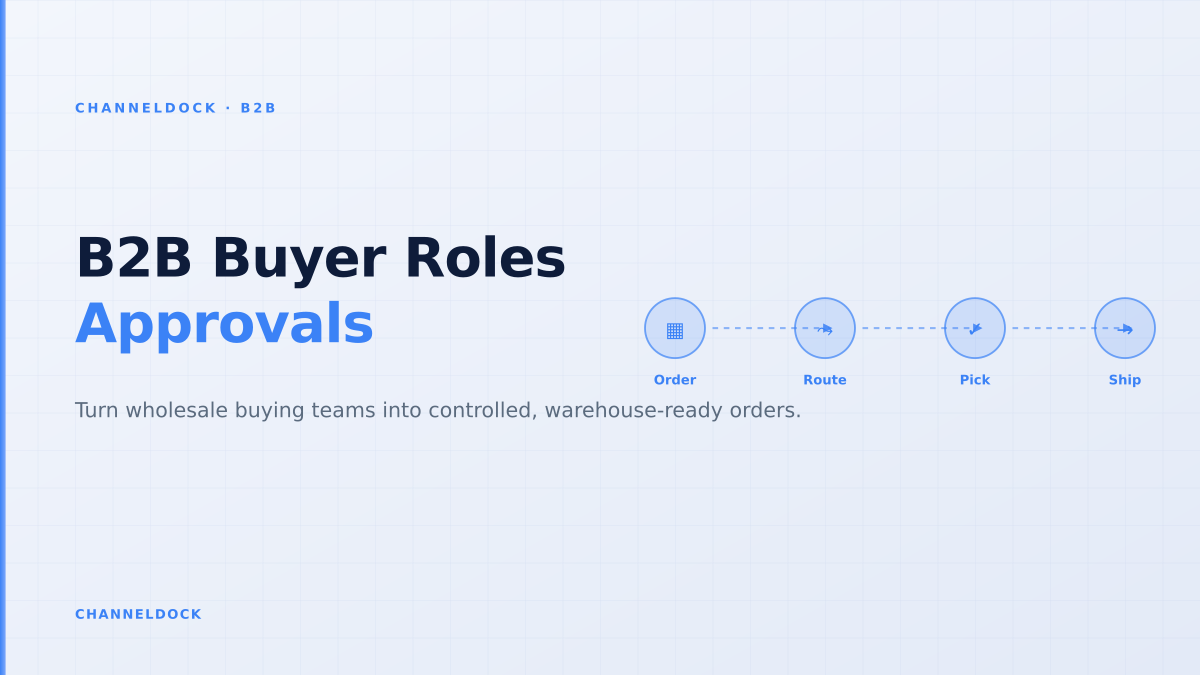
B2B Buyer Roles: Approval Workflows That Protect Orders
In 2026, the strongest B2B commerce platforms all describe the same buyer reality: a wholesale order is rarely placed by one person with one credit card. It often starts with a requester, moves through a manager or finance approver, needs the correct contract price, and only becomes useful to the warehouse after stock, payment terms and delivery rules are checked. That is why B2B buyer roles are no longer an admin detail. They are the control layer between a self-service portal and a clean fulfillment queue.
During research for this post I reviewed B2B portal guides, platform documentation from Adobe Commerce and BigCommerce, Virto Commerce workflow material, Shopify Community threads, Reddit seller questions, G2/Capterra review snippets and competitor pages from OroCommerce, Sana Commerce, Orderwerks and B2B Wave. Most ranking content explains that roles and approvals exist. Very little explains how to design them so orders arrive in the warehouse already valid. That is the gap this article fills.
The real job of B2B buyer roles
A B2B buyer role should answer a precise operational question: what is this person allowed to do without creating back-office clean-up? In consumer ecommerce, the account owner can browse, pay and check out. In B2B ecommerce, the account may represent a dealer group, a retail chain, a franchise location or a distributor with several users. One user may build carts, another may approve orders, another may only view invoices, and a sales rep may need to place an order on behalf of the customer.
The common mistake is to copy job titles directly into the portal. A role called “manager” tells the system almost nothing. A useful role says: can create orders up to €5,000, cannot approve own orders, can see company order history, cannot see invoices, can ship only to assigned locations. That level of specificity is what keeps the portal useful for buyers and safe for operations.
Why approval workflows break after checkout
Many wholesale teams add approvals only at the last step: buyer submits an order, the portal marks it as pending, someone approves it, and then operations discover that the price is wrong, one line is out of stock, the PO number is missing or the ship-to address is not allowed. This is not an approval workflow; it is delayed manual validation.
A better workflow validates the cart before it asks for approval. The order should already know which account it belongs to, which price list applies, which warehouse stock is available, whether the buyer has permission to use the selected delivery address, and which limits have been exceeded. Then approval becomes a business decision, not an operations investigation.
Do not approve first and validate later. If stock, price, MOQ, pack size, PO number or credit status can still fail after approval, the approver did not approve a real order. They approved a draft that still needs back-office rescue.
A practical role model for wholesale portals
Start with capabilities, not titles. In a B2B portal, the same person may need different rights per account, branch or market. A franchise head office may approve every replenishment order. A store manager may order only for one location. A finance user may need invoices but no catalog access. A sales rep may need to build carts but not change contract pricing.
The cleanest model separates six permission groups. Catalog permissions decide what the user can see. Pricing permissions decide whether they see contract prices, list prices or hidden prices. Cart permissions decide whether they can create, edit, duplicate or import orders. Approval permissions decide whether they can approve their own carts, subordinate carts or only certain thresholds. Finance permissions decide invoice and payment access. Fulfillment permissions decide which addresses, warehouses and delivery methods they can use.
- 1Map the account hierarchyList parent accounts, branches, ship-to locations, finance contacts, buyers, approvers and sales reps before creating portal roles.
- 2Define order authoritySet limits by order value, number of SKUs, restricted product categories, payment terms and monthly budget where relevant.
- 3Validate stock before approvalConnect the portal to live inventory and reservation rules so the approver sees whether the cart can actually be fulfilled.
- 4Route exceptions explicitlySend price, credit, MOQ, out-of-stock and restricted-address exceptions to the right owner instead of one generic sales inbox.
- 5Release only warehouse-ready ordersWhen approved, the order should enter the same operational queue as marketplace and webshop orders, with pick, pack and shipping rules already attached.
Where most competitor articles stop too early
Competitor content usually covers account hierarchy, custom catalogs, contract prices and approval rules. That is useful, but it often ends at the buyer experience. The missing operational layer is what happens after approval. A beautiful portal still creates chaos if it exports CSVs, relies on nightly stock updates or lets a buyer approve a cart that the warehouse cannot ship.
This matters most for brands that run both wholesale and D2C operations. A wholesale replenishment order can reserve a large block of inventory. If it is approved in the portal but not reflected quickly in inventory, your marketplace channels may keep selling the same units. That is why B2B portal design belongs next to order management and inventory control, not just web design.
Buyer-experience-only portal
- Great login, catalog and reorder UX.
- Approval status lives in the portal only.
- Warehouse team still checks price, stock and exceptions.
- Large orders can create marketplace stock drift.
Warehouse-ready B2B portalRecommended
- Roles, pricing and approvals are linked to order rules.
- Stock, MOQ, pack size and credit checks happen before approval.
- Approved orders enter the fulfillment queue automatically.
- Inventory stays aligned across wholesale, marketplaces and D2C.
The five checks before an approved B2B order enters fulfillment
Approval should not mean “sales said yes.” It should mean that the order is clean enough for the warehouse to execute. For that, the portal needs five checks that happen before release. First, price integrity: the approved cart must use the customer’s actual contract price and the same discount logic finance expects on the invoice. Second, stock integrity: the available quantity should reflect stock that is actually available for that account and channel.
Third, order-shape integrity: MOQ, case quantity, pallet quantity and restricted products must be enforced in the cart, not after export. Fourth, address integrity: wholesale buyers should only choose approved delivery addresses unless someone with the right permission adds a new one. Fifth, routing integrity: once approved, the order should flow into integrations, warehouse picking, shipping label logic and documents without copy-paste.
The best B2B approval workflow is invisible to the warehouse: by the time the order appears in the queue, the buyer, approver, price, stock, address and routing rules have already done their work.
How ChannelDock should frame this for wholesale teams
ChannelDock’s advantage is that B2B orders do not need to live apart from the rest of ecommerce operations. A wholesale buyer can place an order in the portal, the seller can keep approval control, and the final order can join the same fulfillment environment that already handles marketplaces, webshops and manual orders. That unified queue is the difference between a portal that digitizes ordering and a portal that actually improves operations.
For a distributor or brand, the business case is not “launch a prettier order form.” It is fewer email orders, fewer manual corrections, cleaner approval audit trails, faster reorders, better stock reservation discipline and less pressure on customer service. For the buyer, the value is also simple: they see their catalog, their pricing, their order history and their status without waiting for a rep.
- Design roles around actions and limits, not job titles.
- Treat approval as the final business check after price, stock and order-shape validation.
- Connect approved orders directly to inventory, pick-pack, shipping and document workflows.
- Use the portal to reduce routine account questions: order history, invoices, status and reorder lists.
- Measure success by fewer manual touches per B2B order, not just portal logins.
FAQ
What are B2B buyer roles?
How should a wholesale portal handle approval workflows?
Should approvers be able to approve their own B2B orders?
Why does inventory sync matter for B2B approvals?
What is the difference between a B2B portal and a normal ecommerce account?
Conclusion
B2B buyer roles are not just a security feature. They are the operating model for wholesale self-service. If roles are too loose, buyers can submit orders that finance or the warehouse must repair. If roles are too rigid, buyers go back to email. The winning middle ground is a role and approval design that lets customers move fast inside clear limits.
For ChannelDock’s audience, the practical test is simple: can an approved B2B order move from portal to warehouse without someone rechecking the customer, price, stock, PO number, delivery address and shipping method? If the answer is yes, the portal is doing its job. If the answer is no, the next improvement is not more frontend polish — it is tighter buyer roles, clearer approval rules and stronger operational integration.