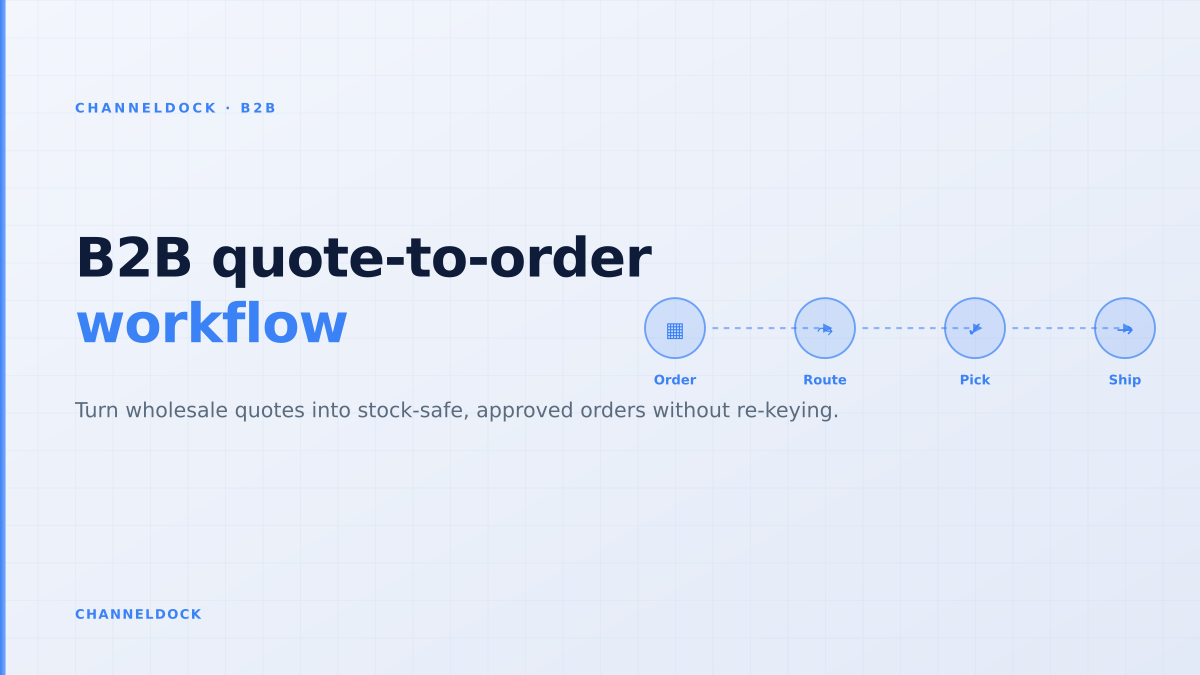
B2B Quote-to-Order Workflow: From RFQ to Warehouse-Ready Order
In 2026, the weak point in many wholesale operations is no longer the storefront. It is the handoff between a buyer’s request for quote, the sales team’s margin check, the customer’s approval, available stock, and the warehouse queue. The public search results for B2B portals are full of feature lists: account pricing, quote buttons, PDF exports, ERP integrations, EDI, and punchout. What they often miss is the operational sequence that protects margin and prevents the accepted quote from becoming a messy manual order.
A good B2B quote-to-order workflow turns an RFQ into a controlled order without re-keying SKUs, losing negotiated terms, overselling allocated stock, or making the warehouse interpret a sales email. That is the difference between a quote tool and a real operational B2B portal.
Why quote-to-order is not the same as a quote button
Many wholesale sellers start with a simple “request a quote” form. That can be enough for early demand capture, especially if buyers ask for unusual quantities, pallet pricing, private labels, or delivery terms. But a form alone still pushes the real work into inboxes and spreadsheets. The sales rep reviews the request, checks a price list, asks operations about stock, creates a PDF, waits for buyer approval, then asks the back office to create the order.
The operational problem is that every handoff can change the order. A buyer requests 120 units, sales quotes 100 because only 100 are available, the buyer accepts two days later, another channel has already consumed 30 units, and the warehouse sees an email attachment instead of a clean pickable order. The quote looked professional, but the process still created stock risk.
The warehouse-first quote-to-order model
The strongest B2B portal content from competitors talks about RFQ, ERP integration, customer-specific pricing and approval workflows. The missing layer is usually warehouse readiness: what must be true before an accepted quote enters the fulfillment flow? A ChannelDock-style workflow starts with the buyer experience, but it is designed backwards from the warehouse.
That means the quote record carries the same operational fields the final order needs: internal SKU, EAN or barcode, customer account, ship-to address, unit of measure, pack size, minimum order quantity, requested delivery date, backorder permission, carrier constraints, and warehouse location. When the buyer accepts, the order should enter the same queue as marketplace, webshop, POS and manual orders inside order management, rather than becoming a separate B2B exception.
Quote tool only
- RFQs arrive as emails or PDF requests
- Sales checks margin and stock manually
- Accepted quote is re-entered as an order
- Warehouse receives notes instead of structured rules
Operational B2B portal Recommended
- Buyer builds an RFQ from live catalog and account rules
- Exceptions route to the right approver automatically
- Accepted quote converts with SKU, price and stock intact
- Warehouse receives a normal pick, pack and ship order
The five-step workflow that keeps quotes clean
A reliable B2B quote-to-order process does not need to be over-engineered. It needs five clear checkpoints and one owner for each exception. These checkpoints are what prevent a portal from becoming a nicer-looking inbox.
- 1Capture the RFQ as structured order dataAsk for SKU, quantity, ship-to location, requested date and notes separately. A free-text box is not enough for repeatable operations.
- 2Validate customer-specific pricing and termsCompare the requested quantity against price tiers, customer agreements, currency, VAT rules, payment terms and margin thresholds.
- 3Check stock and reserve only what you can promiseUse live or near-live inventory from the same system that feeds marketplaces and webshops. If the quote is valid for seven days, decide whether stock is reserved, soft-reserved or not reserved.
- 4Route exceptions before the buyer acceptsDiscounts below margin floor, credit-limit issues, backorder requests and unusual delivery promises should trigger approval while the quote is still negotiable.
- 5Convert acceptance into a warehouse-ready orderWhen the buyer accepts, the order should keep the quote ID, prices, quantities, reservations, picking notes and delivery rules. No retyping, no spreadsheet bridge.
What current ranking pages tend to miss
The ranking pages for B2B quote management, RFQ and quote-to-cash are useful, but many are written from a commerce-platform or CPQ perspective. They explain quote negotiation and approval well. They often underplay the warehouse consequences of a wrong quote: inventory promised twice, pack sizes ignored, a backorder hidden in a line note, or a sales rep approving freight terms that operations cannot meet.
For wholesalers and brands that also sell through bol.com, Amazon, Shopify, WooCommerce, POS or field sales, the B2B portal cannot be isolated. Stock in the quote has to be reconciled with every other channel through inventory management. Orders need the same operational rules as webshop and marketplace orders. Product data and account catalogs need to stay aligned through integrations rather than CSV exports.
The quote is not finished when the buyer says yes. It is finished when the accepted terms can be picked, packed, shipped, invoiced and explained to the customer without another manual decision.
When to use RFQ, fixed pricing, EDI or punchout
Not every wholesale buyer should be pushed into an RFQ. Standard repeat orders with stable contract pricing should move quickly through a reorder flow. Large retailers that already transact by EDI may continue sending purchase orders as EDI 850 messages and expect acknowledgements, ASNs and invoices back. Enterprise procurement teams may require punchout catalogs so buyers can shop inside SAP Ariba, Coupa, Jaggaer or Oracle and send the cart back for internal approval.
The practical rule is simple: choose the lowest-friction channel that still protects the promise. Use fixed customer-specific pricing for predictable replenishment. Use RFQ when quantity, freight, delivery timing, substitutions or margin need review. Use EDI or punchout when the buyer’s procurement process requires system-to-system exchange. But route all accepted demand into one order queue so the warehouse does not care whether the order started as a portal reorder, RFQ, EDI message or sales-rep entry.
KPIs to measure after launch
A B2B portal launch should not be judged only by login count. The real question is whether the quote-to-order workflow removes friction without hiding risk. Track the average time from RFQ submitted to quote sent, quote sent to acceptance, and acceptance to warehouse release. Then track the quality signals: how many accepted quotes required manual order edits, how many lines changed price after acceptance, how many quotes were accepted but could not be fulfilled as promised, and how many customer-service questions were caused by missing order status.
For commercial teams, the best early KPI is quote cycle time by exception type. If normal replenishment quotes move quickly but freight exceptions sit for two days, the bottleneck is not the portal. It is the approval owner. For operations, the best KPI is accepted-quote edit rate: every post-acceptance edit is a sign that RFQ capture, pricing, inventory, approval or fulfillment data was incomplete.
- Build quote workflows around operational data, not around PDF output.
- Reserve or clearly do not reserve stock while a quote is valid; ambiguity creates overselling risk.
- Route margin, credit and delivery exceptions before buyer acceptance.
- Send every accepted quote into the same order queue as marketplaces, webshops and POS.
- Use the ChannelDock B2B portal as the buyer-facing layer and keep fulfillment connected behind it.
FAQ
What is a B2B quote-to-order workflow?
When should a wholesale buyer use RFQ instead of direct ordering?
Should an accepted quote reserve inventory?
How does quote-to-order differ from EDI?
Can ChannelDock connect B2B portal orders with marketplace and webshop operations?
Conclusion
B2B quote-to-order is where sales promise meets operational reality. A quote button captures demand, but a warehouse-first workflow protects the business after the buyer accepts. For wholesalers, distributors and brands selling across multiple channels, the winning setup is a B2B portal that captures structured RFQs, validates price and stock, routes exceptions, and converts accepted quotes into orders the warehouse can pick immediately.
That is the standard buyers increasingly expect: self-service when the order is simple, guided approval when it is complex, and clear status after acceptance. The companies that get this right reduce manual order handling while making the buying experience feel more reliable, not less personal.