自定义发货规则
Last updated
要将手动发货方式用作发货规则,需要先创建自定义发货方式。
创建自定义发货方式
- 前往 Connection > Shipping Carriers
- 点击 Add Carrier 并选择 Custom shipping method
为自定义发货方式选择名称
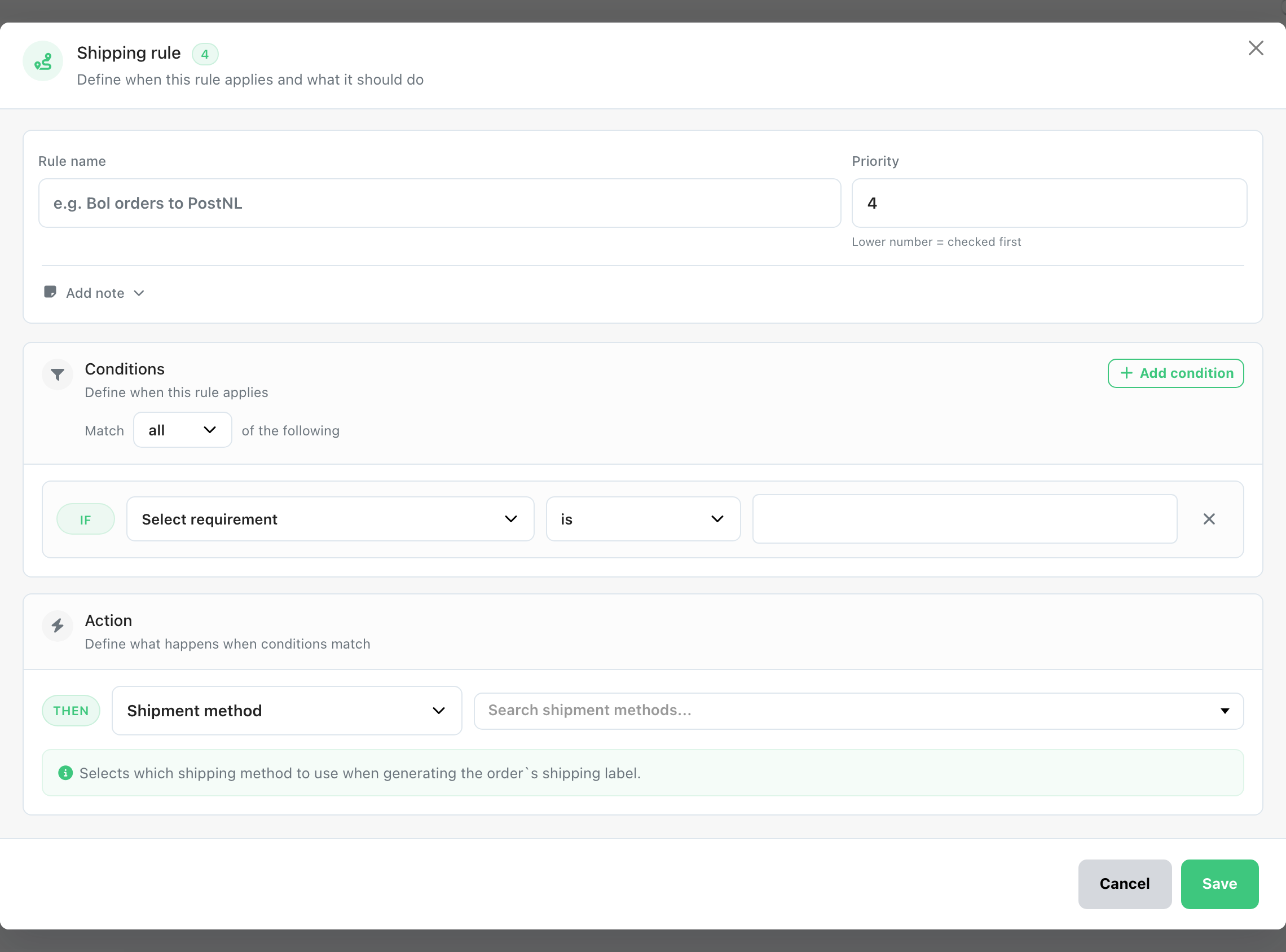
创建发货规则
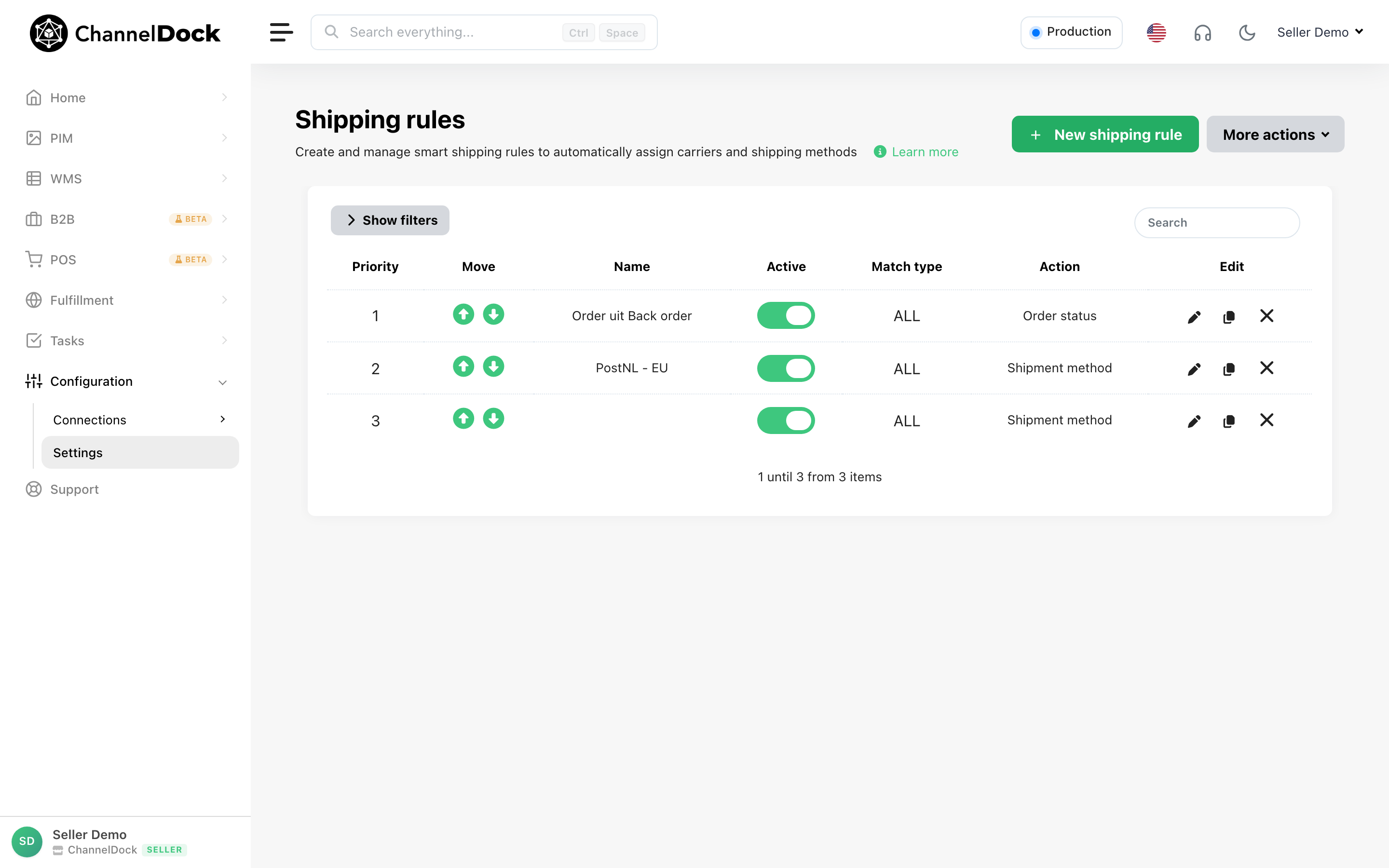
- 前往 Settings > Shipping Rules > New Shipping Rule
- 定义要求(例如重量、目的地、SKU 等)
- 在 Shipping Method 下选择您创建的自定义方式(Mailstamp)
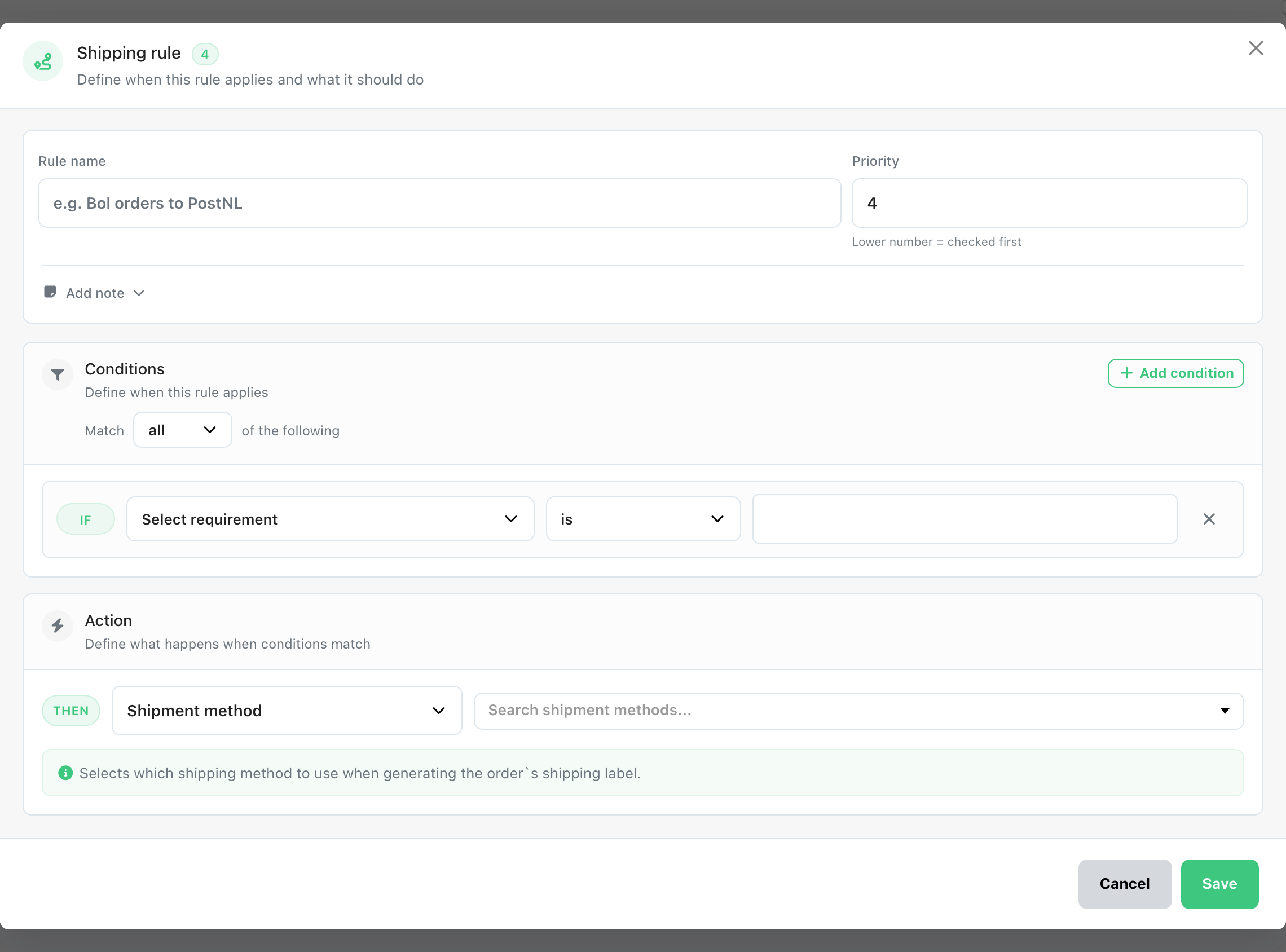
保存后,规则会自动将 Custom shipping method 应用到符合您指定条件的订单。
Was this helpful?