Connecting DHL - DE
Last updated
To connect your DHL Germany (DHL-DE) API, follow these steps:
Step 1: Log in to your DHL Business Customer Portal
Request your API username and API password through DHL’s developer support.
Step 2: Connect DHL in ChannelDock
-
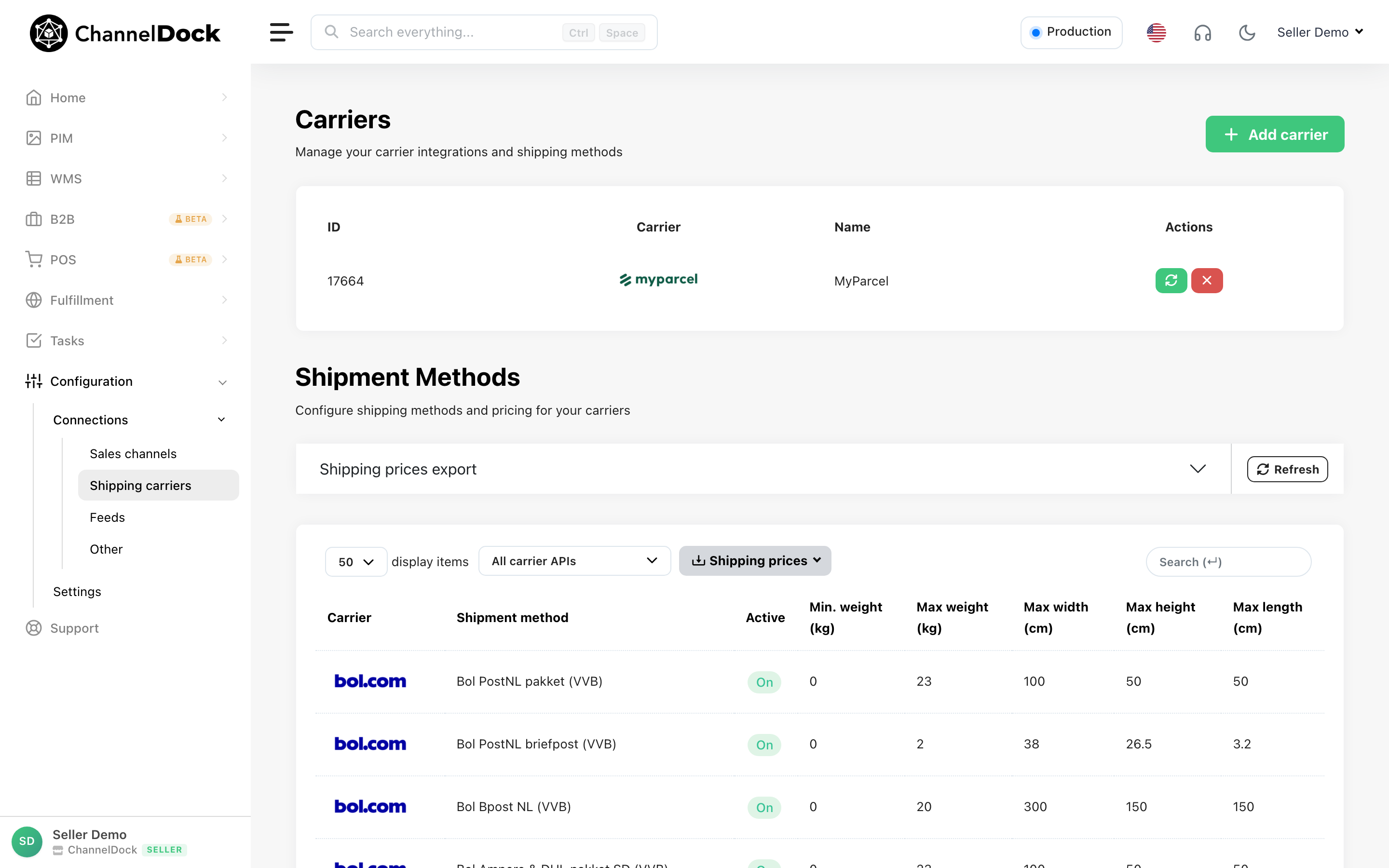
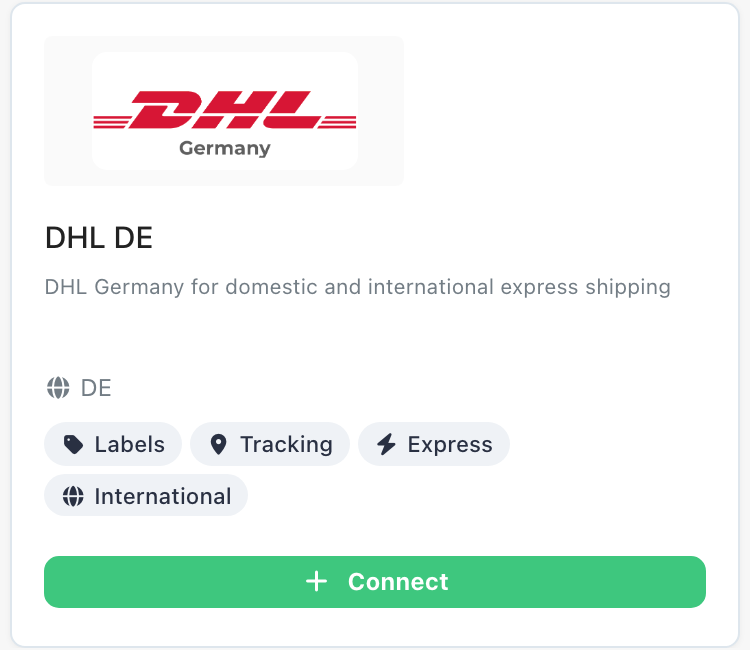
Navigate to: Settings → Shipping Carriers → Add Carrier → Select DHL DE (or edit an existing DHL setup and choose DHL Germany from the list)
-
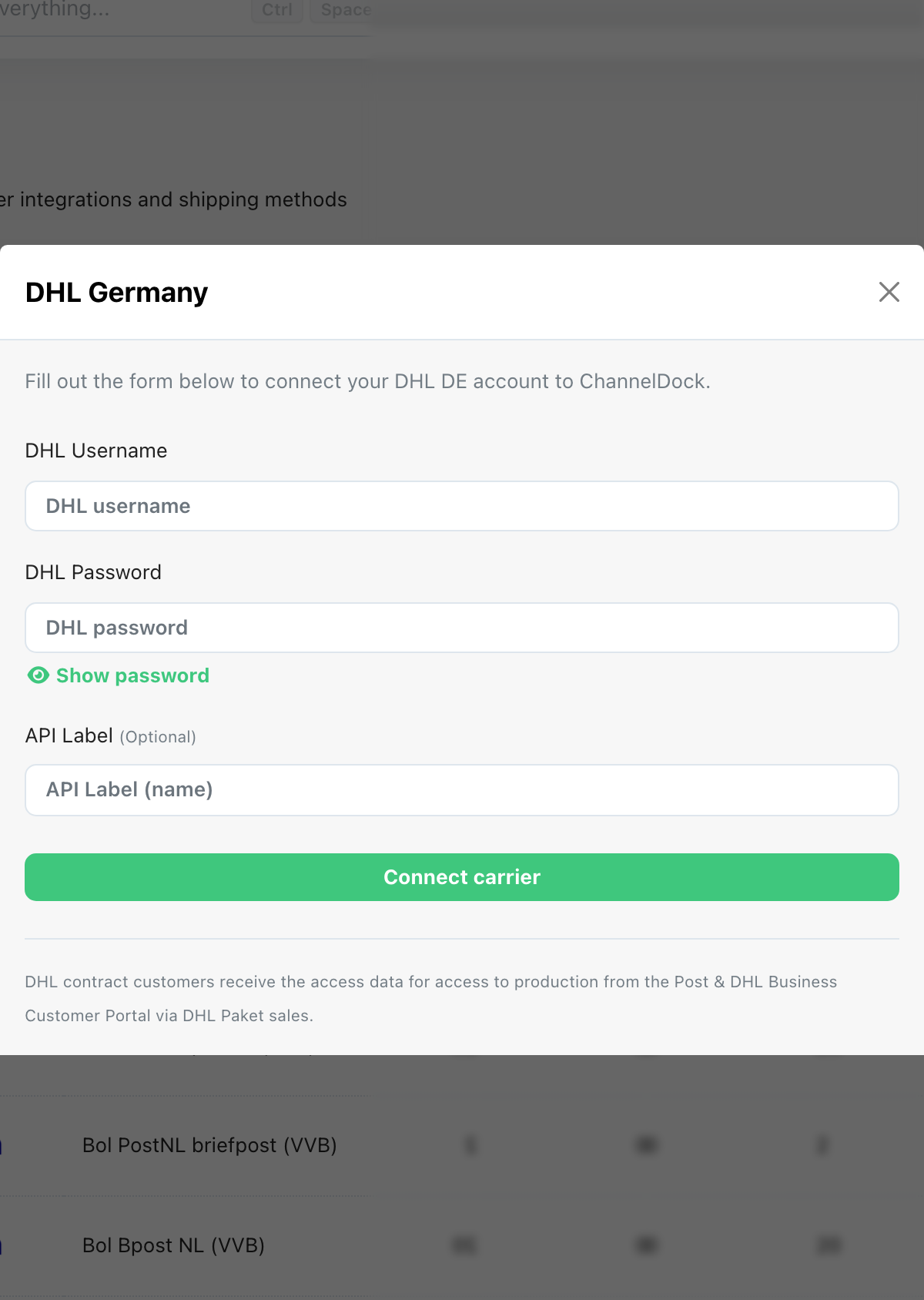
Enter your Username and Password (the same credentials used for the DHL website), then click Connect Carrier.
Step 3: Update Shipping Method Properties
- Could not display content
IMPORTANT: Each shipping method has its own specific billing number that must be imported from DHL. Be sure to import the correct billing number for every method you plan to use.
Step 4: Get DHL Billing data
You can find your billing number in the Billing Data section of the DHL Portal.
Copy and paste the billing number, then save the changes.
Step 5: Activate Your DHL Shipping Rule
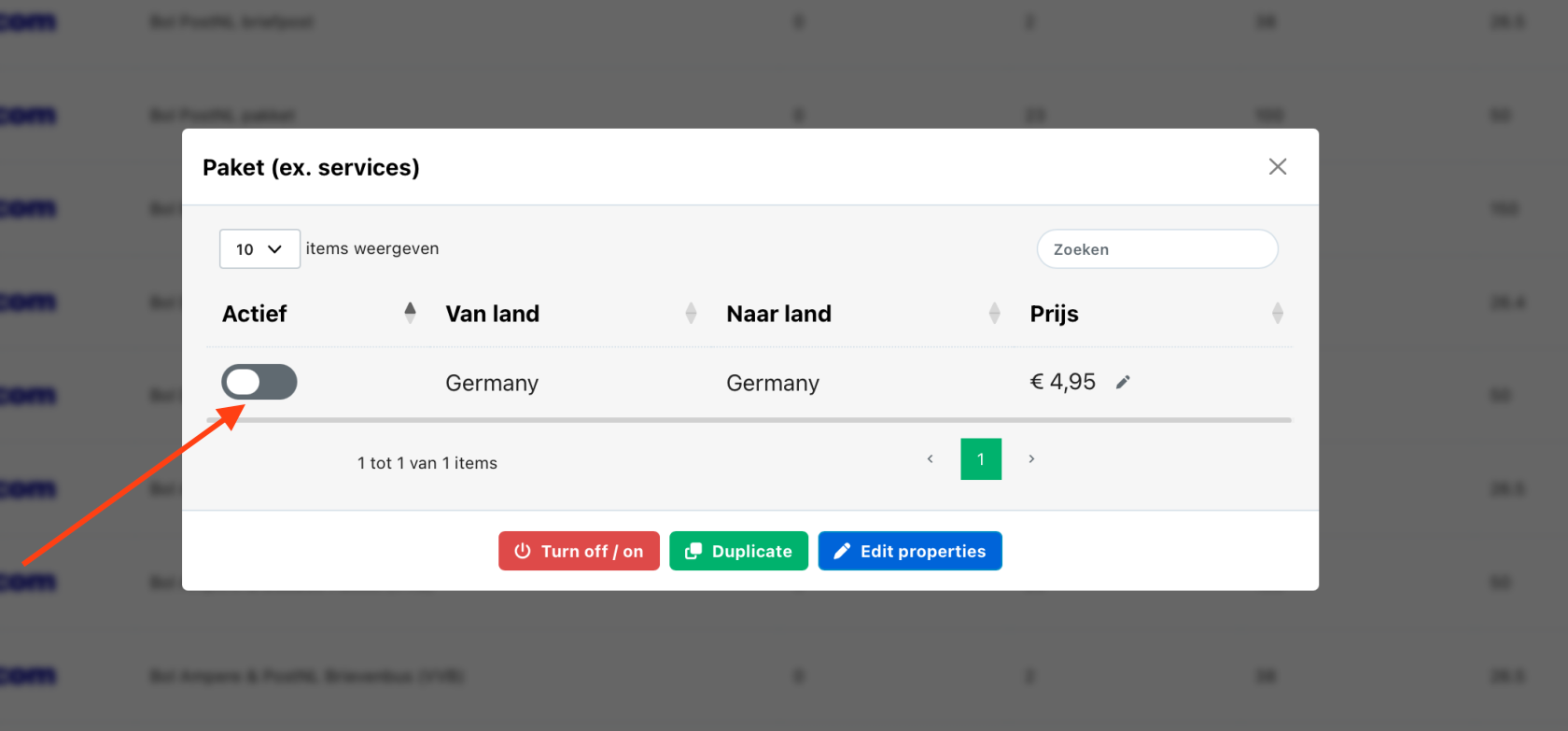
Enable each DHL shipping rule you intend to use.
This will activate shipping for orders sent from Germany to Germany.
Was this helpful?