Customer shipping address verification portal
Last updated
Customers sometimes enter an incorrect shipping address at checkout. ChannelDock automatically checks addresses and flags suspicious ones, holding those orders separately under the Check address filter on Open orders.
You can send an automatic email (available in English, Dutch, and German) so the customer can correct the address themselves in a secure portal.
Enable address verification emails
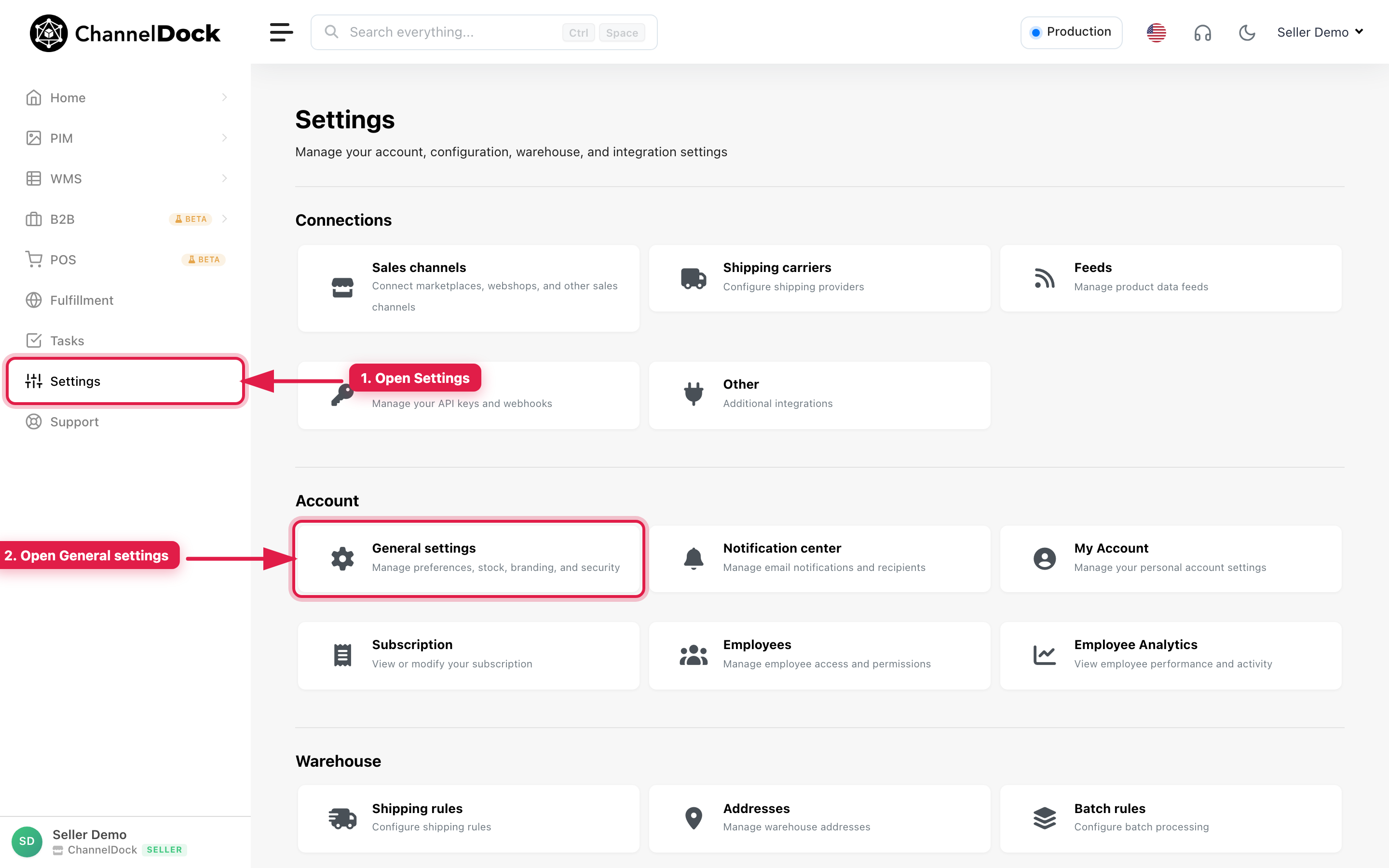
- Go to Settings.
- Open General settings.
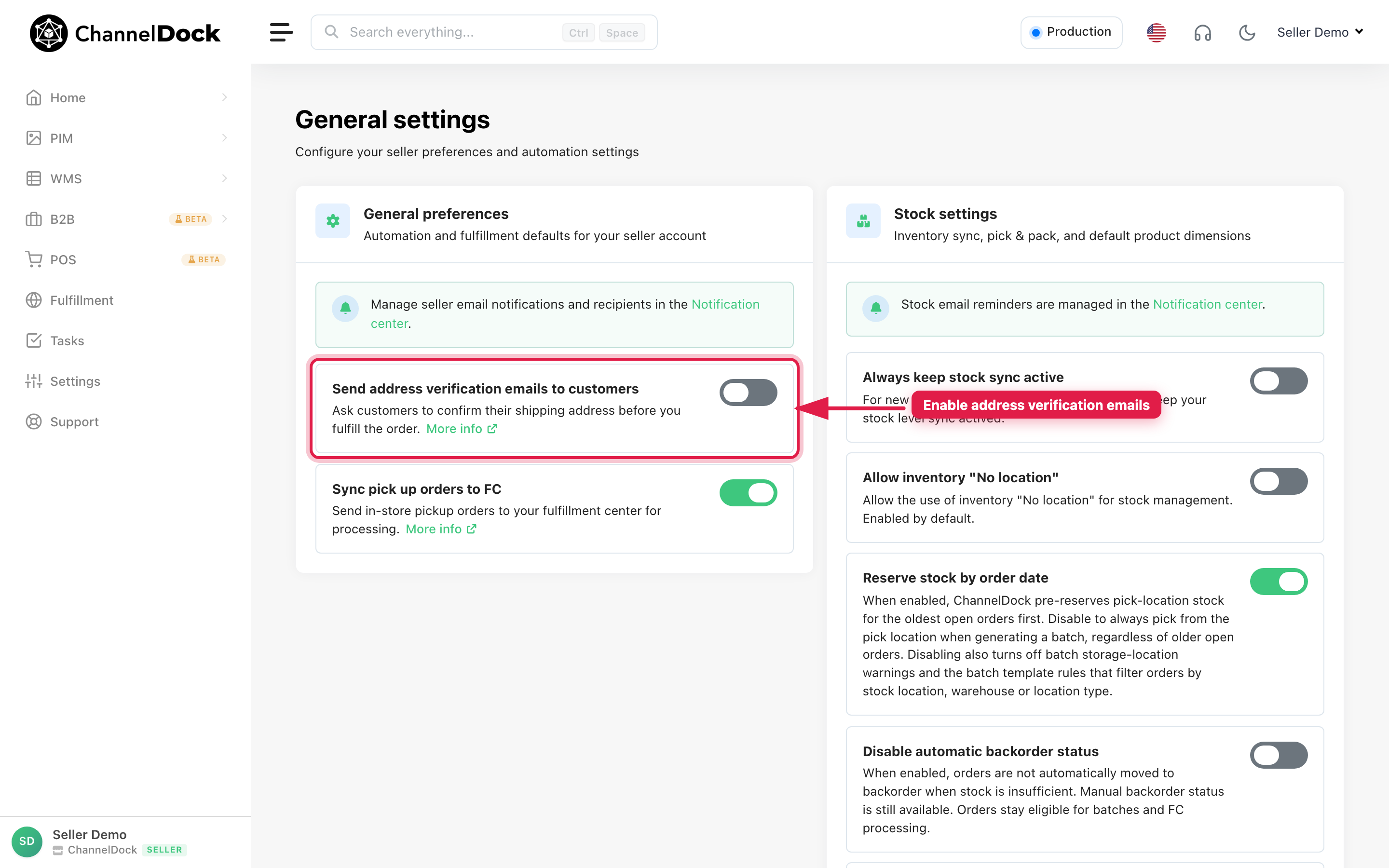
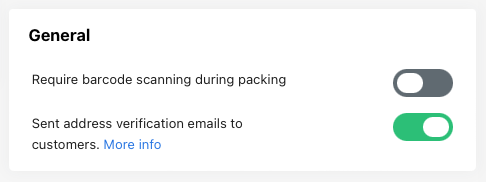
- Under General preferences, turn on Send address verification emails to customers.
How it works
- When an address is flagged as incorrect, ChannelDock sends the verification email within about one hour after the order is imported.
- The email includes a Check your address button that opens the customer portal.
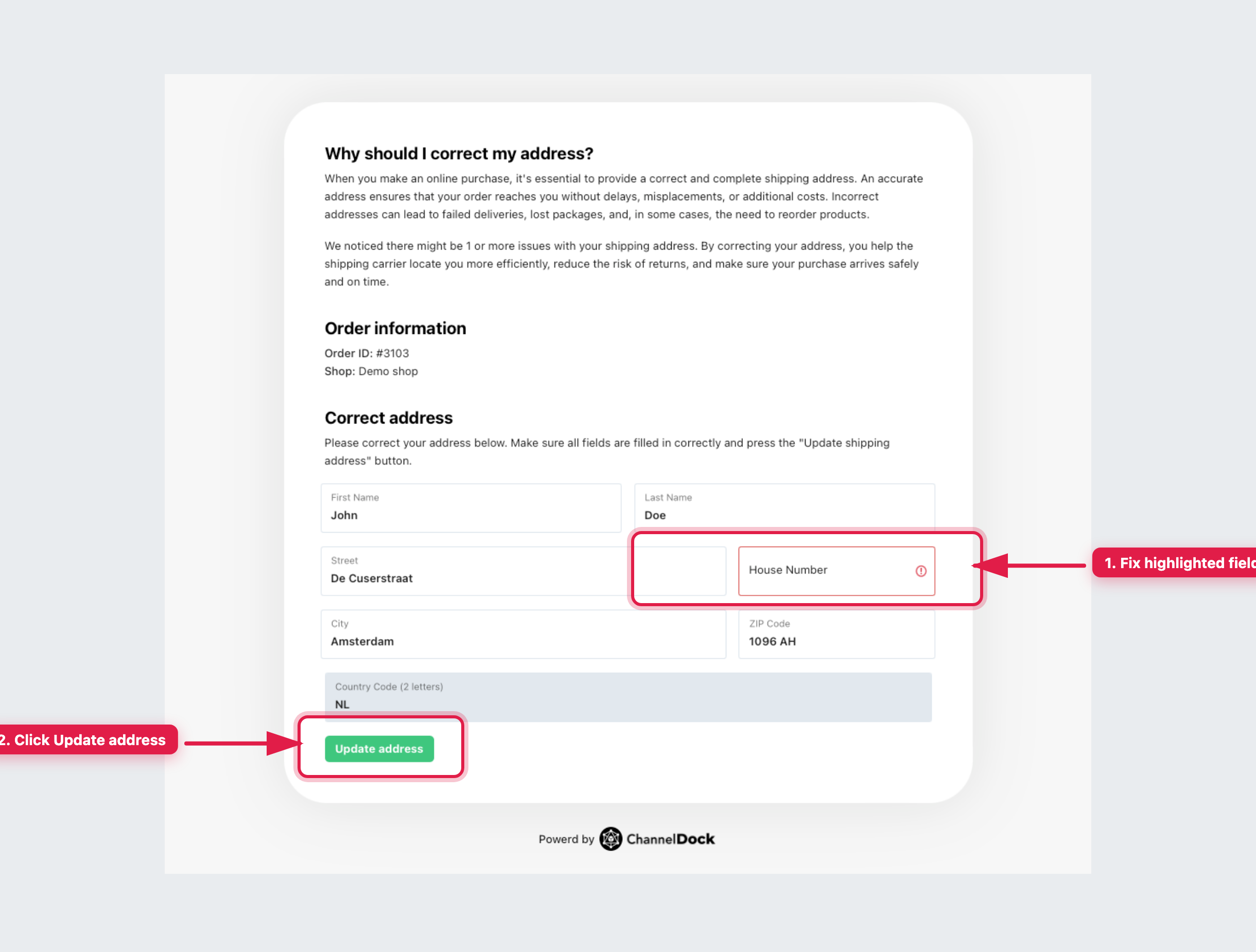
- The customer corrects any highlighted fields and clicks Update address. The new address syncs automatically to ChannelDock, and the order can continue in your fulfillment workflow.
You can also correct addresses yourself — see Correcting faulty addresses in ChannelDock.
Was this helpful?