Dealer Portal Software: Wholesale Ordering Without Email Chaos
In 2026, the best dealer portal software is judged less by how polished the catalog looks and more by how many wholesale orders it can move from inboxes, PDFs and phone calls into a clean operational flow. A reseller who logs in at 21:30 wants three things immediately: their own price, the stock they can actually buy, and a fast way to repeat the order they placed last month.
That makes dealer portals a high-intent topic for wholesalers, distributors and brands with repeat B2B buyers. Competitor pages from OroCommerce, BigCommerce, OrderEase, Orderwerks, Salesforce and Shopify explain the feature set well: customer-specific catalogs, tiered pricing, net terms, order history and multi-user accounts. The missing layer is warehouse execution. A portal that does not feed the same order queue, stock logic and fulfillment workflow as the rest of the business becomes another channel to reconcile.
Why dealer portal software is now an operations project
Wholesale teams used to tolerate email-based ordering because it was flexible. A buyer could attach a spreadsheet, ask for a discount, mention a preferred ship date and copy an account manager. The problem is that every flexible email creates hidden work: checking stock, validating SKU codes, applying contract pricing, confirming minimum order quantities, copying data into ERP or WMS software, and sending status updates back.
Search results show that buyers increasingly expect self-service. They want the portal to behave like a logged-in command center: real-time inventory visibility, account-specific prices, order history, invoices, tracking and reorder tools. Internally, the seller wants the same thing ChannelDock solves across channels: one operational queue where B2B, marketplace, webshop, POS and manual orders can be handled consistently. That is why a dealer portal should connect to order management, inventory availability and the wider integration layer, not stand beside them.
The five fields that decide whether buyers trust the portal
Most portal selection checklists are long. In practice, five data fields determine whether buyers keep using the system after the first week: customer account, price, availability, order constraints and fulfillment status. If one of those is wrong, the buyer reverts to the rep because the rep becomes safer than the portal.
- Customer account: the buyer should only see allowed ship-to addresses, catalogs, roles, VAT or tax details and payment terms.
- Price: contract pricing, customer groups, volume breaks and promotions must resolve before checkout, not after manual review.
- Availability: stock should reflect warehouse reservations, marketplace demand, backorders and replenishment timing.
- Order constraints: MOQ, pack size, case quantity, PO number, credit hold and approval limits should be visible before submit.
- Fulfillment status: buyers need confirmation, split-shipment updates, tracking and realistic ETAs without calling customer service.
A dealer portal is not a prettier wholesale webshop. It is an order-control layer. If it does not respect customer-specific pricing, pack sizes, credit terms, available stock and warehouse cut-off rules, it simply moves the same manual corrections from email into a new screen.
What competitors usually miss: after-submit execution
Many ranking articles stop at the buyer interface. They describe quick order forms, order history, personalized catalogs, invoices and account dashboards. Those matter, but they are only the front half of the workflow. The operational question is what happens after the order is submitted.
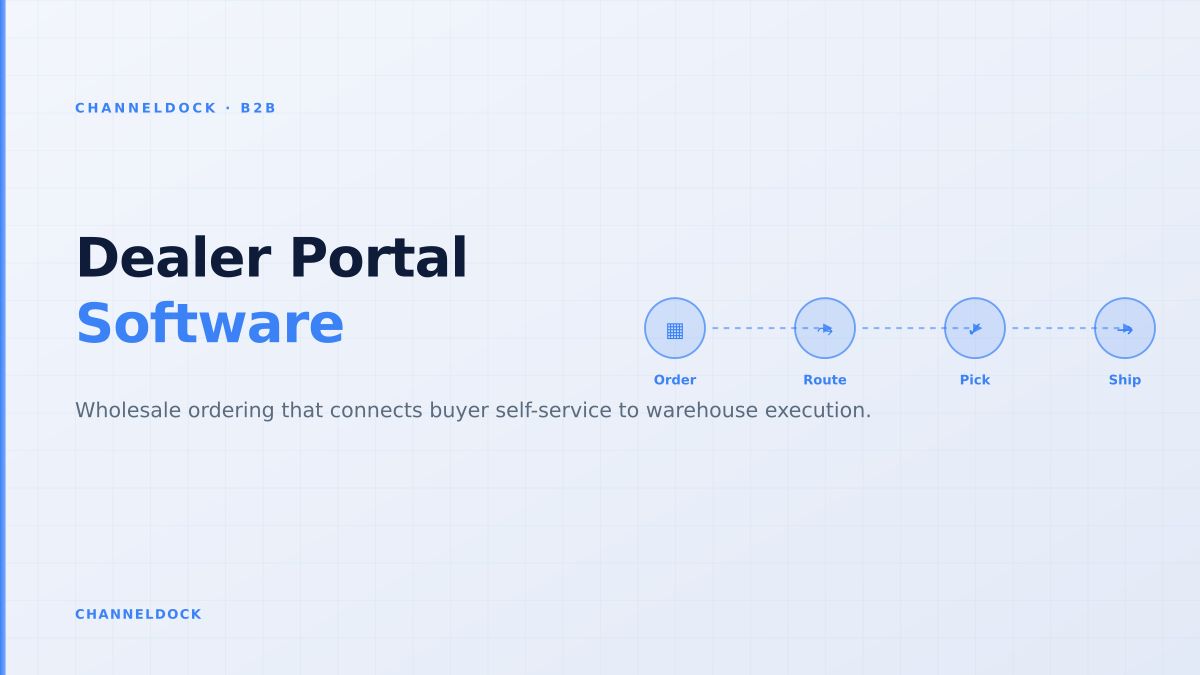
A high-quality dealer portal should convert accepted orders into warehouse-ready work. That means SKU validation, stock reservation, route-to-warehouse logic, carrier or pickup choices, batch picking rules, and exception handling. If B2B orders require manual checks before they can be picked, the portal has not reduced complexity; it has just changed where the order enters the business.
Generic B2B storefront
Dealer portal tied to operationsRecommended
A practical 90-day rollout sequence
The safest dealer portal rollout is not a giant transformation project. It is a controlled migration of repeatable orders. Choose a group of friendly buyers, give them a better reorder path than email, and measure whether the order desk spends less time correcting predictable issues.
- 1Map the orders that should never be typed twiceSeparate routine reorders from negotiated quotes, seasonal pre-orders and exception-heavy accounts. The first portal release should handle the repeatable flow: known customers, known SKUs, known price lists and clear shipping rules.
- 2Lock the buyer account modelDefine which dealers can browse, buy, approve, view invoices, manage ship-to addresses or reorder from history. Multi-user accounts matter because the person filling the basket is often not the person approving spend.
- 3Connect price, stock and order status before launchUse the same operational source that feeds your warehouse and order desk. Buyers will forgive a narrow first release; they will not forgive a portal that confirms unavailable stock or the wrong negotiated price.
- 4Route exceptions instead of blocking every orderCredit holds, MOQ misses, backorders and unusual delivery requests should enter an approval queue. Clean orders can move directly into your order queue; exceptions stay visible instead of disappearing in inboxes.
- 5Measure adoption by account cohortTrack which accounts reorder online, which still email PDFs, which call reps to check stock, and which abandon carts because approvals or terms are unclear. Adoption is an operations metric, not only a marketing metric.
The adoption trap: launching for buyers but not for reps
Dealer portals fail when sales teams see them as a threat or as extra admin. The better framing is simple: the portal handles routine ordering; reps handle growth and exceptions. A rep should still be able to help a buyer build a basket, convert an approved quote, or check why an order is blocked. But the rep should not be the default interface for checking whether SKU 8457 is in stock.
Reddit and Shopify Community threads around B2B portals show recurring frustration with customer-specific pricing, discount rules, approval flows and third-party app workarounds. That is a signal: sellers do not only need a portal. They need one place where price, stock, customer permissions and fulfillment rules agree. For ChannelDock customers, that logic naturally belongs next to the B2B portal, order queue and product data feeds.
The strongest SEO pages on this topic list portal features. The operational gap is what happens after the buyer clicks submit: stock reservation, credit control, exception routing, picking priority and shipment feedback. That is where a dealer portal either reduces admin or creates a second inbox.
How to score dealer portal readiness
Before choosing software, score the current order flow. Count how many orders arrive by email, how many require price correction, how many trigger stock checks, how often buyers ask for tracking updates, and how many orders are delayed because of missing PO numbers or approval details. These numbers are more useful than a feature checklist because they show where the portal must remove work.
- If price exceptions dominate: prioritise customer-specific price lists and approval thresholds.
- If stock questions dominate: prioritise real-time availability and reservation rules.
- If reorders dominate: prioritise order-history reorder, quick order forms and saved baskets.
- If finance blocks dominate: prioritise PO capture, net terms, credit limit visibility and invoice status.
- If warehouse delays dominate: prioritise order routing, pick readiness and shipment status feedback.
Conclusion
Dealer portal software is valuable when it turns repeat wholesale demand into controlled, warehouse-ready orders. The winning setup is not the largest catalog or the flashiest storefront. It is the portal that lets every buyer see the right price, the right stock and the right order rules while giving the operations team one clean flow to approve, pick, pack and ship.
For B2B sellers, the practical question is: which 20 percent of orders can be made self-service without increasing exceptions? Start there. Once buyers trust the reorder flow, expand into quotes, invoices, credit workflows, EDI and advanced account management. That is how a dealer portal becomes an operations advantage instead of another channel to reconcile.
- Prioritise the reorder path first. Repeat orders prove value faster than a broad catalog migration.
- Do not launch without customer-specific pricing and live availability. These two fields determine buyer trust.
- Treat reps as adoption drivers. Their best use is account growth and exception handling, not retyping predictable orders.
- Connect the portal to order management and warehouse workflows so every accepted order can be picked, packed and shipped without rekeying.