Handling an order edited at the sales channel
Last updated
If you edit an order on your sales channel after it has already been imported into ChannelDock, the changes are not always applied correctly in ChannelDock. The safest way to get the updated order into ChannelDock is to delete it and let ChannelDock fetch it again from the sales channel.
Important: removing all products cancels the order
If you remove all products from an order on the sales channel, ChannelDock treats that order as cancelled. Do not empty the order as a workaround to force an update.
Recommended steps
-
Edit the order on your sales channel so it reflects the correct products, quantities, and details.
-
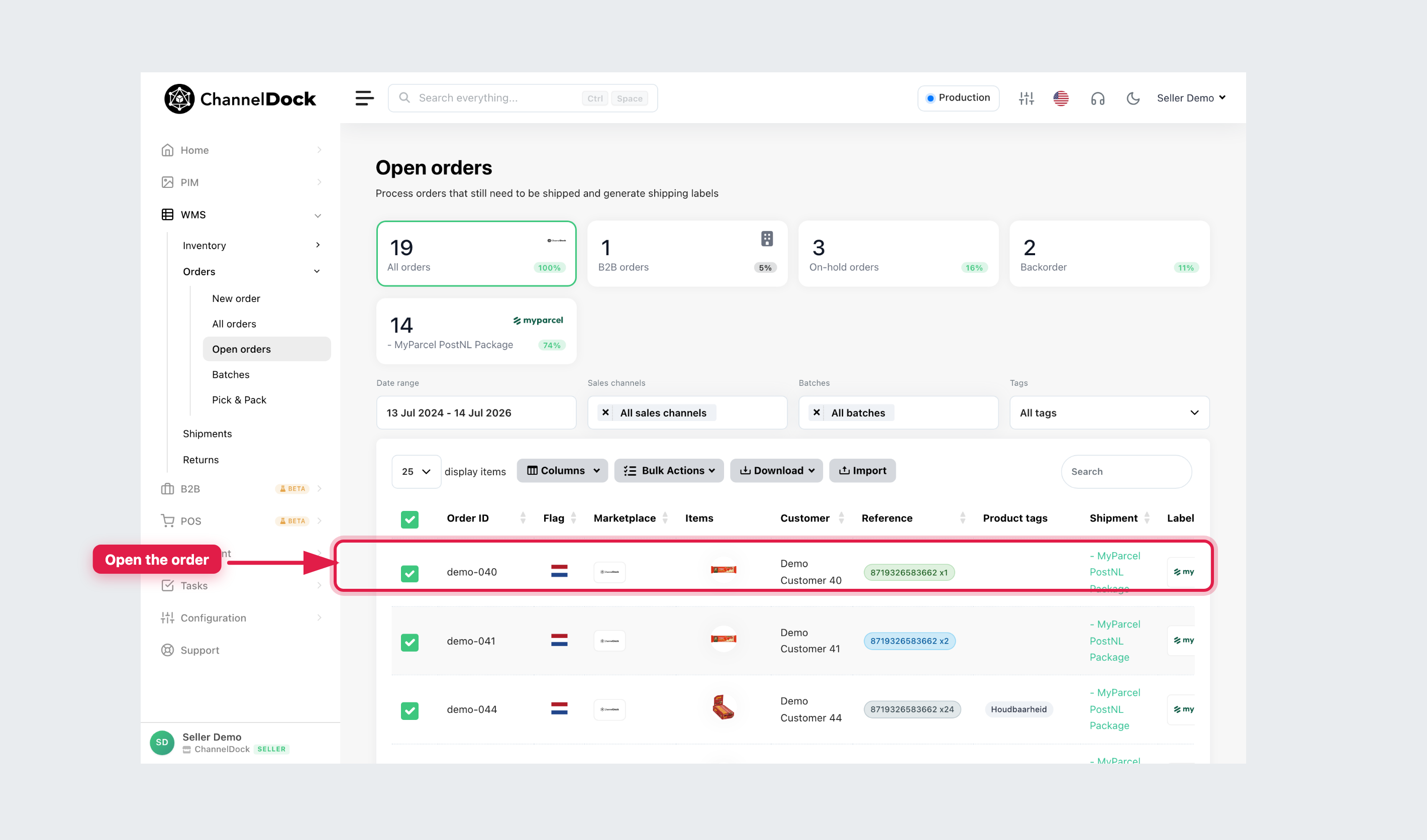
In ChannelDock, go to Open orders and open the order.
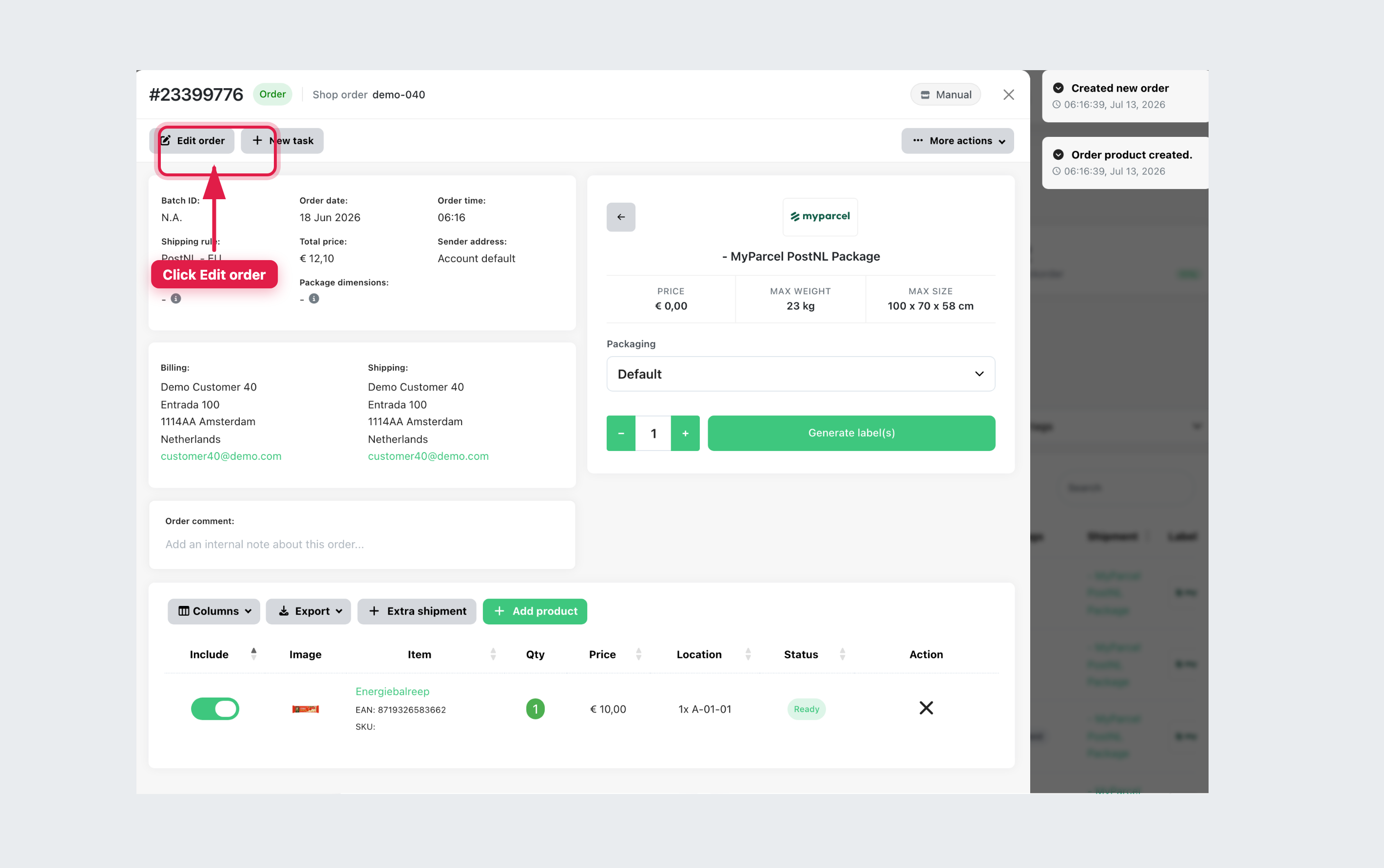
- Click Edit order.
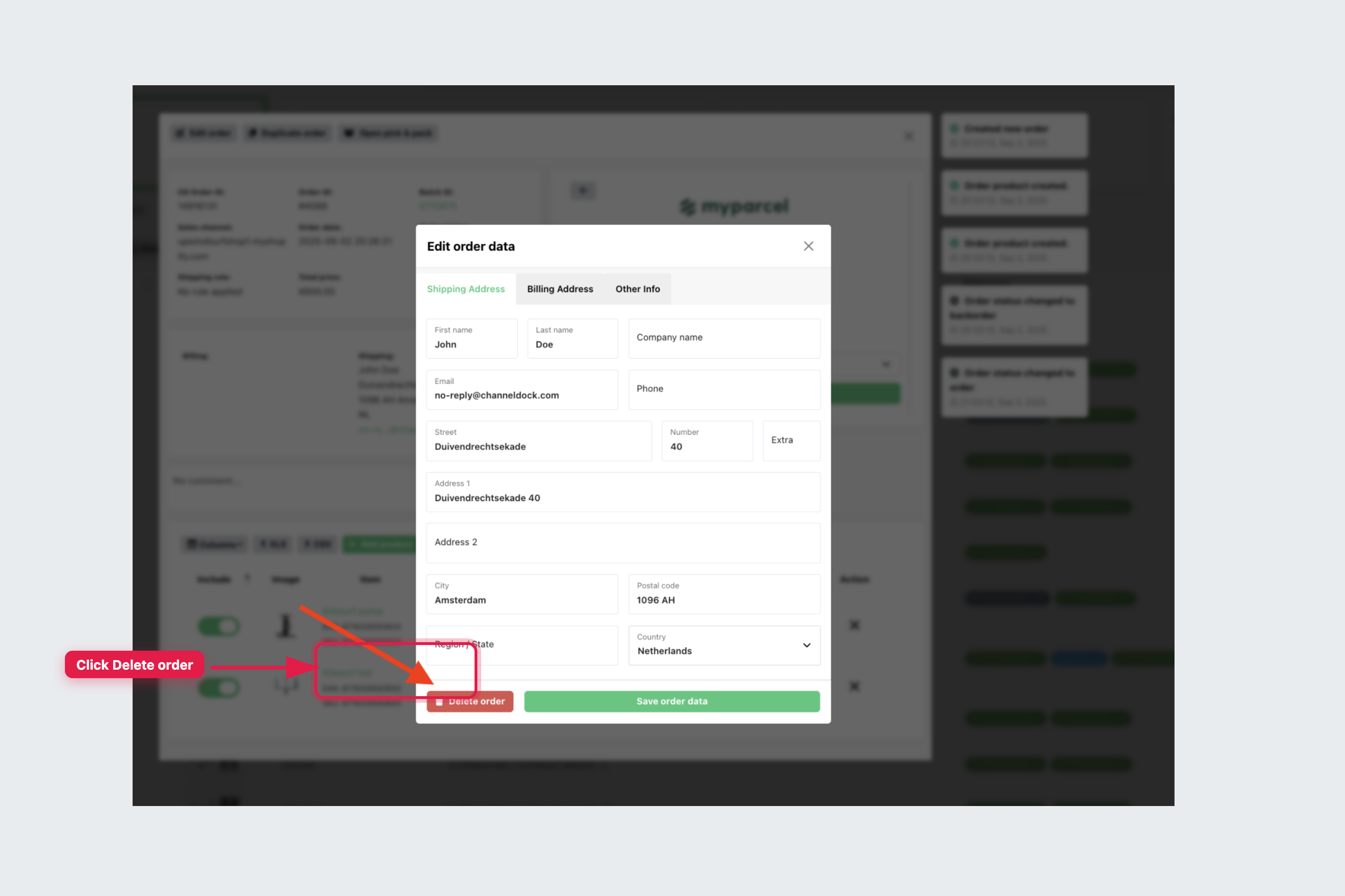
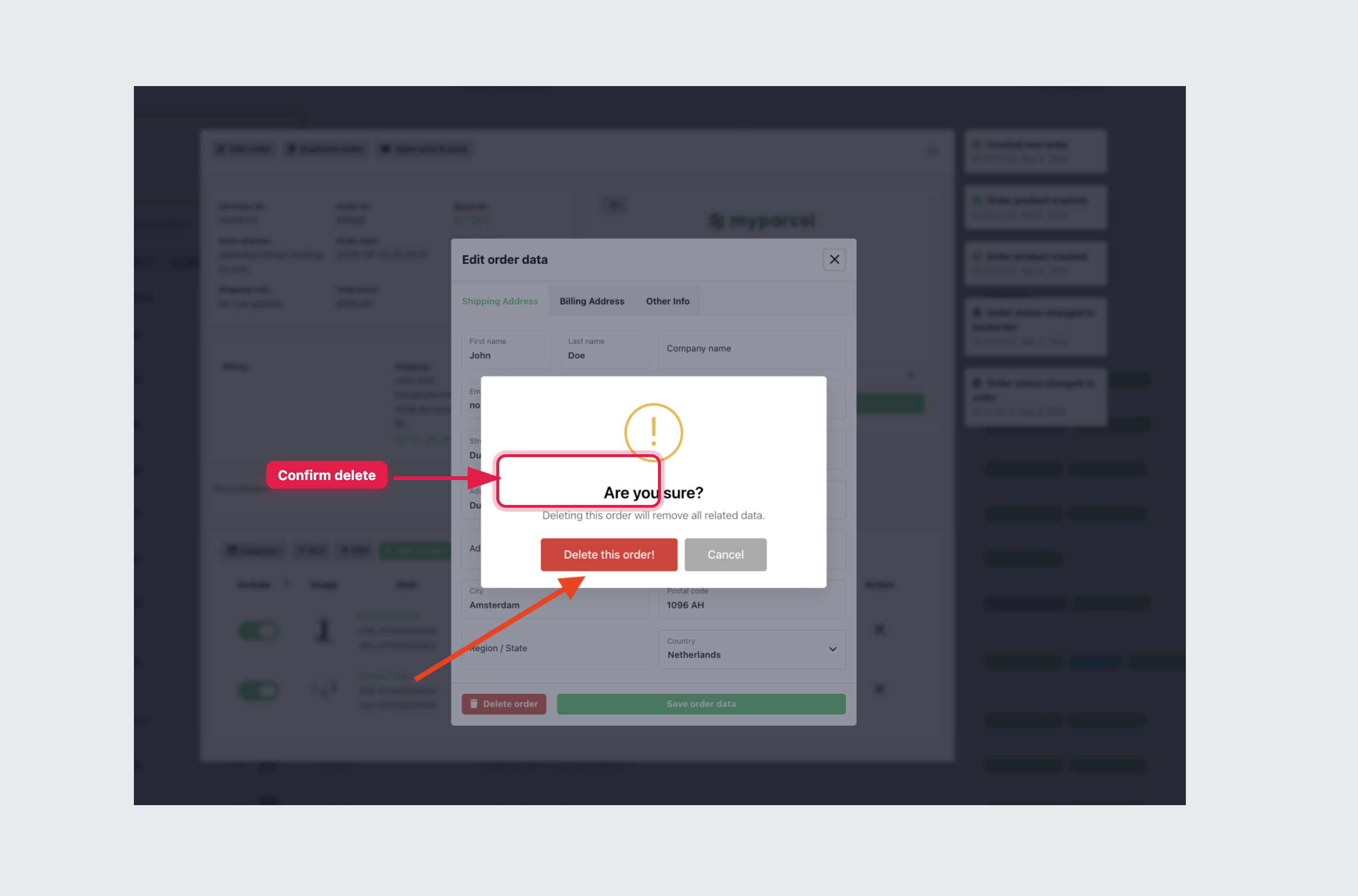
- Click Delete order, then confirm with Delete this order!.
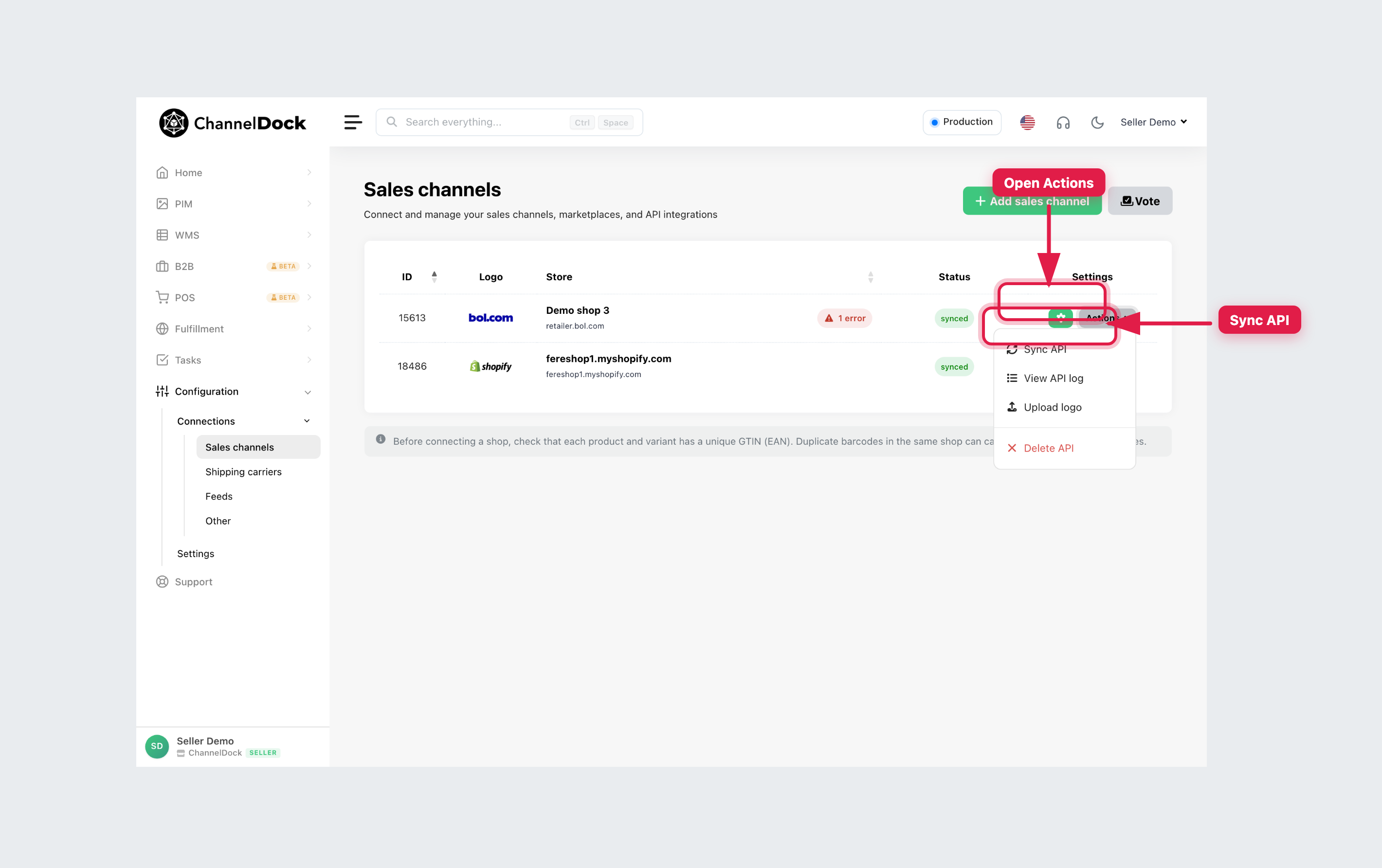
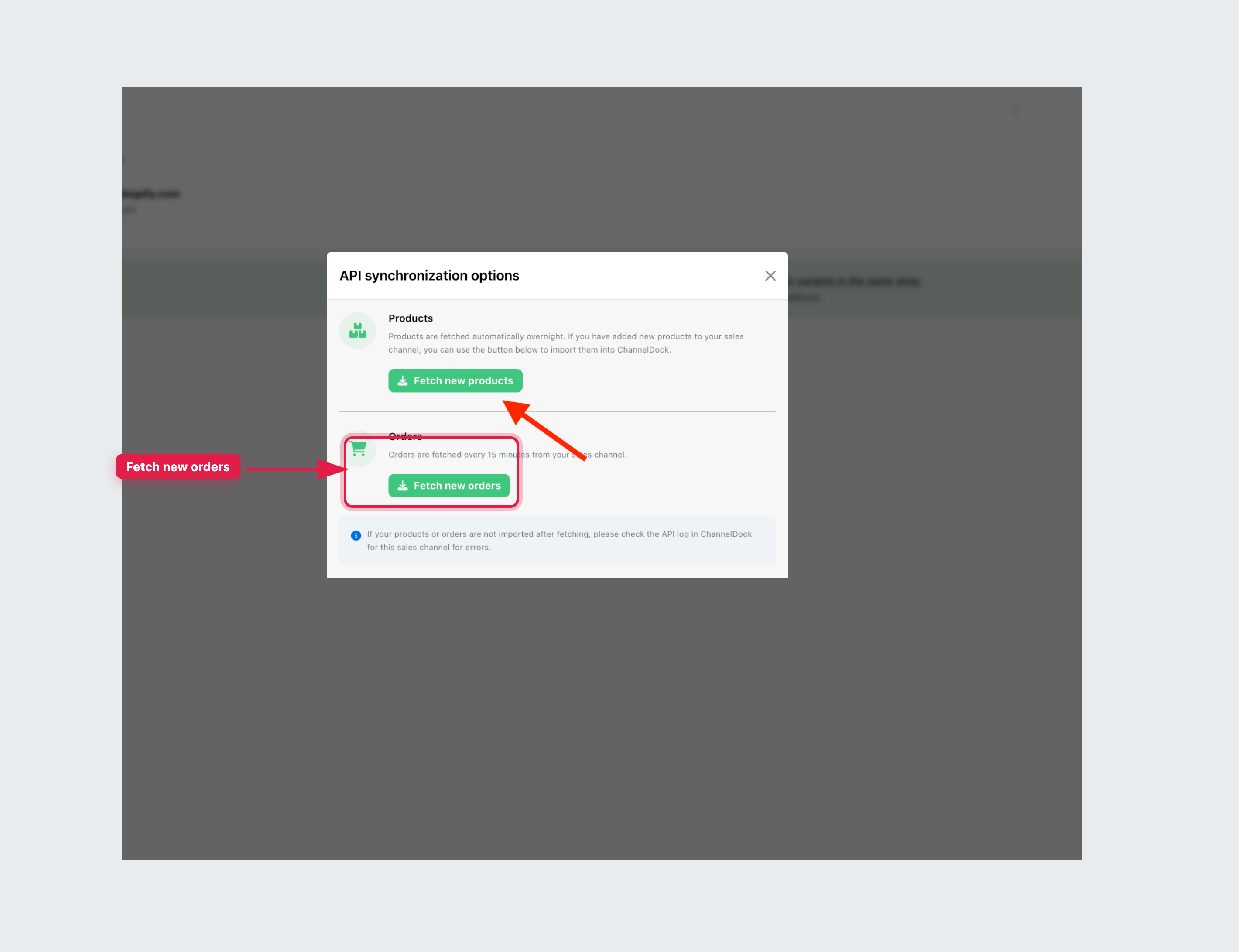
- ChannelDock will fetch the updated order again within about 15 minutes. To speed this up, go to Sales channels, open Actions for the channel, and click Sync API.
- In the modal, click Fetch new orders.
Working with a fulfillment center
If the order is already assigned to a fulfillment center in our network, you cannot delete it yourself. Ask the fulfillment center to delete the order from their account first, then fetch it again.
Related articles
Was this helpful?