Check inbound pallet labels before receiving starts.
Overdue
Fulfillment · Operations
Tasks and calendar anchors for chaotic FC seasons
Give supervisors a second brain: prioritized tasks with threaded collaboration plus a warehouse calendar so audits, arrivals, staffing pivots and client promises share one timeline.
Free up to 500 orders · No credit card to start
Tasks
Operational tasks across orders, products, and logistics
9All tasks
2Unassigned
7Overdue
Search tasks...
Active tasks
All contexts
Confirm seller cutoff promise for tomorrow.
OverdueProcess exception queue before carrier pickup.
OverdueWaiting for seller confirmation on missing stock.
OverdueFirst pallet prepared and ready for dock.
Done213+
Integrations
13
Languages
80+
Product features
EU
GDPR-native hosting
4.7/5on Trustpilot, 61 reviews
4.8/5on Capterra, 32 reviews
Connects with




When the floor runs on memory, work falls through
In busy fulfillment seasons the loudest request gets done first. That is how structured warehouses quietly become reactive ones.
Client asks in chat
Seller requests arrive through email and chat, so nobody owns them and the warehouse finds out late.
Dates only in heads
Audits, inbound arrivals and staffing pivots live in a supervisor's memory instead of a shared calendar.
Priorities by noise
Without one task list, urgent work competes with loud work and deadlines slip quietly.
From client ask to finished task
Tasks and calendar work as one loop, so every promise has an owner and a date.
1
Capture the task
Turn a client ask, an audit or an inbound arrival into a prioritized task with a clear owner.
2
Thread the context
Discuss the details with the seller and the floor in one threaded place, not across five chats.
3
Anchor the date
Put the deadline on the warehouse calendar so staffing and client promises line up.
Built for supervisors
One list shows what is urgent, what is blocked and who owns it, so the morning briefing takes minutes instead of a hallway tour.
- Prioritize across clients, docks and pick zones.
- See overdue work before the client calls about it.
Better together with seller collaboration
Glue this to seller collaboration so client asks become trackable warehouse work instead of loose chat messages.
- Every request keeps its thread, status and deadline.
- Warehouse analytics show how much work the calendar actually absorbed, see warehouse analytics.
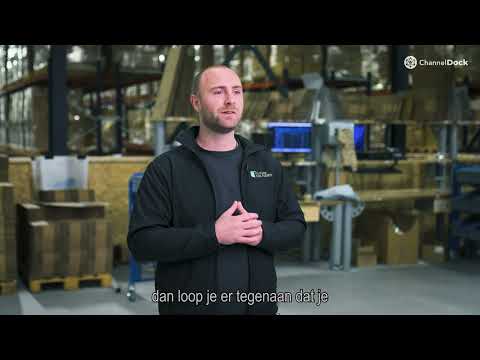
“When we scaled up, the output went down and it was not clear who was doing what. We needed software that brought structure before it became a real problem.”Read the Future Fulfilment customer case
Tasks and calendar FAQ
What fulfillment centers ask before replacing chat threads and whiteboards.
You can start for free with up to 500 orders, and no credit card is required to start. Compare plans on the pricing page as your team and client count grow.
Bring your open tasks, owners and dates into ChannelDock, then anchor recurring events such as audits and inbound arrivals on the calendar. Most teams move one client at a time so the floor never loses context.
Yes. Tasks and calendar events sit in the same platform as your orders and 213+ integrations, so fulfillment work stays connected to the operational data behind it.
ChannelDock is an EU company with GDPR-native hosting. Your tasks, threads and client data stay protected under European data protection rules.
Yes. You can export your task and thread history at any time, so your operational records stay yours.
Explore the FC and 3PL solution, browse FC network listings, or check pricing.
Give every task an owner and a date
One task list and one warehouse calendar, so audits, arrivals and client promises share the same timeline.
Free up to 500 orders · No credit card to start
Why fulfillment teams use it
More seller volume only works when the floor stays structured
These workflows help fulfillment centers protect throughput, accuracy, and client trust as sellers, SKUs, and carrier cutoffs change.
Move work in repeatable lanes
Higher throughput
Surface issues before carrier handoff
Fewer exceptions
Keep clients aligned on what happened
Seller trust
Give teams the same process every day
Shift clarity
Workflow fit
How this supports the warehouse and the client
For fulfillment centers
Standardize work so teams do not reinvent the process for every seller or rush period.
For sellers
Give clients clearer visibility into stock, orders, and exceptions without extra status chasing.
For leadership
Create a workflow story that explains capacity, bottlenecks, and service quality.
Ready to make fulfillment less reactive?
Use ChannelDock to keep seller work, warehouse execution, and carrier handoff connected.