3PL Shipping Label Automation: The 2026 Fulfillment Playbook
In 2026, most 3PL shipping mistakes do not start at the carrier dock. They start several minutes earlier, when a label is bought from the wrong account, with the wrong package data, before the packed box is actually verified. For a fulfillment center serving ten, fifty or a hundred ecommerce clients, that small timing mistake becomes support tickets, invoice disputes and missed same-day cut-offs.
This is why 3PL shipping label automation should be designed as an operational control layer, not as a shortcut to print faster. The label workflow has to read client rules, warehouse scans, carrier restrictions, marketplace promises and billing logic before it sends one parcel to DHL, DPD, UPS, PostNL, FedEx or a local carrier.
Research across 3PL WMS vendors, shipping platforms, Reddit operator threads and Shopify seller discussions shows the same pattern: competitor articles explain rate shopping and bulk printing, but often skip the hard part for fulfillment centers — multi-client rule separation. The question is not “can we print labels in bulk?” The question is “can we prove that every label used the right client rule, at the right time, with the right billing trail?”
Why label automation breaks differently in a 3PL
A single-brand ecommerce warehouse usually has one return address, one billing account, one support policy and a limited service promise. A 3PL has the opposite: every client can bring different marketplace SLAs, carrier contracts, branded packing slips, return addresses, delivery promises, insurance rules and label-cost visibility. If those rules live in packers' heads or a spreadsheet next to the bench, automation simply makes mistakes happen faster.
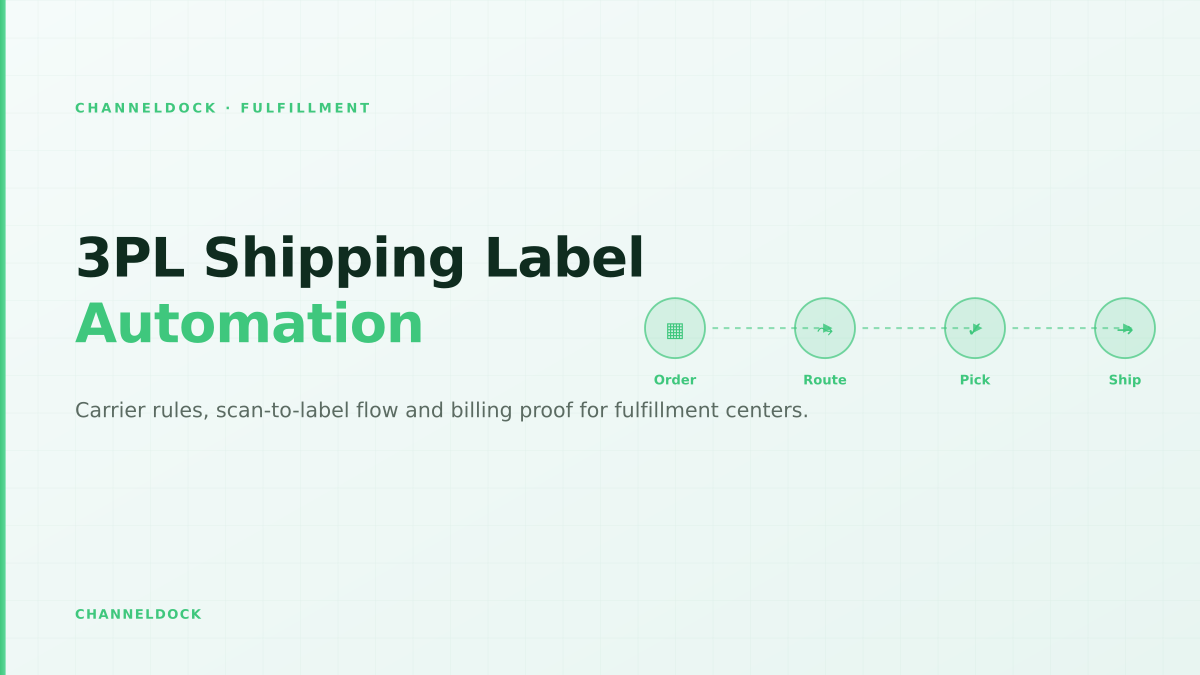
Good fulfillment software keeps the rule stack close to the physical workflow. Orders enter through marketplace and webshop integrations, stock is reserved in the WMS, picking happens through barcode validation, and the label is generated only when the parcel is ready to ship. That connected sequence is what separates an efficient shipping bench from a printer that produces expensive PDFs.
The five-field preflight check before any label prints
Carrier APIs are strict for a reason. Label errors commonly appear when a shipment misses one of five basics: ship-from location, carrier service, package type, weight and dimensions, or customs data. ShipStation's public error guide, for example, lists missing service, package, weight, ship-from, address validation and customs fields as recurring blockers. The operational lesson for 3PLs is simple: catch those problems before a packer reaches the print step.
Printing labels early feels faster, but it creates double work when stock, carton size or address validation changes. In a 3PL warehouse the safer rule is: verify the pick, capture the parcel data, then buy the label.
A practical preflight check should run at order release and again at pack-out. The first check catches configuration issues: the client has no carrier profile, the return address is incomplete, or the marketplace promise does not map to a valid carrier service. The second check catches reality: the box is heavier than expected, the product needs a different carton, the destination requires customs details, or the address cannot be validated.
A better 3PL label workflow
The strongest workflow is not “bulk print everything at 09:00.” It is a controlled chain where every label inherits from client settings and every exception has an owner. That is especially important when your fulfillment center offers same-day shipping, client-owned carrier accounts or value-added services such as kitting, inserts and returns.
- 1Separate carrier logic by clientStore each client's permitted carriers, service levels, return address and billing method before any label can print.
- 2Validate order data before pack-outHold orders missing ship-from, service, package, weight, address or customs fields instead of letting the carrier API fail at the bench.
- 3Print after scan-to-packUse barcode verification, a scale and package presets so the label reflects the box that is actually leaving the warehouse.
- 4Send tracking back immediatelyPush the carrier, service, tracking number and fulfillment status back to Shopify, Amazon, bol.com or the client portal in the same workflow.
- 5Close with manifest and billing proofReconcile printed labels, staged parcels, carrier pickup scans and client billing lines before the day is marked complete.
ChannelDock's fulfillment stack is built around that connected flow: seller onboarding, warehouse tasks, carrier execution and client collaboration in one operational layer. For teams scaling shared warehouses, the goal is to connect fulfillment-center workflows with the daily pick, pack and ship reality instead of bolting a label app onto the end.
Where competitor content leaves a gap
Most ranking pages describe multi-carrier shipping in broad terms: rate shopping, label creation, tracking notifications and discounts. Those are useful, but they are not enough for a 3PL. The missing layer is governance. Which client rule wins when a marketplace order says “express,” the cheapest service is slower, and the client's carrier contract excludes that destination? Who can override the rule? Does the override appear on the invoice? Does support see the reason later?
Generic label app
- Rules live outside the WMS
- Client carrier accounts are handled manually
- Tracking updates can lag behind pack-out
- Billing needs spreadsheet reconciliation
3PL label control layerRecommended
- Rules inherit from each client profile
- Scan-to-pack buys the right label at the right time
- Exceptions stop before the printer
- Manifest, tracking and invoice data stay connected
This governance layer matters because label decisions are financial decisions. ShipHero's public 3PL billing documentation, for example, separates shipping label fees, carrier-bill reconciliation, customer-paid carriers and label-cost visibility. Zenventory and other 3PL WMS vendors also highlight client-specific carrier and service rules. That confirms the market direction: shipping automation is moving from “print quickly” toward “bill, prove and reconcile cleanly.”
How to structure client-level carrier rules
Start with a client profile, not a carrier list. Each profile should define allowed carriers, service mappings, return sender, branded tracking preference, insurance threshold, weekend rules, international restrictions and whether shipping is pass-through, marked up or billed to the client's own carrier account. The WMS should then apply those rules without asking the packer to remember them.
- Marketplace promise mapping: map Amazon, bol.com, Shopify, WooCommerce and TikTok Shop delivery promises to internal service levels.
- Carrier account ownership: define whether labels use the fulfillment center account, a client account or a third-party billing account.
- Exception holds: block label purchase when address, customs, weight, dimensions or dangerous-goods data is incomplete.
- Billing treatment: decide whether the client sees exact label cost, estimated cost, a markup or a reconciled adjustment after carrier invoicing.
- Proof fields: store label timestamp, pack scan, manifest ID, carrier pickup event and tracking write-back status.
The most profitable 3PL label workflow is not the one with the fewest clicks. It is the one where a client, carrier and warehouse manager can reconstruct the decision after the parcel has left.
Once rules are client-owned, the shipping bench becomes calmer. Packers scan, confirm and print; supervisors maintain exception queues; account managers explain invoices with evidence; clients see tracking without chasing support.
Metrics to track after automation goes live
Do not measure label automation only by labels per hour. Speed matters, but the hidden wins are fewer exceptions, fewer voided labels, fewer carrier-bill surprises and less support time. A fulfillment center should review these KPIs weekly during the first 90 days after rollout:
- Label exception rate: blocked labels as a percentage of attempted labels, grouped by root cause.
- Void rate: labels bought but not shipped, split by client, carrier and reason.
- Tracking write-back latency: time between label purchase and tracking update in Shopify, Amazon, bol.com or the client portal.
- Manifest mismatch count: parcels printed but not staged, staged but not manifested, or manifested but not scanned by the carrier.
- Carrier invoice delta: final carrier charge versus quoted label cost, especially where clients are billed pass-through.
- Shipping label automation is not only speed; it is a control layer between pick accuracy, carrier rules and client billing.
- The biggest operational gap in competitor content is exception design: which orders must be held before label purchase, and who owns the fix.
- Tie labels to manifests and billing lines, or every “cheap” label workflow becomes expensive during client disputes.
FAQ
What is 3PL shipping label automation?
Should a 3PL print labels before or after picking?
Can each 3PL client use its own carrier account?
Which data fields cause most label failures?
How should a fulfillment center prove a parcel left on time?
Conclusion
3PL shipping label automation is worth doing when it makes the warehouse more controlled, not just faster. The winning setup connects client profiles, carrier rules, scan-to-pack verification, tracking write-back, manifests and billing proof. That is the difference between a label printer that creates work and a fulfillment control layer that protects margin.
If your fulfillment center is still moving between carrier portals, spreadsheets and disconnected label tools, start by mapping the five-field preflight check and one client-level carrier profile. Then connect the workflow to your WMS, your client portal and your fulfillment-center operating model so every parcel has the right rule behind it.