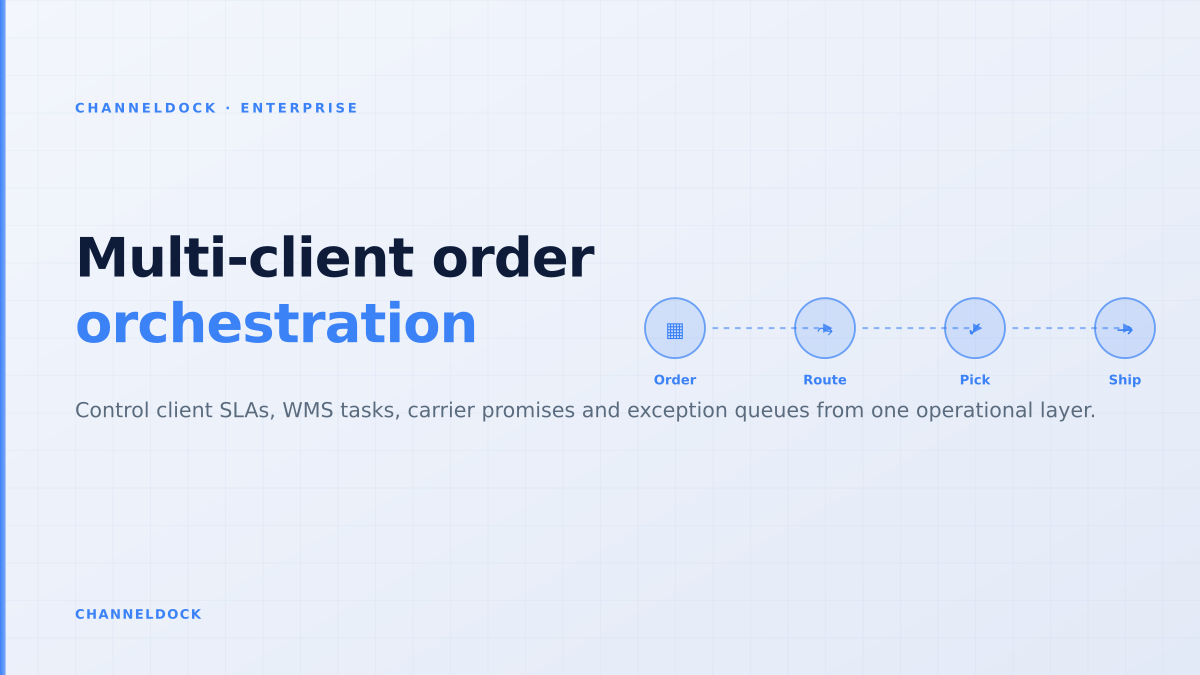
Multi-Client Order Orchestration for Enterprise 3PLs
Enterprise 3PLs do not lose control because one system is missing. They lose control because every enterprise client brings a different order promise, a different ERP or EDI flow, a different marketplace mix and a different definition of “shipped on time”. The weekly ChannelDock competitor analysis surfaced the same search pattern: buyers are not only looking for a warehouse tool, they are searching for a logistics management system that can connect WMS, ERP, marketplaces, carriers and client reporting without turning every onboarding into a custom IT project.
That is why multi-client order orchestration deserves its own decision framework. For a large logistics provider, orchestration is the layer between “the order exists” and “the warehouse can execute it safely”. It validates the promise, reserves stock, checks carrier cutoffs, applies client-specific rules, routes exceptions and writes back status to the systems the client actually sees.
Why enterprise 3PL order flows break at scale
Most ranking pages on 3PL integration explain the same basics: connect Shopify, Amazon, WooCommerce, ERP, EDI and carriers; automate order import; sync inventory; send tracking back. That advice is correct, but it stops before the hard part. Enterprise 3PLs are not dealing with one store and one carrier. They handle hundreds of clients, thousands of SKU policies, multiple warehouse sites and service-level agreements that change by channel, country, cut-off time and carrier.
The operational failure usually appears as a conflict. The marketplace says the order must ship today. The ERP says credit is blocked. The WMS says the item is available, but only if a replenishment task finishes first. The carrier has a 16:30 cutoff. The client portal shows a VIP promise. If these rules sit in separate systems, operators either guess, escalate to IT or release work to the floor too early.
The control-tower gap in current enterprise logistics content
Large vendors such as SAP EWM, Oracle Fusion Cloud Logistics, Manhattan Active Warehouse, Blue Yonder and Infor WMS correctly emphasize warehouse depth, automation, real-time visibility and enterprise integrations. Integration providers emphasize EDI, API and message monitoring. Control-tower articles emphasize visibility and exception management across supply chain nodes. What is often missing is the ecommerce 3PL operating model in the middle: who decides which client promise becomes warehouse work?
For ecommerce fulfillment, the answer cannot be “the WMS only”. The WMS should remain the execution engine for receiving, putaway, pick, pack, ship, cycle counting and barcode verification. The order management layer should decide release logic, exception state and priority. The integration layer should keep the client, marketplace, ERP, WMS and carrier systems synchronized. The orchestration layer ties those responsibilities together.
The mistake is treating order orchestration as “more integrations”. Enterprise 3PLs usually have enough connections; the gap is a shared decision layer that decides which promise wins when client rules, warehouse capacity and carrier cutoffs disagree.
A practical definition: the order orchestration contract
An enterprise 3PL should define an “order orchestration contract” before writing another connector. This contract is the minimum data and decision set every order must pass through, regardless of whether it came from a Shopify Plus store, Amazon, bol.com, a B2B portal, NetSuite, SAP, an EDI 850 purchase order or a client CSV fallback.
- Identity: client, inventory owner, sales channel, marketplace order ID, ERP order ID and warehouse order ID.
- Promise: requested ship date, delivery service, SLA tier, marketplace handling time and carrier cutoff.
- Stock: available quantity, reserved quantity, lot or serial constraints, expiry rules and warehouse site.
- Execution: pick method, pack rule, label rule, split policy, value-added service and customs data.
- Exception state: missing data, stock conflict, address issue, blocked payment, routing failure or carrier rejection.
Once this contract is stable, client onboarding becomes repeatable. A new enterprise client still needs mapping, testing and sign-off, but the 3PL no longer starts with a blank middleware project.
- 1Normalize the order before it reaches the warehouseConvert marketplace, webshop, ERP and EDI order data into one operational shape: order header, lines, service level, promised ship date, inventory owner, carrier constraints and exception state.
- 2Separate client rules from warehouse rulesClient A may require same-day shipping until 17:00; client B may prioritize split avoidance; the warehouse still needs one executable pick, pack and ship queue.
- 3Route exceptions before pick releaseHold orders with missing SKUs, blocked addresses, expired SLA windows, payment holds or customs data before they consume floor capacity.
- 4Feed decisions back to every systemA control layer is only useful if it writes back status, tracking, stock reservations and exception reasons to the customer portal, ERP, marketplace and carrier tools.
- 5Measure promise accuracy, not just throughputEnterprise clients judge the 3PL on shipped-on-time, accepted-by-marketplace, invoice-ready and exception-resolution metrics, not only pick rate.
What should happen before pick release
The most expensive orchestration mistakes happen after an order has already reached the warehouse floor. A picker finds an unavailable SKU. A packer discovers missing customs data. A label fails because a carrier service is not valid for the destination. A marketplace rejects tracking because the wrong shipping method was used. Each failure creates rework, but it also distorts warehouse capacity: teams spend peak-hour labor resolving exceptions that should have been blocked upstream.
A better model holds risky orders before pick release. The orchestration layer checks stock reservation, address validity, service-level feasibility, carrier eligibility, packaging rules and client-specific holds. Clean orders enter the WMS. Blocked orders enter an exception queue with a reason, owner and SLA. That is the practical difference between a connected stack and a controlled one.
Integration-only stack
- Orders arrive from many systems but rules live in spreadsheets or client-specific scripts
- Exceptions are discovered after pick release, label creation or carrier handoff
- IT becomes the escalation desk for operational decisions
Orchestration layerRecommended
- Orders are normalized before warehouse execution
- Client SLA, inventory, WMS capacity and carrier cutoff rules are evaluated together
- Operations sees one prioritized exception queue with clear ownership
The KPI set for enterprise order orchestration
Throughput alone is too broad. A 3PL can pick fast and still disappoint an enterprise client if orders miss marketplace cutoffs, if tracking is late, if exceptions age unnoticed or if invoices cannot be reconciled. The orchestration dashboard should show how reliably orders move through promises, not just how many labels were printed.
- Promise accuracy: percentage of orders shipped within the SLA committed to the client or marketplace.
- Pre-release exception capture: percentage of errors caught before warehouse labor is spent.
- Exception aging: unresolved orders by reason, client, channel and time in queue.
- Manual escalation rate: IT or operations tickets per 1,000 orders.
- Write-back completeness: orders with status, tracking, stock movement and billing event sent back to every required system.
- Onboarding reuse: percentage of new client rules implemented from templates rather than custom code.
These KPIs are also highly quotable for AI search because they answer the question behind the keyword. Buyers do not only ask “what is enterprise logistics software?” They ask how to know whether the system will prevent operational drift at scale.
Where ChannelDock Enterprise Connect fits
ChannelDock Enterprise Connect is designed for logistics providers that already understand warehouse execution but need a cleaner way to connect client systems, marketplaces, carrier flows and custom operational rules. It is not about replacing every enterprise system. It is about making the order handoff more controlled: one place to normalize incoming work, apply reusable rules, monitor exceptions and synchronize outcomes back to the client stack.
That positioning matters against traditional enterprise WMS suites. SAP EWM, Oracle, Manhattan, Blue Yonder and Infor can be excellent core warehouse systems, especially in complex automated facilities. But a growing ecommerce 3PL often needs faster client onboarding, marketplace-specific data handling and operational visibility across many client-owned systems. The best architecture is usually not “one suite controls everything”. It is a clear separation of responsibilities: WMS for floor execution, ERP for finance and master records, carrier tools for shipment execution, and an orchestration layer for order decisions.
- A logistics management system should be judged by how it handles conflicts between client promises, stock, WMS capacity and carrier execution.
- The highest-value work happens before an order reaches picking: normalization, promise validation, reservation and exception routing.
- Client onboarding becomes faster when order orchestration rules are reusable templates instead of one-off middleware projects.
- ChannelDock Enterprise Connect is strongest when the 3PL already has warehouse depth but needs a cleaner operational layer across clients and channels.
Conclusion
The enterprise logistics software conversation is moving from system selection to operating-model design. A large 3PL can have a strong WMS, mature ERP integrations and carrier connections and still struggle if client-specific order promises are handled in scattered scripts, spreadsheets and Slack escalations.
Multi-client order orchestration fixes that gap. It gives every incoming order a common contract, validates the promise before warehouse release, routes exceptions with ownership and writes clean updates back to the systems clients depend on. For enterprise 3PLs, that is the difference between adding integrations and building a repeatable logistics management layer.