Lesson 8 of 19 · Orders
Find and review orders
How to: use Orders → Open orders, All orders and Back orders.
Always confirm you have the right order before you pick.
Steps
- Go to Orders → Open orders. Filter by seller, batch, date range or tags. Search by CD Order ID or Order ID.
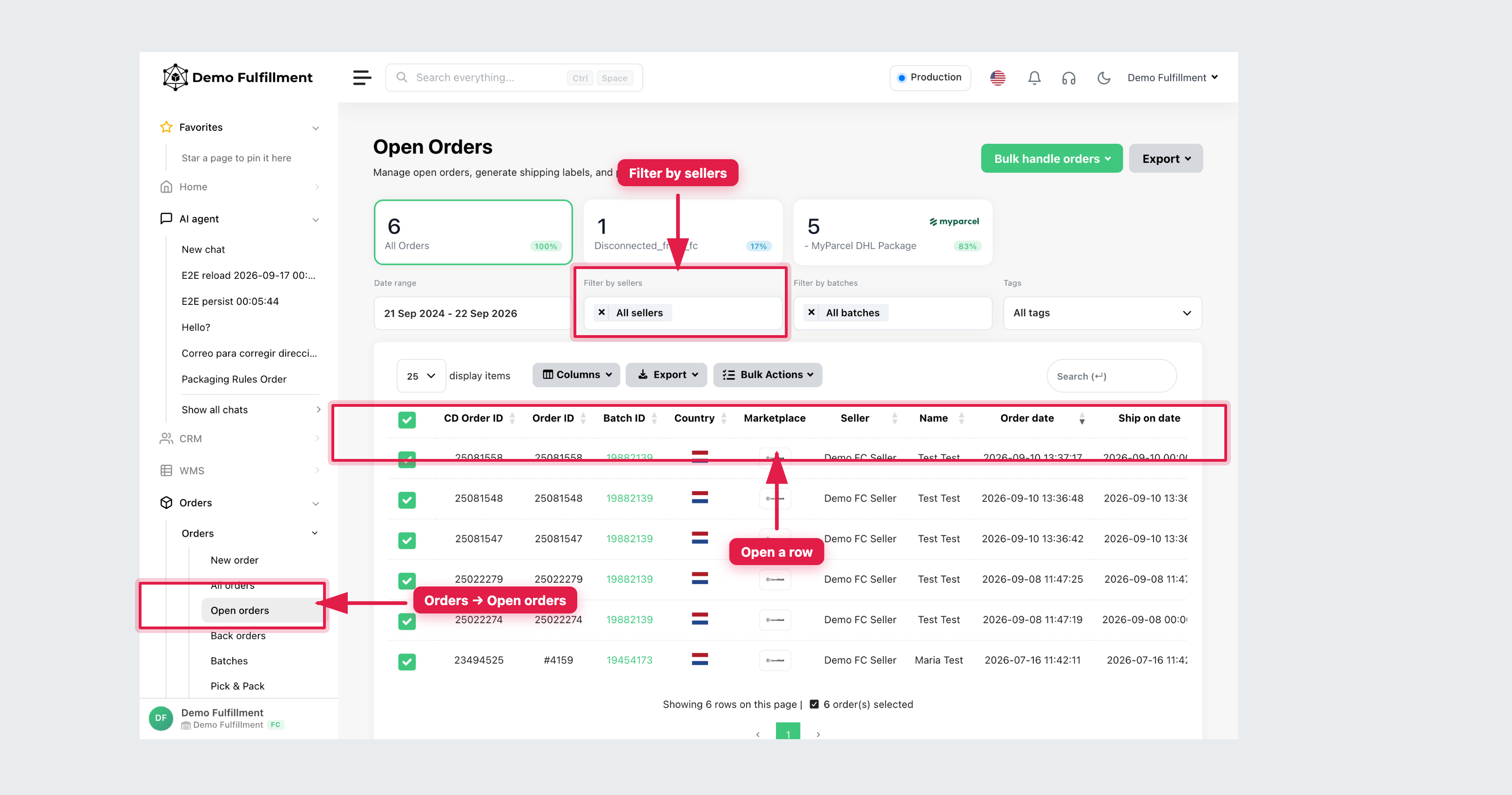
- Open the order. Confirm Seller, CD Order ID, Order ID, Order status, shipping method and Order comment.
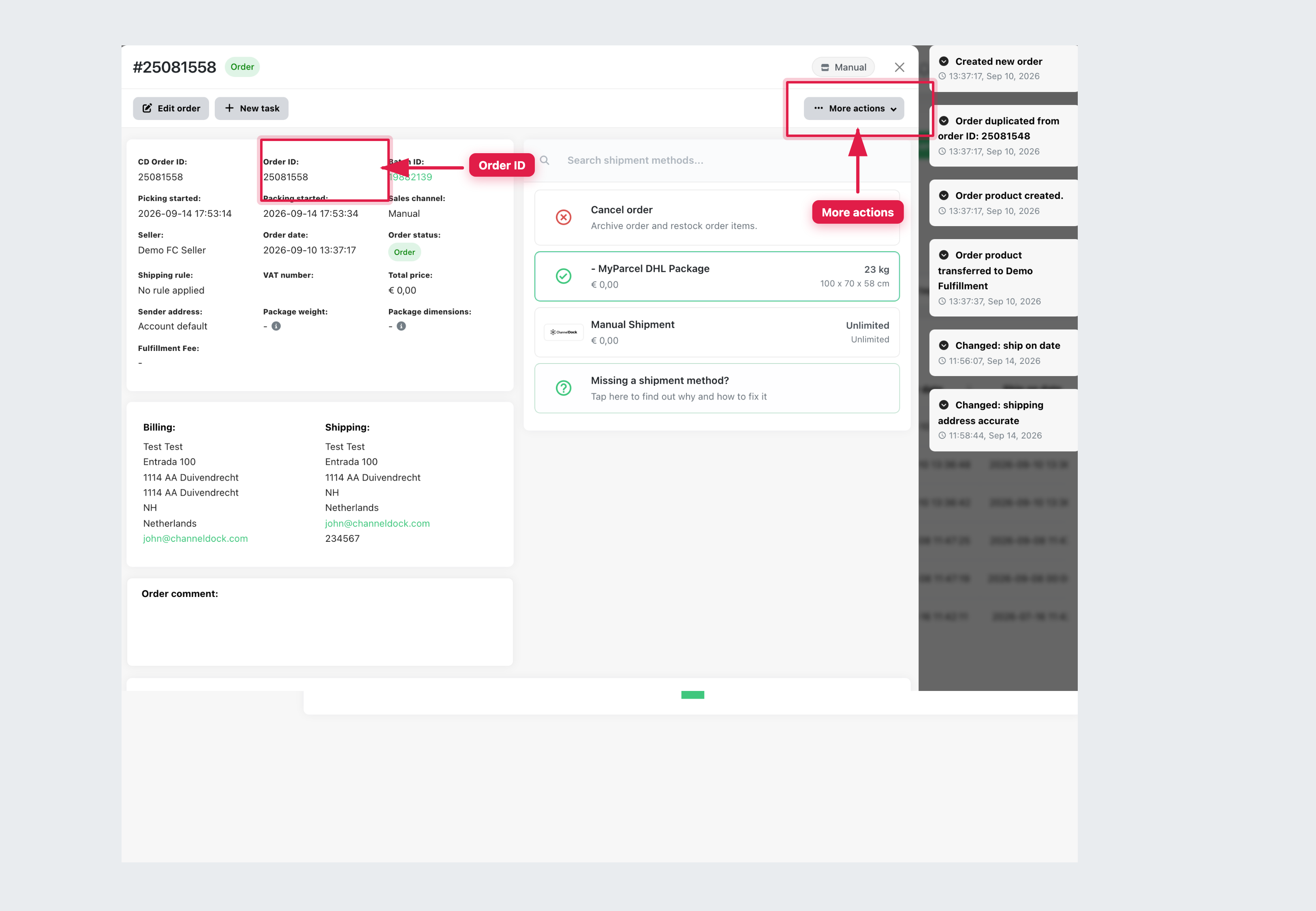
- Scroll to the product table: quantities, locations and line status. Use More actions for Print packing slip, Open in Pick & Pack, or Create return. Do not change status unless your role allows it (Cancel order archives and restocks).
- If you need a shipped, cancelled or return order, use Orders → All orders or Orders → Back orders.
If you cannot find the order, use Find a missing order. Do not create a new order.
Was this helpful?