Lesson 3 of 19 · Getting started
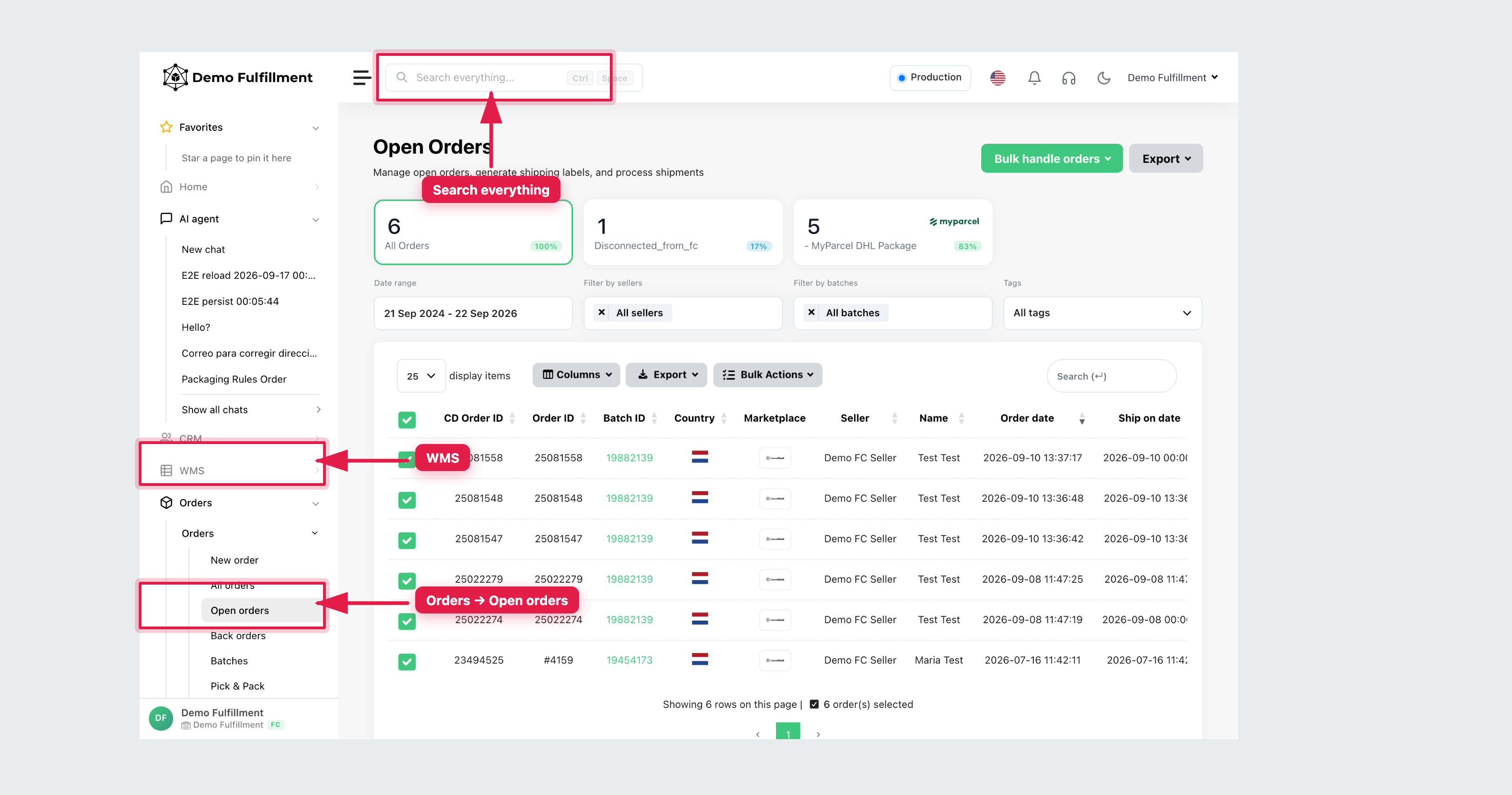
Search everything
How to: find an order, EAN or serial with Ctrl + Space.
The search bar at the top of every ChannelDock page is Search everything…. Shortcut: Ctrl + Space (on Mac, Control + Space).
How to
- Click the bar, or press Ctrl + Space.
- Type or scan one identifier:
- CD Order ID or marketplace Order ID
- EAN or SKU
- Serial number
- Delivery number
- Seller or customer name (when you have CRM access)
- Open the matching result. Confirm the seller before you pick, receive or change stock.
Use this first when someone at the bench shouts a number and you are not already on the right list. Then open Orders → Open orders or WMS → All products if you need filters.
Page Search boxes (on Products or Open orders) only search that list. Search everything looks across the warehouse.
Was this helpful?