Lesson 16 of 19 · CRM
Use the CRM
How to: use CRM → All sellers, Messages and All tasks.
CRM lists connected sellers (warehouse customers). Skip this lesson if CRM is hidden on your employee rights.
Steps
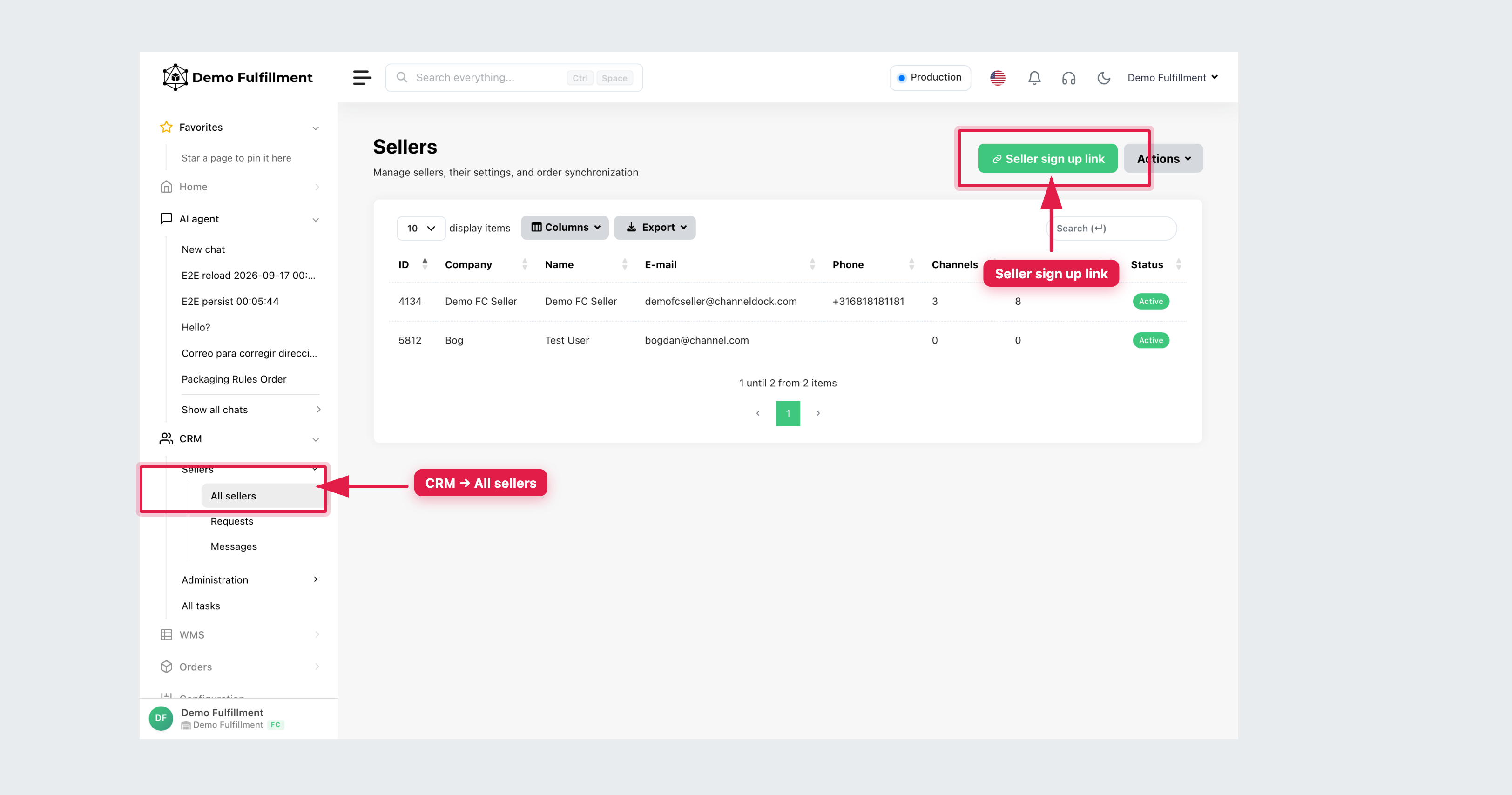
- Go to CRM → All sellers (page title Sellers). Search and open the seller.
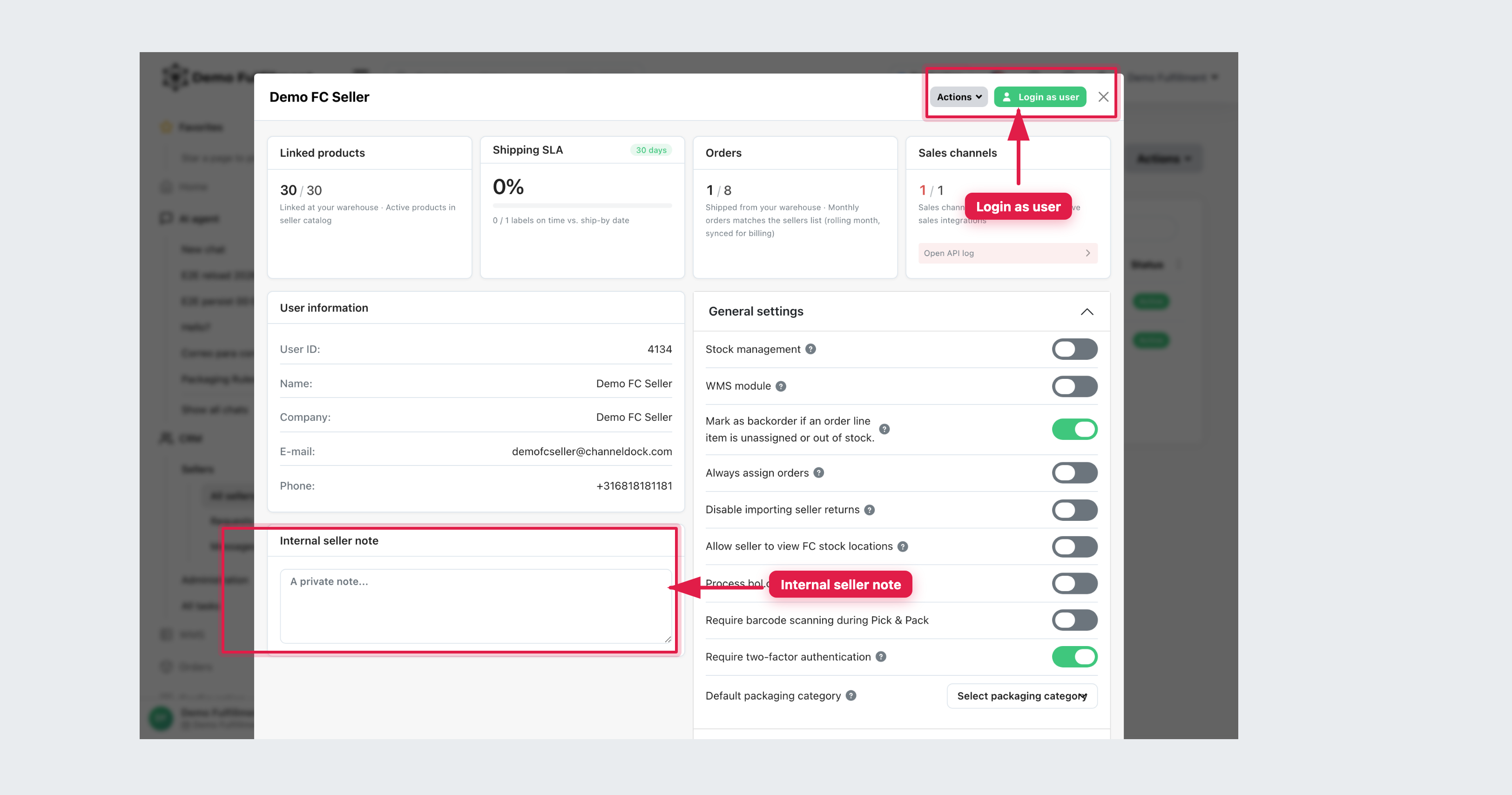
- Confirm company, name and email before you act. Warehouse staff typically use User information and Internal seller note (private to the fulfillment center). General settings and pricing toggles are administrator work.
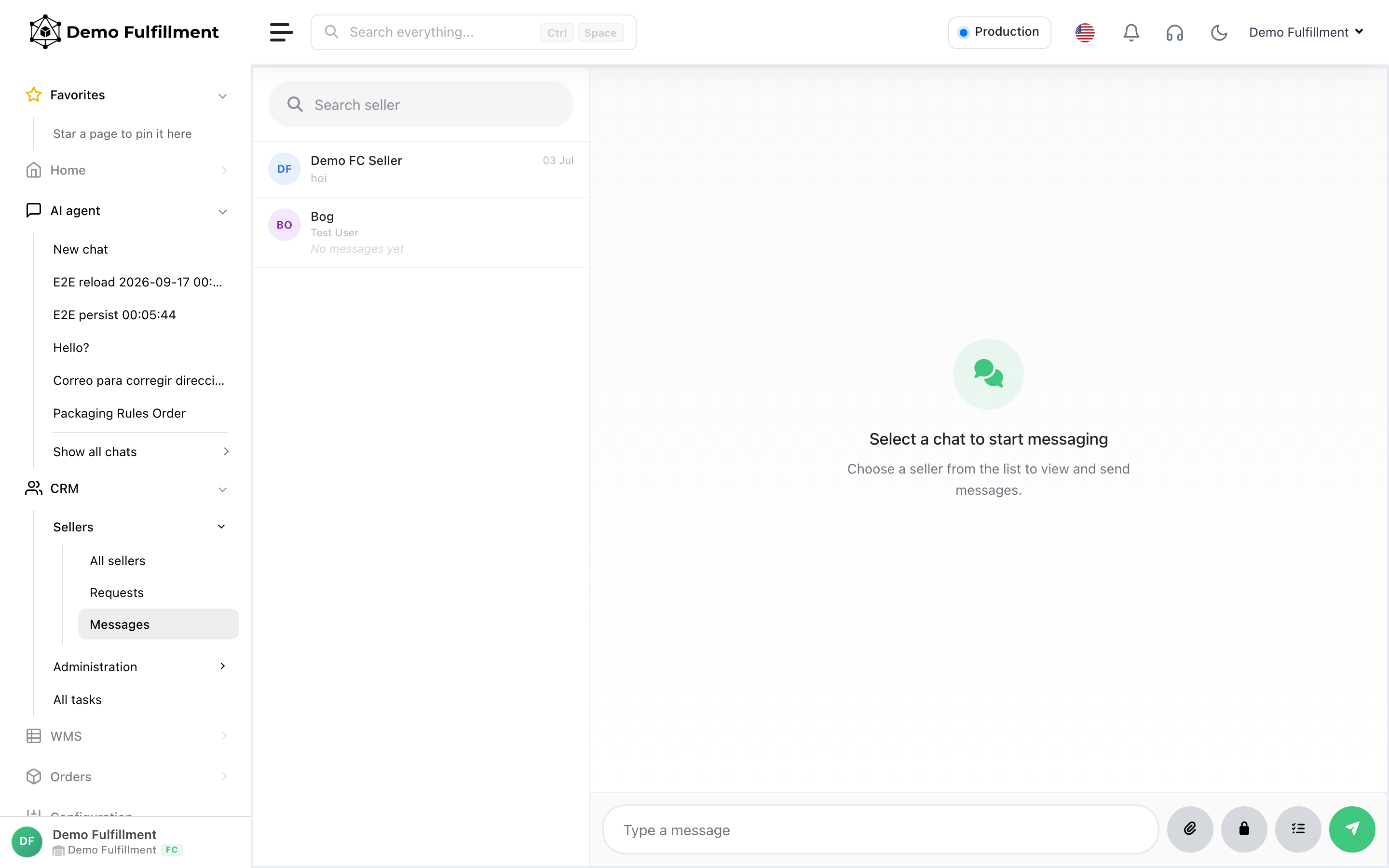
- Messages live under CRM → Messages. Write facts only (order ID, what happened, what you did).
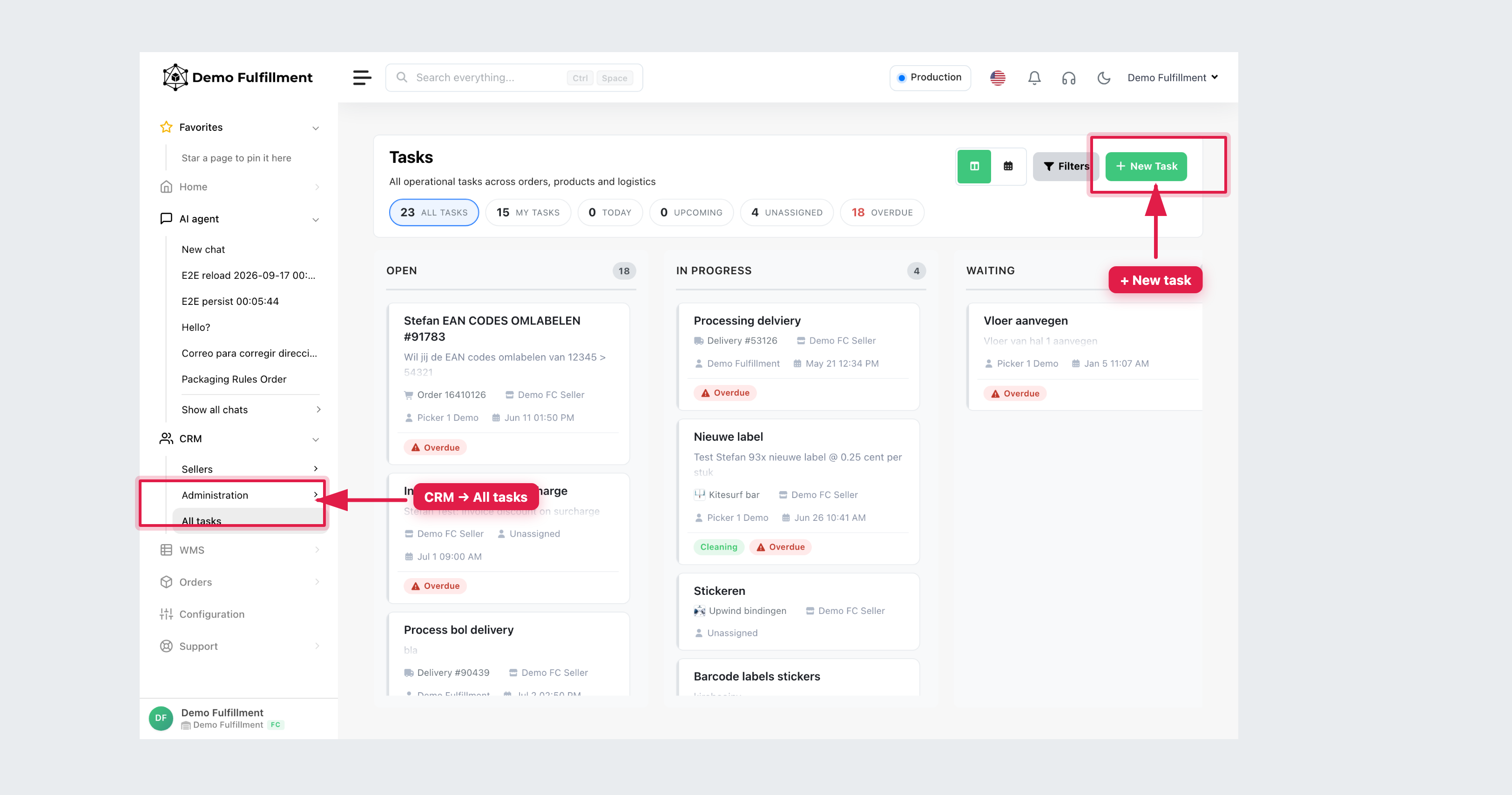
- Tasks live under CRM → All tasks or + New Task / + New task from an order, product or delivery. Create or close tasks only if that is part of your job.
Inviting sellers (Seller sign up link) and changing pick costs are administrator tasks.
More help: All sellers
Was this helpful?