Ampère Fulfillment Gateway
Last updated
Ampère Fulfillment Gateway is a fulfillment-center connection. After you print a Bol Verzenden via bol (VVB) label, ChannelDock tells Ampère that the parcel is ready for collection.
It does not create shipping methods or Ampère labels. Keep using Bol VVB for the label itself.
Ampère released this service on 1 October 2026. Request a Client ID and Client secret from Ampère. You can prepare the connection in ChannelDock, but the credentials only work after Ampère has issued them.
Ampère vs Ampère Fulfillment Gateway
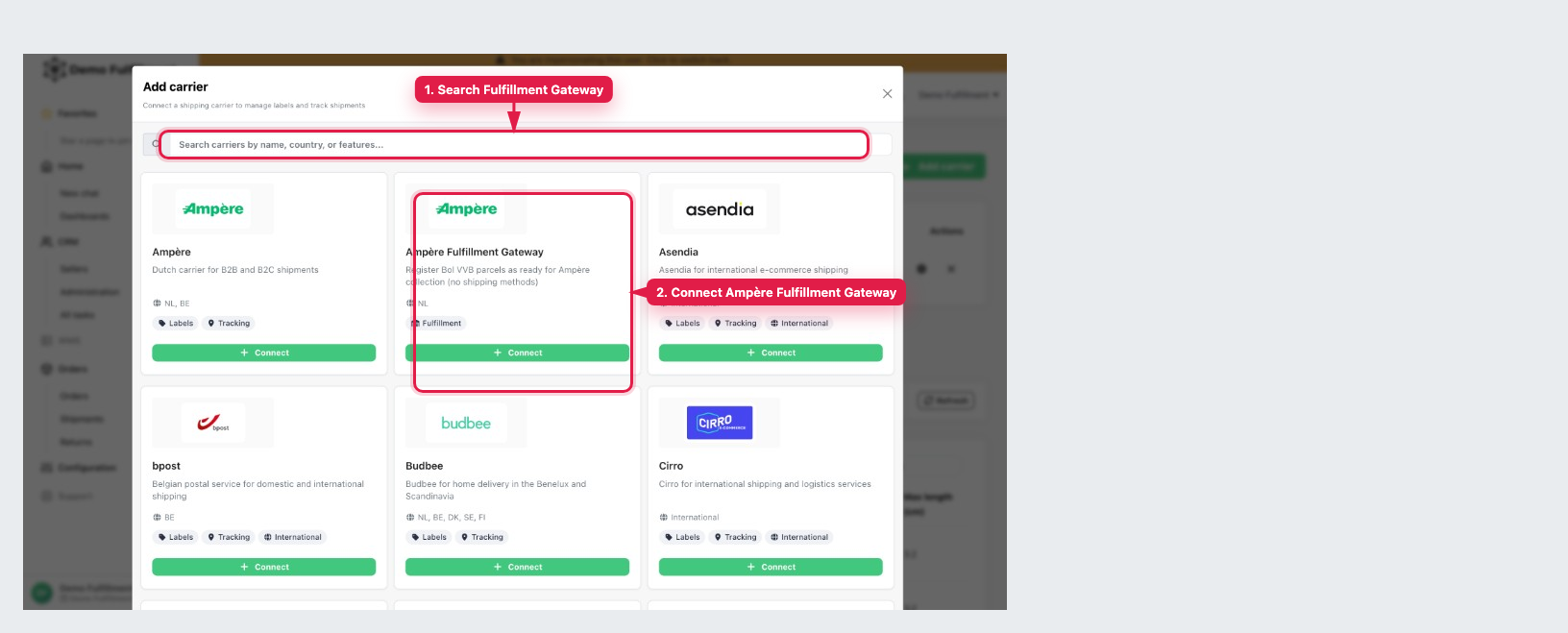
On Add carrier there are two Ampère tiles with the same logo:
- Ampère — buy Ampère shipping labels.
- Ampère Fulfillment Gateway — register Bol VVB parcels as ready for Ampère collection.
You can connect both if you need labels and VVB collection. This article is only for Ampère Fulfillment Gateway. Search for Fulfillment Gateway so you open the right tile.
Before you start
- A fulfillment center account (sellers cannot connect this).
- A Client ID and Client secret from Ampère for the warehouse Ampère collects from. Ampère issues these from 1 October 2026.
- Orders you ship with a Bol VVB label from that warehouse.
Connect
Each Ampère key belongs to one warehouse. Add a separate connection if you have more than one warehouse.
-
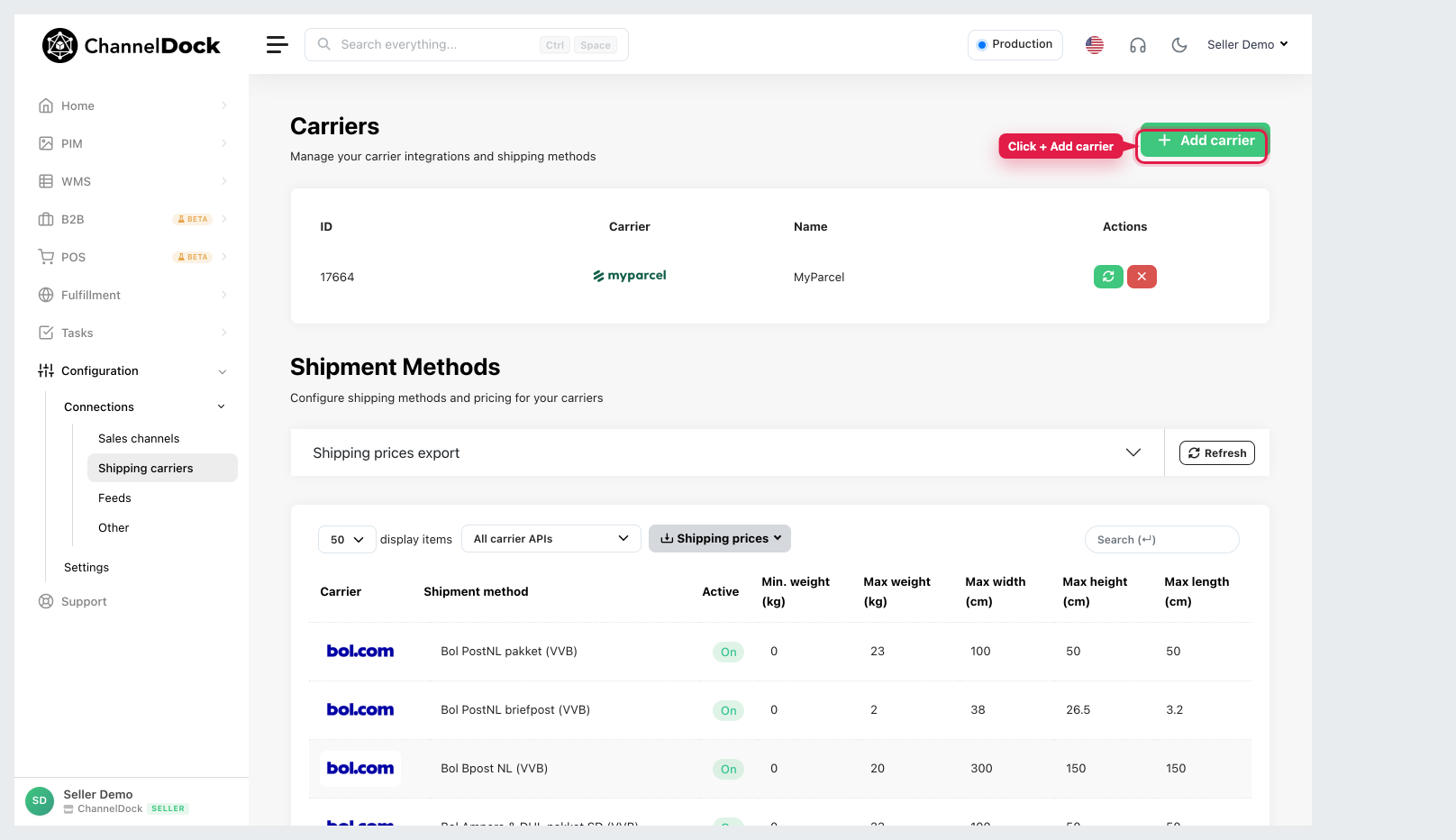
Click + Add carrier.
-
Search for Fulfillment Gateway.
-
Click + Connect on Ampère Fulfillment Gateway (not Ampère).
-
Enter the Client ID and Client secret.
-
Choose the Warehouse those credentials belong to.
-
Click Connect carrier.
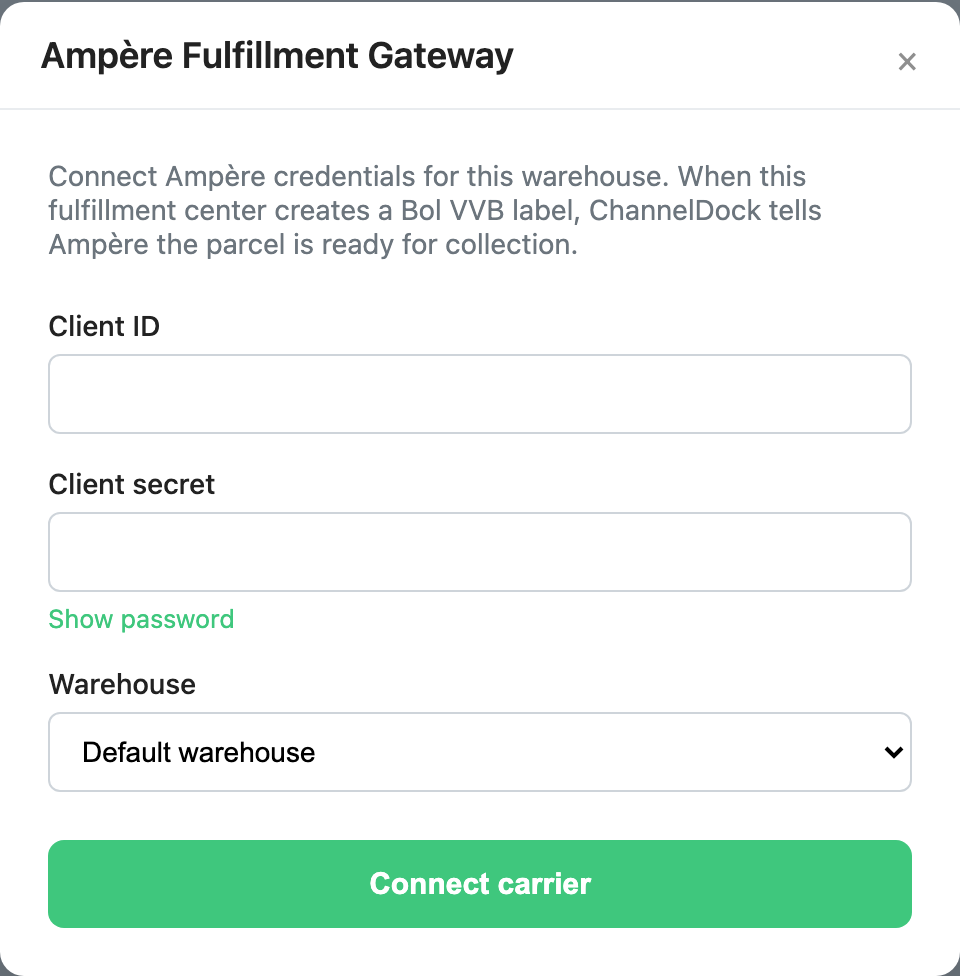
ChannelDock checks the credentials before saving. You cannot add a second Fulfillment Gateway connection for the same warehouse.
After you connect
Create Bol VVB labels as usual. You do not pick an Ampère Fulfillment Gateway shipping method.
When the label is created, ChannelDock sends the barcode to Ampère. If that call fails, the label is still created. Check the order log if collection was not registered.
Was this helpful?